

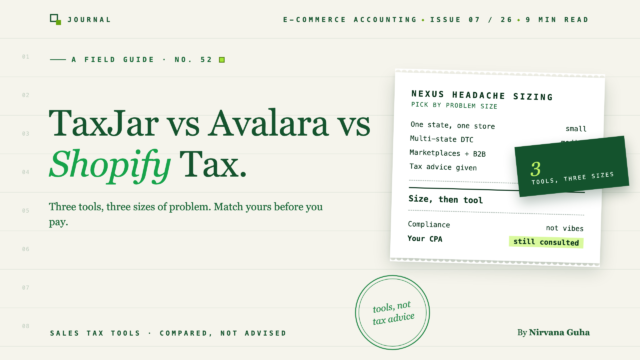
"الامتثال لضريبة المبيعات" هو أربع مهام مختلفة. تغطي هذه الأدوات مجموعات فرعية مختلفة منها - وهذا هو سبب استمرار فشل مقارنتها كمنتج واحد.
عادة ما يبدأ بفحص مجاني. لقد منحت بائع ضرائب المبيعات حق الوصول للقراءة إلى بيانات متجرك - أو فقط إيراداتك البالغة اثني عشر شهرًا الأخيرة حسب الولاية - وجاءت النتيجة تبدو وكأنها ملاحظة فدية: قد تكون لديك التزامات في 14 ولاية. أربع عشرة. أنت تبيع الشموع. في مكان ما بين موقع قسم إيرادات الولاية الثاني والاختصار الثالث الذي لم تتعرف عليه، أغلقت الكمبيوتر المحمول وكتبت "taxjar vs avalara" في جوجل بدلاً من ذلك.
وكانت النتائج أسوأ من الفحص. رتبت كل صفحة مقارنة نفس الأدوات، وسجلتها إلى منزلة عشرية واحدة، و - انظر عن كثب - تم نشرها بواسطة أحد البائعين الذين تتم مقارنتهم، أو بواسطة موقع تابع يكسب عمولة على الفائز. لا يمكنك معرفة أين تنتهي التحليلات وأين تبدأ صفحة المبيعات.
لذلك، شيئان مذكوران بوضوح قبل أي شيء آخر. أولاً: ليس لدينا مصلحة في أي من هذه الأدوات التي تختارها. تصنع LedgerPort برامج محاسبة - نقوم بمزامنة متاجر Shopify و WooCommerce مع QuickBooks. نحن لا نبيع برامج ضرائب المبيعات، ولا نأخذ أي رسوم إحالة من أي شخص في هذه الصفحة، ولم يكن أي من هؤلاء البائعين يعرف أن هذا كان يُكتب. تداخلنا الوحيد مع ضرائب المبيعات هو أن الضريبة التي تجمعها يجب أن تصل في النهاية إلى سجلاتك - وسنقضي فقرة واحدة بالضبط في ذلك، بالقرب من النهاية.
ثانياً: هذه مقارنة أدوات، وليست نصيحة ضريبية. سواء كان لديك وجود في ولاية معينة، ومتى يجب عليك التسجيل، وما هي التزاماتك في الإيداع - هذه أسئلة لمحاسبك أو متخصص ضرائب المبيعات، مطبقة على أرقامك الفعلية. ما يمكن أن يفعله هذا المنشور هو شرح ما تفعله كل فئة من فئات الأدوات في الواقع، وأين تختلف TaxJar و Avalara و Shopify Tax حقًا، وأي ملف تعريف للمتجر يميل كل منها إلى ملاءمته. هذا يحول محادثتك مع محترف من "المساعدة، أنا خائف" إلى "إليك قائمة مختصرة - تحقق من سلامتها."
الكذبة: "الأداة الصحيحة تجعل الضرائب على المبيعات مُدارة"
الإطار الذي تبيعه كل صفحة بائع - وتكرره كل قائمة مرتبة - هو أن الامتثال لضريبة المبيعات هو فئة منتج واحدة، وشراء أفضل مدخل فيها يجعل المشكلة مُدارة.
إنها ليست فئة واحدة. إنها أربع مهام متميزة، ولا توجد أداة في هذه الصفحة تقوم بكل الأربع بشكل كامل:
- الحساب عند الخروج. فرض المعدل الصحيح على كل طلب - مما يعني في الولايات المتحدة حل عنوان المشتري مقابل آلاف الأسعار المتداخلة على مستوى الولاية والمقاطعة والمدينة والمنطقة، بالإضافة إلى قواعد خاصة بالمنتج (الملابس معفاة في ولاية واحدة، تخضع للضريبة في الولاية التالية، معفاة من الضرائب أقل من حد سعري في ولاية ثالثة).
- مراقبة الروابط. تتبع أين تقترب أحجام مبيعاتك من الحدود التي تنشئ التزامًا في المقام الأول. منذ قرار ساوث داكوتا ضد واي فاي في عام 2018، لم يعد التواجد المادي مطلوبًا - فالبيع بكميات كافية في ولاية ما (غالبًا ما تُذكر الحدود بحوالي 100,000 دولار من المبيعات أو 200 معاملة، لكنها تختلف وتتغير) يمكن أن ينشئ "رابطًا اقتصاديًا" بحد ذاته.
- التسجيل. بمجرد أن يكون لديك رابط في مكان ما، يجب عليك التسجيل لدى تلك الولاية قبل أن تتمكن من التحصيل بشكل قانوني. هذه أوراق، ولاية تلو الأخرى، لكل منها بوابة خاصة بها ووقت معالجة.
- الإيداع والتحويل. تقديم الإقرارات فعليًا وإرسال الأموال - في تقويم كل ولاية، بتنسيق كل ولاية، بما في ذلك الولايات التي تدين فيها بإقرار بقيمة 0 دولار ولكن يجب عليك تقديمه على أي حال.
إليك سبب فشل تأطير "تم التعامل معها": يمكن أن تكون الأداة ممتازة في المهمة الأولى وغائبة عن المهمة الرابعة. يمكن أن يكون حساب الخروج خاليًا من العيوب بينما لا يسجل لك أحد في أي مكان أو يقدم أي شيء. وفي الوقت نفسه، تعني قوانين ميسر السوق أن أمازون والأسواق المماثلة تجمع وتدفع نيابة عنك بالفعل في معظم الولايات - لذا فإن المسح الذي يحسب مبيعات السوق تجاه رقمك المخيف قد يبالغ في تقدير التزاماتك المباشرة. (قد. تأكد من محترفك.)
بمجرد رؤية الوظائف الأربع بشكل منفصل، تتوقف الأدوات الثلاث عن كونها منافسين على محور واحد وتبدأ في أن تكون أشكالًا مختلفة. هذه هي المقارنة المفيدة.
ما هي كل أداة في الواقع
تنطبق قاعدة واحدة على الأقسام الثلاثة: تحقق من الأسعار الحالية على موقع البائع. لقد غيرت الثلاثة نماذج التسعير الخاصة بهم في السنوات الأخيرة، وأي رقم مطبوع هنا سيكون قديمًا بحلول الوقت الذي تقرأ فيه.
Shopify Tax — الخيار الأصلي
تم بناء Shopify Tax في عملية الدفع الخاصة بـ Shopify. لا يوجد شيء للتكامل، ولا شيء للمزامنة، ولا تأخير في البحث عن الأسعار عند الخروج، لأنه هو عملية الدفع. حسابها في الولايات المتحدة على مستوى السطح - يتم حله إلى العنوان المحدد، وليس الرمز البريدي - مع قواعد فئات المنتجات لأشياء مثل حدود الملابس، ولوحة معلومات الالتزام الخاصة بها تراقب مبيعات Shopify الخاصة بك مقابل حدود الروابط الاقتصادية لكل ولاية وتشير إلى المكان الذي تقترب فيه من أحدها. التسعير يعتمد على الاستخدام بعد حد مجاني؛ تحقق من الهيكل الحالي.
تتمثل القوة في ما يبدو عليه بالضبط: للحساب والوعي بالروابط على طلبات Shopify، فإن الأداة الأصلية هي المسار الأقل مقاومة، وهي جيدة حقًا في ذلك.
اعتبارات: نطاق الحد هو القصة بأكملها. يرى Shopify Tax طلبات Shopify. إذا كنت تبيع أيضًا على Amazon أو قناة البيع بالجملة أو موقع WooCommerce الخاص بك، فإن حجم أي من هذه لا يوجد في حساباته - ويتم حساب عتبات الوجود بناءً على إجمالي مبيعاتك إلى ولاية، وليس مبيعات Shopify الخاصة بك. تاريخيًا، تُركت لك التسجيل وتقديم الإقرارات أو لشريك، على الرغم من أن Shopify تتوسع هنا - تحقق مما هو مدرج حاليًا في منطقتك قبل الافتراض. أداة قناة واحدة، صورة قناة واحدة.
TaxJar — أداة السوق المتوسطة
قامت TaxJar، وهي الآن جزء من Stripe، ببناء سمعتها على جعل إدارة ضرائب المبيعات متعددة القنوات أمرًا سهلاً لشركات التجارة الإلكترونية العادية. تسحب المعاملات من Shopify و Amazon و WooCommerce و eBay وقنوات أخرى، وتجمعها في لوحة تحكم واحدة، وتحسب الأسعار عبر واجهة برمجة التطبيقات (API) - والميزة التي تحمل المنتج - تقدم AutoFile، التي تعد وتقدم إقرارات الولاية الخاصة بك تلقائيًا في الولايات التي أنت مسجل فيها.
هذا المزيج هو الهدف: TaxJar هي أبسط أداة في هذه الصفحة تغطي الحساب ومراقبة الوجود عبر القنوات وتقديم الإقرارات في اشتراك واحد. يتم تنظيم تقاريرها بالطريقة التي تريد بها الولاية البيانات بالفعل، وهو ما سيقدره أي شخص قدم إقرارًا للولاية يدويًا.
اعتبارات: مركز ثقل TaxJar هو ضريبة المبيعات الأمريكية للبائعين الصغار والمتوسطين؛ إذا كنت بحاجة إلى ضريبة القيمة المضافة/ضريبة السلع والخدمات الدولية، أو معالجة قوية لإعفاءات الشركات، أو تكاملات على مستوى ERP، فأنت على حافة خريطتها. التسجيل لا يزال بشكل عام وظيفتك أو خدمة إضافية. ومنذ الاستحواذ على Stripe، أصبح معدل تغيير المنتج موضوعًا متكررًا في مجتمعات البائعين - كوّن رأيك الخاص من تجربة حالية، وليس من أي مراجعة عمرها خمس سنوات. تحقق من التسعير الحالي وحدود الخطط؛ عادةً ما يتم تسعير تقديم الإقرارات لكل إقرار أو حسب الفئة.
Avalara — منصة المؤسسات
Avalara هي أكبر شركة في هذه الفئة، وقد تم بناؤها على هذا النحو. AvaTax، محرك الحساب الخاص بها، يتصل بكتالوج ضخم من المنصات وأنظمة تخطيط موارد المؤسسات (ERP) - ليس فقط عربات التسوق ولكن NetSuite و SAP و Dynamics وأنظمة الفوترة وأنظمة نقاط البيع. حولها توجد منتجات لتقديم الإقرارات، والتسجيلات الحكومية، وإدارة شهادات الإعفاء للبائعين من الشركات والبيع بالجملة، والحساب عبر الحدود - الرسوم الجمركية وضرائب الاستيراد وضريبة القيمة المضافة/ضريبة السلع والخدمات - للمبيعات الدولية.
هذا النطاق هو العرض الصادق. إذا كانت أعمالك تمتد عبر كيانات وقنوات وبلدان متعددة - أو كنت بائعًا من الشركات (B2B) غارقًا في شهادات إعادة البيع - فإن Avalara غالبًا ما تكون الأداة الوحيدة في هذه الصفحة التي تغطي خريطتها منطقتك. وهي أيضًا مزود معتمد بموجب برنامج ضريبة المبيعات المبسط (Streamlined Sales Tax)، والذي قد يكون مهمًا لكيفية التسجيل في الدول الأعضاء (اسأل محترفك عن قيمة ذلك في حالتك).
اعتبارات: أڤالارا تعتمد على المبيعات، وتسعيرها بالاقتباس، وهي وحدات - الحساب، والإقرارات، والتسجيلات، وإدارة الشهادات هي عادةً بنود منفصلة، والإجمالي هو تفاوض على عقد، وليس صفحة تسعير. التنفيذ هو مشروع، وليس فترة ما بعد الظهيرة. بالنسبة لمتجر ذي قناة واحدة يحقق سبعة أرقام، فهذا عادةً ما يكون أكثر من اللازم للوظيفة. احصل على عرض أسعار حقيقي لتكوينك الفعلي وقارنه بما ستقوم بتجميعه من الأدوات الأخف.
المقارنة المهمة: المهام، وليس الدرجات
| وظيفة | ضريبة شوبيفاي | تاكس جار | أڤالارا |
|---|---|---|---|
| الحساب عند الدفع | أصلي، طلبات شوبيفاي فقط | واجهة برمجة التطبيقات + تكاملات عربة التسوق، متعدد القنوات | أعمق كتالوج: عربات التسوق، أنظمة تخطيط موارد المؤسسات، الفوترة، نقاط البيع |
| مراقبة الـ Nexus | مبيعات شوبيفاي فقط | عبر القنوات المتصلة | عبر الأنظمة المتصلة |
| تسجيل الولاية | إلى حد كبير أنت / شركاء - تحقق من الحالية | عادةً ما تكون إضافة / وظيفتك | مُقدم كخدمة مدفوعة |
| تقديم الإقرارات والإيداع | محدود تاريخيًا - تحقق من الحالية | الملف التلقائي، تسعير لكل إقرار/فئة | منتج إقرارات مُدار |
| شهادات الإعفاء لـ B2B | — | محدود | منتج مخصص |
| دولي (ضريبة القيمة المضافة/ضريبة السلع والخدمات، الرسوم الجمركية) | شوبيفاي يتعامل مع بعض الأسواق أصليًا | محدود | منتجات مخصصة عبر الحدود |
على مستوى التموضع، عن قصد. كل خلية تتحرك بمرور الوقت - تعامل مع الجدول كخريطة للأشكال، ثم تحقق من الخلايا المحددة التي تهتم بها مقابل وثائق البائع الحالية.
أيها يناسب متجرك
متجر شوبيفاي فقط، مبيعات أمريكية، نطاق متواضع. ابدأ بضريبة شوبيفاي. إنها موجودة بالفعل في عملية الدفع الخاصة بك، ولوحة معلومات الالتزامات الخاصة بها تخبرك عندما يصبح سؤال الـ Nexus حقيقيًا، وحتى يكون لديك التزامات في أكثر من عدد قليل من الولايات، فإن محترفًا يقدم هذه الإقرارات القليلة - أو خدمة تقديم إقرارات لكل ولاية - قد تكلف أقل من اشتراك المنصة. عندما تبدأ لوحة المعلومات في الإشارة إلى الولايات، فهذه هي إشارتك للتحدث إلى محاسب قانوني معتمد حول مكان التسجيل.
بائع متعدد القنوات - شوبيفاي بالإضافة إلى أمازون، وول مارت، أو ووكومرس - مسجل في عدة ولايات. هذا هو المجال الرئيسي لـ TaxJar. أنت بحاجة إلى صورة الـ Nexus عبر القنوات التي لا يستطيع شوبيفاي رؤيتها، ويحول AutoFile تقويمًا شهريًا لمواعيد استحقاق الولايات إلى بند اشتراك. قم بتأكيد دعم قنواتك، واطلب من المحترف الخاص بك مراجعة معاملة الوسيط السوقي حتى لا تضاعف إيداع أمازون.
عمليات معقدة — كيانات متعددة، B2B/تجارة الجملة مع شهادات الإعفاء، أسواق دولية، أو نظام تخطيط موارد المؤسسات (ERP). احصل على عرض أسعار من Avalara. أنت تشتري نطاقًا لا يقدمه الاثنان الآخران، وبهذا التعقيد، تكون تكلفة الأداة صغيرة مقارنة بتكلفة الخطأ. قم بتسعير الوحدات التي تحتاجها بالفعل، وليس الحزمة التي تُعرض عليك أولاً.
أي ملف شخصي، إذا كنت تريده بعيدًا عن مكتبك تمامًا. هناك فئة رابعة سيكون من غير النزيه إغفالها في هذه المقارنة: خدمات جاهزة (شركات من فئة TaxValet، وشركات ناشئة جديدة مثل Numeral) تدير التسجيلات والإيداعات كخدمة فوق أي شيء يحسب ضريبتك. بالنسبة للمالكين الذين يفضلون دفع رسوم ثابتة بدلاً من امتلاك لوحة تحكم، فإن هذه المقايضة غالبًا ما تكون منطقية.
الجزء الذي تتركه كل أداة لسجلاتك
هذه هي الفقرة المحاسبية الوحيدة التي وعدنا بها. أي أداة تحسب ضريبتك، فإن الأموال التي تجمعها عند الخروج ليست إيرادات — إنها التزام. أنت تحتفظ بأموال الولاية حتى تقوم بتحويلها، مما يعني أن كل دولار تم جمعه يجب أن يقع في حساب ضريبة المبيعات المستحقة، وليس في سطر دخلك. هذا يحدث بشكل خاطئ باستمرار في الممارسة العملية، لأن ودائع Shopify تصل كمبالغ مجمعة مع تضمين الضريبة، والكتب المبنية على الودائع تبالغ في تقدير الإيرادات بصمت وتخفي الالتزام. يحتاج مخطط حساباتك إلى حساب ضريبة مبيعات مستحقة تتدفق إليه الضريبة المجمعة بالفعل — ثم يصبح الإيداع "تحويل ما يقوله حساب الالتزام"، مع اتفاق كتبك وأداتك الضريبية. أداة مزامنة مثل LedgerPort تسجل الضريبة المجمعة في حساب الالتزام تلقائيًا مع تدفق الطلبات إلى QuickBooks؛ مهما كانت طريقتك، افعلها، لأن أداة الإيداع التي تشير إلى كتب خاطئة تقوم بإيداع أرقام خاطئة.
اشترِ الشكل، وليس الدرجة
لقد جئت تسأل أي أداة تفوز، والإجابة الصادقة هي أن TaxJar مقابل Avalara مقابل Shopify Tax هي ثلاثة أشكال مختلفة لثلاثة متاجر مختلفة — آلة حاسبة أصلية بمنظور قناة واحدة، مراقب ومودع متعدد القنوات، ومنصة مؤسسية. نتيجة الفحص المخيفة التي بدأت بها هذه ليست محلولة بأي منها بمفردها: يتم حلها بواسطة محترف يؤكد أين تدين بالفعل، والتسجيلات في تلك الولايات، وأداة مطابقة لبصمة قناتك، وكتب تحتفظ بالضريبة المجمعة حيث تنتمي.
اختر ملفك الشخصي أعلاه، وقم بتقليص القائمة وفقًا لذلك، وتحقق من التسعير الحالي، وخذ القائمة المختصرة إلى محاسبك. وبالنسبة لجزء الكتب من هذه القائمة — حيث تعيش الضريبة المجمعة، وماذا سيطلب موسم الضرائب أيضًا من ملف QuickBooks الخاص بك — ابدأ بـ دليلنا الكامل للمحاسبة في التجارة الإلكترونية و قائمة التحقق من إعداد الضرائب لمتاجر Shopify.
