

- 1Lež: „Dostalo se mi to na účet, takže jsou to příjmy“
- 2Řešení: Uznávejte příjmy, jakmile je splníte
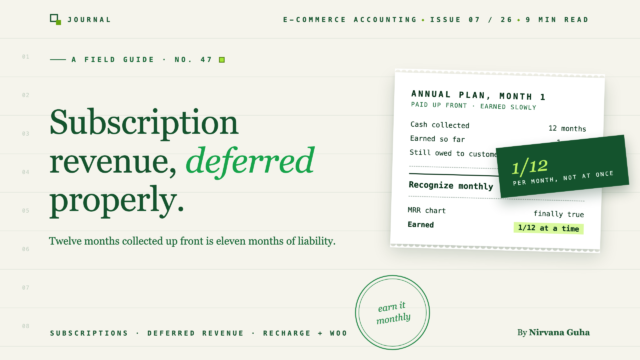
- 3Roční platba 120 $ měsíc po měsíci
- 4Měsíční obnovení jsou jednodušší — dokud nejsou
- 5Kde se to setkává s hotovostí vs. akruálním účetnictvím
- 6Kde se do toho zapojují předplatná ReCharge a WooCommerce
- 7Správné získání dat objednávek pod plánem
Hotovost z roční platby je reálná. Příjmy nikoli — zatím ne. Mezera mezi těmito dvěma fakty je místem, kde účetnictví předplatného selhává.
V listopadu jste spustili roční plán. Plaťte dvanáct měsíců předem, získejte dva měsíce zdarma — čistých 120 $ místo 144 $. Během víkendu Black Friday si jej vzalo 214 zákazníků. Váš platební procesor vám vyplatil něco přes 25 000 $ a QuickBooks říká, že listopad byl pro váš obchod nejlepším měsícem v historii.
Pak přijde lednová zpráva o zisku a ztrátě a vypadá to, že se podnik propadl ze skály. Stejní zákazníci. Každý měsíc odcházejí stejné krabice. Ale zpráva P&L říká, že příjmy se zhroutily — protože všechno bylo zaúčtováno v den, kdy přistály peníze.
Pokud jste zažili nějakou verzi tohoto — měsíc s vrcholem, který jste nedokázali vysvětlit svému daňovému poradci, „slabý“ čtvrtletí, které se nezdálo slabé, marže, které divoce kolísají v závislosti na tom, kdy přistávají platby předem — pak jste se již setkali s problémem, o kterém tento příspěvek pojednává. Odložené příjmy jsou jediným účetním konceptem, který odděluje prodejce e-commerce předplatného s čitelnými knihami od prodejců, jejichž P&L je generátor náhodných čísel.
Mechanika je jednodušší, než název napovídá. Pojďme je postavit od nuly.
Lež: „Dostalo se mi to na účet, takže jsou to příjmy“
Toto je nejpřirozenější předpoklad v obchodu a u jednorázových objednávek je přibližně pravdivý. Někdo si koupí svíčku, vy ji pošlete, peníze jsou vaše. Hotovost a výdělky přicházejí společně.
Předplatná placená předem tuto vazbu přerušují. Když zákazník v listopadu zaplatí 120 $ za dvanáct měsíčních dodávek, v listopadu jste si nevydělali 120 $. Vydělali jste si 10 $ — hodnotu jedné dodávky — a přijali jste závazek dodat dalších jedenáct.
Účetnictví má pro peníze, které jste shromáždili, ale ještě jste si nevydělali, název: odložené příjmy (také uvidíte „nezasloužené příjmy“ — totéž). A zde je část, která překvapí většinu prodejců: odložené příjmy jsou závazek, nikoli příjem. Nachází se na vaší rozvaze vedle vašich půjček a nezaplacených účtů, protože to je to, co to je — něco, co dlužíte. Jen se stane, že to dlužíte ve formě produktu a služby, nikoli v dolarech.
Lež není hloupá. Vaše zůstatek na účtu se skutečně zvýšil a pro samostatného provozovatele sledujícího hotovost je to číslo, které se zdá reálné. Ale v okamžiku, kdy předplacené předplatné zaúčtujete jako okamžité příjmy, tři věci se rozbijí:
- Vaše měsíční výsledovka přestává dávat smysl. Příjmy prudce stoupají, když kampaně zaberou, a propadají se, když ne, a ani jeden pohyb vám neřekne, jak si firma vede.
- Vaše marže se stávají nesrozumitelnými. Listopad ukazuje 25 000 USD příjmů proti jednomu měsíci nákladů na produkt. Měsíce dva až dvanáct ukazují náklady na dodání těchto krabic proti nulovým odpovídajícím příjmům.
- Vaše daňová situace se může zkreslit. V závislosti na vaší účetní metodě může uznání příjmů před jejich dosažením posunout zdanitelný příjem dopředu. (Pravidla pro načasování jsou zde skutečně technická – ověřte si své účtování u svého daňového poradce.)
Řešení: Uznávejte příjmy, jakmile je splníte
Princip akruálního účetnictví, který je základem toho všeho, je jedna věta: příjmy se uznávají, když jsou dosaženy, ne když jsou inkasovány. U předplatného „dosaženo“ znamená dodáno – každý měsíc služby nebo každá odeslaná krabice přemění část závazku na skutečné příjmy.
Zde je propracovaný příklad, od začátku do konce. Čísla jsou smyšlená a záměrně zaokrouhlená.
Roční platba 120 $ měsíc po měsíci
První den – prodej. Zákazník zaplatí 120 USD za 12měsíční předplatné. Hotovost se zvýší a stejně tak i váš závazek:
| Účet | Má dáti | Dal |
|---|---|---|
| Hotovost (nebo clearingový účet zpracovatele) | $120 | |
| Odložené příjmy (závazek) | $120 |
Všimněte si, co v tomto zápisu není: příjmy. Vaše výsledovka se v den prodeje vůbec nepohne.
Každý měsíc – uznání. Pokaždé, když dodáte měsíc (odešlete krabici, dodáte servisní období), přesunete jednu dvanáctinu ze závazku do uznaných příjmů:
| Účet | Má dáti | Dal |
|---|---|---|
| Odložené příjmy | $10 | |
| Příjmy z předplatného | $10 |
Harmonogram. Pokud to budete provádět po celý rok, zůstatek se čistě rozplyne:
| Měsíc | Uznané příjmy | Zbývající odložené příjmy |
|---|---|---|
| 1 | $10 | $110 |
| 2 | $10 | $100 |
| 3 | $10 | $90 |
| … | … | … |
| 11 | $10 | $10 |
| 12 | $10 | $0 |
Vynásobte to svými 214 zákazníky z Black Friday a obraz se změní. Místo listopadového vrcholu 25 680 USD následovaného jedenácti měsíci zjevného nedostatku ukazují vaše knihy každý měsíc zhruba 2 140 USD příjmů z předplatného – odpovídající skutečným nákladům na dodání těchto měsíců. To je výsledovka, kterou můžete číst, předpovídat z ní a předložit věřiteli bez dvacetiminutového vysvětlení.
[OBRÁZEK: Dva vedle sebe umístěné sloupcové grafy – „pohled na hotovostní bázi“ ukazující jeden obrovský listopadový sloupec a poté ploché měsíce, vs. „pohled na odložené příjmy“ ukazující dvanáct stejných měsíčních sloupců]
Měsíční obnovení jsou jednodušší — dokud nejsou
Pokud vaši odběratelé platí měsíc co měsíc, možná si myslíte, že jste z obliga. Většinou ano. Poplatek 12 USD z 1. března za březnovou krabici je dosažen ve stejném období, kdy je inkasován – hotovost a příjmy se shodují a je málo nebo nic k odložení.
Programy předplatného však přicházejí s mechanismy, které tiše znovu zavádějí časové mezery:
- Přeskočení. V programu „předplaťte si a ušetřete“ obvykle přeskočený měsíc znamená žádný poplatek a žádnou zásilku – nic k zaznamenání. Ale pokud zákazník přeskočí po naúčtování, držíte peníze za dodávku, která byla odložena. Tento poplatek zůstává v odložených příjmech, dokud se odložená objednávka skutečně neodešle.
- Pozastavení. Pozastavené roční předplatné nesmaže vaši povinnost; pouze ji prodlouží. Zbývající odložený zůstatek zůstává na vaší rozvaze a uznávání příjmů pokračuje, jakmile je obnoveno plnění. Zákazník, který pozastaví v šestém měsíci s 60 $ neuznaných příjmů, má stále 60 $ vašeho závazku – a to po celou dobu trvání pozastavení.
- Vrácení peněz a zrušení. Zde se rámování závazků vyplatí. Řekněme, že roční zákazník zruší předplatné ve čtvrtém měsíci a vy vrátíte nepoužitou část. Uznáte 40 $, vracíte 80 $ – a těchto 80 $ pochází z odložených příjmů, nikoli z příjmů. Vaše uznané příjmy za první až čtvrtý měsíc zůstávají přesně správné, protože jste si je skutečně zasloužili. (Vrácení peněz za již uznané příjmy funguje jinak – to je proti-příjmový zápis a zabýváme se jím v účetnictví vrácení a reklamací.)
- Přesah fakturačního cyklu. I jednoduché měsíční plány mohou přesahovat období – poplatek z 28. ledna za únorové zboží patří, přísně vzato, do února. V malém měřítku většina prodejců a jejich daňových poradců rozumně ignoruje. Při významném objemu stojí za rozhodnutí o politice.
Vzor napříč všemi čtyřmi: fakturační plán předplatného a jeho plnící plán jsou dvě různé časové osy a příjmy následují plnění.
Kde se to setkává s hotovostí vs. akruálním účetnictvím
Vše výše uvedené je akruální účetnictví. Pokud váš obchod funguje na čistě hotovostní bázi – zaznamenáváte příjem, když peníze dorazí, tečka – pak odložené příjmy ve vašich knihách formálně neexistují a listopadový nárůst je váš listopad.
To je legální a běžné pro malé prodejce, ale předplatná jsou jedním z nejsilnějších argumentů pro přechod. Čím více předplacených příjmů držíte, tím více se výkaz zisku a ztráty na hotovostní bázi odchyluje od provozní reality – a tím obtížnější je odpovědět na základní otázky, jako je „byl to dobrý měsíc?“ Pokud zvažujete přechod, kompromisy jsou uvedeny v našem průvodci hotovostní vs. akruální účetnictví pro e-commerce.
I oddaní prodejci na hotovostní bázi by měli sledovat svou odloženou povinnost někde, byť jen v tabulce. Vědomí, že 18 000 $ z vašeho bankovního zůstatku je vyhrazeno na plnění, vám brání utratit peníze, které jste nevydělali.
Kde se do toho zapojují předplatná ReCharge a WooCommerce
Pokud provozujete předplatná na Shopify, pravděpodobně používáte ReCharge nebo nativní funkce předplatného Shopify; na WooCommerce je to obvykle WooCommerce Subscriptions, často spolu s pokladnou a prodejním trychtýřem. Stojí za to být přesný ohledně toho, co jsou tyto nástroje: fakturační motory. Spravují smlouvu o předplatném – plán, kartu v souboru, přeskočení a pozastavení – a při každém obnovení vygenerují objednávku a poplatek ve vašem obchodě.
Právě tam se jejich data objevují ve vašem účetnictví: jako objednávky. Obnovení služby ReCharge nebo Woo Subscriptions se objeví ve streamu objednávek vašeho obchodu, projde výplatami vašeho platebního procesoru a dorazí do vašich knih stejným způsobem jako jakákoli jiná objednávka. Aplikace pro předplatné zná příběh fakturace; vaše data o objednávkách a výplatách nesou příběh peněz.
Žádný z těchto nástrojů neudržuje váš rozvrh uznávání výnosů. Ten žije ve vašem účetním souboru a je to stejný krátký seznam bez ohledu na to, jaký zásobník předplatného používáte:
- Účet závazků z odložených výnosů ve vašem účtu účtů QuickBooks, zařazený pod krátkodobé závazky.
- Rozvrh uznávání – které předplacené objednávky existují, kolik zbývá na každé z nich nevyčerpané a kolik je třeba tento měsíc uznat. Pro většinu obchodů je to tabulka klíčovaná exporty z aplikace pro předplatné.
- Měsíční účetní zápis přesouvající uznanou část z odložených výnosů na výnosy z předplatného.
- Měsíční kontrola příčetnosti, že odložený zůstatek na vaší rozvaze se stále rovná součtu nesplněných závazků ve vašem rozvrhu.
To je celý systém. Není to koncepčně těžké – je to problém disciplíny, proto se obvykle rozbije na stejném místě: základní data objednávek.
Správné získání dat objednávek pod plánem
Rozvrh uznávání je jen tak dobrý, jak dobré jsou prodejní záznamy, které ho napájejí. Pokud se objednávky předplatného objeví v QuickBooks jako jednorázové vklady – poplatky vmíchané do výnosů, vrácení peněz neviditelně zohledněné proti prodejům – nemůžete na základě toho vytvořit důvěryhodný rozvrh odložených výnosů, protože nemůžete zjistit, co jakýkoli daný výplat obsahoval. Oprava této vrstvy je na prvním místě; zde je jak by měly být prodeje Shopify zaznamenány v QuickBooks, než se do hry dostane jakákoli logika předplatného.
Toto je vrstva, kde si synchronizační nástroj vydělá na své živobytí. LedgerPort synchronizuje objednávky Shopify a WooCommerce do QuickBooks Online s oddělenými poplatky od výnosů a vrácením peněz zaznamenaným jako vrácení peněz – včetně obnovení předplatného, protože obnovení je objednávka jako každá jiná. Na svém plánu Scale odpovídají výplatní deníky vkladům procesoru s objednávkami uvnitř nich, takže peněžní strana vašich knih se řádně vyrovnává, zatímco váš rozvrh uznávání se stará o uznanou stranu. A synchronizace běží automaticky, což je pro obchody s předplatným obzvláště důležité: obnovení generují stálý proud objednávek po celý měsíc, nikoli hromadu, kterou můžete zadat dávkově 31. dne.
Abychom byli ohledně hranice jasní: měsíční účetní zápis odložených výnosů je stále na vás (nebo vašem CPA). Žádný nástroj pro synchronizaci objednávek by neměl tvrdit, že zná vaše plnící závazky. Co vám čistá synchronizace dává, jsou přesná data objednávek, poplatků a vrácení peněz, na kterých je rozvrh závislý – a pro obchody s významným objemem obnovení, hodiny zpět každý týden, které dříve šly na ruční sestavování.
Pokud se předplatné stává skutečným podílem vašich příjmů, širší základy najdete v našem průvodci účetním pilířem e-commerce. A pokud se z vaší poslední předplacené kampaně stal váš výkaz zisku a ztráty záhadnou románem, začněte v malém: otevřete QuickBooks, přidejte účet závazků z odložených příjmů a vytvořte dvanáctřádkový rozpis pro jednoho zákazníka za 120 $. Jakmile uvidíte, jak se jedno předplatné odvíjí za 10 $ měsíčně, celý model se vám rozsvítí – a LedgerPort může udržovat data objednávek pod ním čistá, a to zdarma.
