
LedgerPort는 WooCommerce 스토어를 QuickBooks Online(QBO)에 연결하고 자동으로 동기화 상태를 유지합니다. WooCommerce에서 주문이 생성, 업데이트 또는 완료되면 LedgerPort는 수동 내보내기, CSV 업로드, 중복 데이터 입력 없이 실시간으로 해당 데이터를 QuickBooks 회사로 보냅니다.
이 가이드에서는 LedgerPort가 수행하는 작업, 설치 전에 필요한 사항, 처음부터 끝까지 설정 프로세스가 어떻게 진행되는지 설명합니다.
LedgerPort의 기능
LedgerPort는 웹훅을 사용하여 WooCommerce 스토어를 모니터링하고 LedgerPort SaaS 플랫폼을 통해 QuickBooks Online으로 데이터를 전달합니다. 다음 데이터가 동기화됩니다.
| WooCommerce 데이터 | 동기화 방향 |
|---|---|
| 주문(생성, 업데이트, 삭제) | WooCommerce – QuickBooks Online |
| 제품(생성, 업데이트, 삭제) | WooCommerce – QuickBooks Online |
| 제품 변형 | WooCommerce – QuickBooks Online |
| 고객(생성, 업데이트, 삭제) | WooCommerce – QuickBooks Online |
| 환불 | WooCommerce – QuickBooks Online |
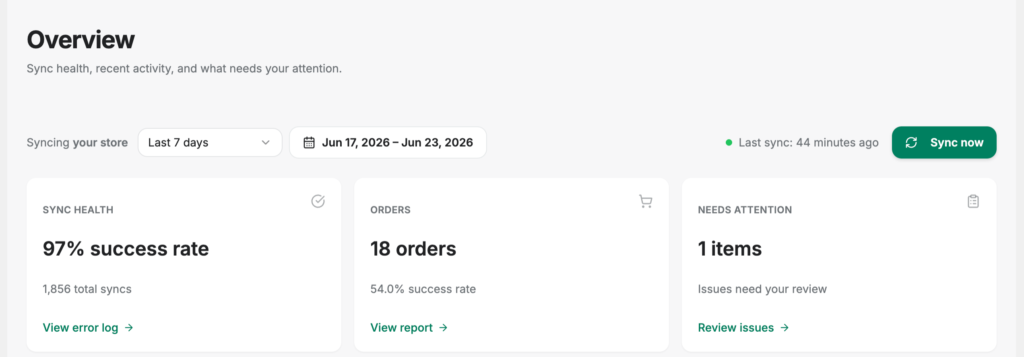
WooCommerce에서 이벤트가 발생하면 실시간으로 자동으로 동기화됩니다. 언제든지 LedgerPort 관리 메뉴에서 수동 동기화를 트리거할 수도 있습니다.
작동 방식
LedgerPort는 두 부분으로 구성된 시스템입니다.
- WordPress 플러그인 – WooCommerce 스토어에 설치됩니다. WooCommerce API 자격 증명 및 웹훅을 프로비저닝하고 스토어와 LedgerPort 플랫폼 간의 브리지 역할을 합니다.
- LedgerPort SaaS 플랫폼 – app.ledgerport.com에 호스팅됩니다. 이곳에서 QuickBooks Online 연결을 관리하고, 계정 매핑을 저장하며, 동기화 로직을 실행하고, 감사 로그를 보관합니다.
플러그인은 WordPress 측에서 발생하는 모든 작업을 처리합니다. SaaS 플랫폼은 QuickBooks 측을 처리합니다. WordPress 내의 LedgerPort 관리 메뉴에서 두 가지 모두를 관리합니다.
요구 사항
LedgerPort를 설치하기 전에 환경이 다음을 충족하는지 확인하십시오.
| 요구 사항 | 최소 |
|---|---|
| WordPress | 6.0 이상 |
| PHP | 8.0 이상 |
| WooCommerce | 설치 및 활성화됨 (최신 버전) |
| HTTPS | 필수 – 사이트는 SSL을 사용해야 합니다. |
| LedgerPort 계정 | ledgerport.com의 활성 계정 |
| QuickBooks Online | LedgerPort 계정에 연결된 활성 QBO 회사 |
HTTPS가 필요합니다. LedgerPort는 SSL/HTTPS를 사용하지 않는 사이트에서의 연결 흐름을 완료할 수 없습니다. 사이트가 HTTP만 사용하는 경우, 진행하기 전에 SSL을 활성화하십시오. 대부분의 호스팅 제공업체는 Let’s Encrypt를 통해 무료 SSL을 제공합니다.
통화가 일치해야 합니다. WooCommerce 스토어 통화와 QuickBooks Online 회사의 기본 통화는 동일해야 합니다. LedgerPort는 통화를 변환하지 않습니다. 불일치가 있는 경우 연결이 활성화되지 않습니다.
LedgerPort 관리자 메뉴
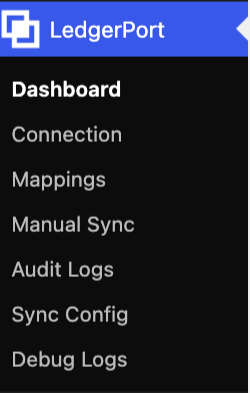
플러그인을 설치하고 연결한 후에는 WordPress 관리자에서 LedgerPort 메뉴 아래에 다음 페이지를 사용할 수 있습니다:
| 페이지 | 표시되는 내용 |
|---|---|
| 대시보드 | 연결 상태, 마지막 동기화 시간, 최근 오류 |
| 연결 | 연결 세부 정보, QuickBooks 계정, 요금제 및 사용량, 연결 해제 |
| 매핑 | WooCommerce 제품, 고객 및 계정을 QuickBooks 엔티티에 매핑 |
| 수동 동기화 | 즉시 QuickBooks로 동기화 트리거 |
| 감사 로그 | 유형, 엔티티, 상태 및 날짜별 필터링이 가능한 전체 동기화 기록 |
| 동기화 구성 | 동기화할 내용과 방법 구성 |
| 디버그 로그 | 플러그인 수준 진단 로그 |
설정 개요
LedgerPort 설정은 약 5분이 소요됩니다. 프로세스는 다음과 같습니다:
- WordPress 사이트에 LedgerPort 플러그인을 설치합니다 (WordPress.org에서 또는 zip 파일 업로드).
- 플러그인은 활성화 후 자동으로 설정 마법사를 엽니다.
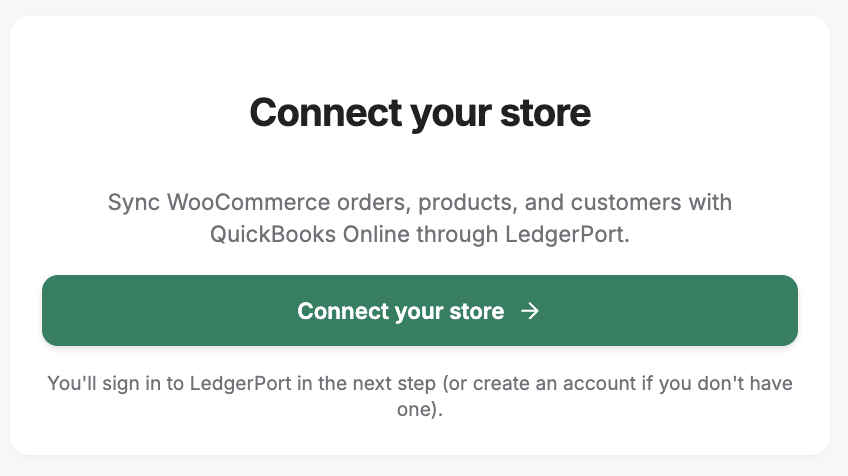
- 설정 마법사에서 연결을 클릭하여 연결 흐름을 시작합니다.
- 연결을 로그인하고 승인하기 위해 app.ledgerport.com으로 리디렉션됩니다.
- 인증 후 워드프레스 사이트로 다시 리디렉션됩니다.
- LedgerPort는 자동으로 WooCommerce REST API 키를 생성하고 웹훅을 등록합니다.
- 연결이 확인되면 대시보드로 이동합니다.
- WooCommerce 데이터가 QuickBooks 계정 원장에 올바르게 매핑되도록 계정 매핑을 구성하십시오.
자주 묻는 질문
LedgerPort가 HPOS(고성능 주문 저장소)와 함께 작동하나요? 예. LedgerPort는 WooCommerce의 고성능 주문 저장소(사용자 지정 주문 테이블)와 완벽하게 호환됨을 선언합니다. 추가 구성이 필요하지 않습니다.
플러그인을 설치하기 전에 LedgerPort 계정이 필요한가요? 예. 연결을 완료하려면 ledgerport.com에서 활성 계정이 필요합니다. 계정이 없는 경우 설정 중에 계정을 만들 수 있습니다.
하나의 LedgerPort 계정에 여러 WooCommerce 스토어를 연결할 수 있나요? 이는 LedgerPort 요금제에 따라 다릅니다. 연결된 각 스토어는 하나의 연결로 계산됩니다. 요금제의 연결 제한은 관리 메뉴의 연결 페이지에 표시됩니다.
LedgerPort가 WooCommerce 구독을 지원하나요? LedgerPort는 표준 WooCommerce 주문 및 고객 데이터를 동기화합니다. 구독 갱신 주문은 WooCommerce에서 생성될 때 일반 주문으로 동기화됩니다.
내 사이트가 인터넷 액세스를 잃거나 LedgerPort API를 일시적으로 사용할 수 없는 경우 어떻게 되나요? LedgerPort는 실시간 동기화를 위해 WooCommerce 웹훅을 사용합니다. 웹훅 전송에 실패하면 WooCommerce가 자동으로 다시 시도합니다. 필요에 따라 수동 동기화 페이지를 사용하여 데이터를 푸시할 수도 있습니다.
문제가 발생하면 여기를 클릭하여 문의해 주세요. 저희 지원팀에서 도와드리겠습니다.
