

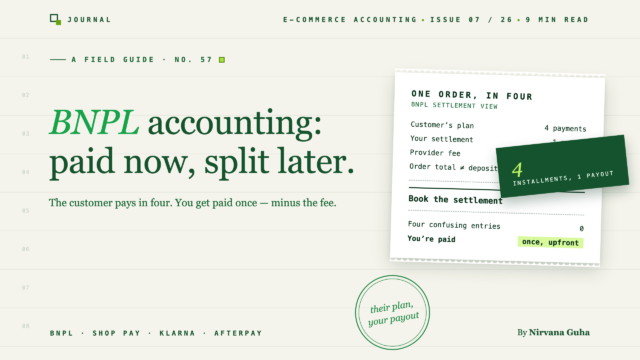
הלקוח משלם בארבעה תשלומים. אתה מקבל תשלום אחד — וזה בדיוק המקום שבו הנהלת החשבונות משתבשת.
הפעלת את Shop Pay Installments במרץ. אולי הוספת גם Klarna או Afterpay, כי מחקרי המקרה אמרו שאפשרויות תשלום עתידיות מגדילות המרות — וההמרות שלך אכן עלו. ואז הגיע סוף החודש, ולקוח הבנק שלך הציג בעיה חדשה: הפקדות משמות שמעולם לא התאמת בעבר, בסכומים שלא תאמו דבר בדוח התשלומים של Shopify. בינתיים, הרווח שלך ירד בחצי נקודה מהרגיל, ושום דבר בדוח רווח והפסד לא מסביר מדוע.
אז דחסת את ההפקדות המוזרות ל"הכנסות Shopify" והמשכת הלאה. הספרים הסתדרו — והם היו שגויים בסתר. חשבונאות BNPL היא תחום שבו "שגוי בסתר" מצטבר בכל חודש כשהתמהיל גדל.
הנה השינוי שפוסט זה בנוי עליו: קנה-עכשיו-שלם-מאוחר לא משנה כלל מתי אתה מרוויח הכנסה. תוכנית התשלומים של הלקוח אינה הבעיה שלך — היא לעולם לא נוגעת בספרים שלך. מה ש-BNPL באמת משנה זה שני דברים: העמלה גדולה יותר, והכסף נוחת בזרם אחר. שניהם ניתנים לתיקון אחר הצהריים ברגע שאתה רואה אותם.
כלל מספר אחת בחשבונאות BNPL: אתה מקבל תשלום מראש
התחל עם המכניקה, כי רוב הבלבול מתפוגג כאן.
כאשר לקוח משלים הזמנה עם Shop Pay Installments, Klarna או Afterpay, שלושה דברים קורים:
- אתה שולח את ההזמנה כמו כל מכירה אחרת. הספק אישר את הלקוח בעת התשלום; העסקה הושלמה מצדך.
- הספק משלם לך מראש — את מלוא ערך ההזמנה, בניכוי עמלת הסוחר שלו. לא בתשלומים. פעם אחת.
- הלקוח משלם לספק בחזרה לאורך זמן. ארבעה תשלומים, תוכניות חודשיות, מה שהוא בחר. אם הלקוח מפסיק לשלם, זה בינו לבין הספק — אתה כבר קיבלת את הכסף שלך.
הספק קונה למעשה את החוב ממך. הם לוקחים על עצמם את סיכון האשראי של הלקוח, והם גובים ממך עמלה גדולה יותר עבור הזכות — משמעותית יותר מעיבוד כרטיס רגיל. אין תעריף אוניברסלי; העלות האפקטיבית שלך תלויה בהסכם שלך ובתמהיל סוגי התוכניות, אז בדוק את החוזה שלך. אבל הכיוון עקבי: BNPL עולה יותר להזמנה מאשר גרירת כרטיס.
ההשלכה החשבונאית פשוטה יותר ממה שרוב האנשים מצפים. הכנסות מוכרות בדיוק כמו מכירת כרטיס — ערך הזמנה מלא בנקודת המכירה, כמו תמיד. אין הכנסות נדחות, אין חוב לקוחות שצריך לעקוב אחריו, אין לוח תשלומים שצריך לשקף ב-QuickBooks. אם מישהו אומר לכם ש-BNPL פירושו "הכרה בהכנסות כשהתשלומים נכנסים", הוא בלבבל את ספרי החשבונות שלכם עם אלו של הספק.
השקר: "זוהי פשוט שיטת תשלום נוספת"
מנגנון התשלום המיידי הזה מוביל ישירות למלכודת. מכיוון שתזמון ההכנסות רגיל, מפתה להסיק שאף אחד מצרכי הנהלת החשבונות שלכם לא צריך להשתנות. הפעילו את אפשרות התשלום, צפו בשיפור ההמרות, סיימתם.
זה השקר, והוא נדיב — כי הוא כמעט נכון. שני דברים השתנו, ושניהם בלתי נראים ביום שבו אתם הופכים את המתג.
ראשית, העמלה גדלה ועברה מקום. עמלות הכרטיס שלכם נמצאות בתוך דוח התשלומים של Shopify Payments — מעצבן, אבל לפחות אתם יודעים איפה לחפש (מיפינו כל נקודת מסתור בעמלות Shopify ב-QuickBooks). עמלות BNPL של צד שלישי נמצאות במקום אחר לגמרי: פורטל הסוחרים של Klarna, דוחות הסדר של Afterpay. אם הרגל מעקב העמלות שלכם הוא "לקרוא את דוח התשלומים של Shopify", חלק מעלויות העיבוד שלכם פשוט יצא מהמסגרת. ואם אתם לא משתמשים ב-Shopify Payments, או שה-BNPL פועל כשער צד שלישי, עמלת העסקה של צד שלישי של Shopify עצמה יכולה להתווסף — בדקו את התוכנית שלכם.
שנית, הכסף מגיע בזרם חדש. תשלומים באמצעות Shop Pay מתיישבים דרך התשלומים הרגילים שלכם ב-Shopify Payments, כך שההזמנות הללו נעות יחד עם מכירות הכרטיסים שלכם. Klarna ו-Afterpay, הפועלים כשערים משלהם, מקבצים בלוחות זמנים משלהם ומפקידים תחת שמותיהם. הזנת הבנק שלכם כוללת כעת שניים או שלושה זרמי התיישבות במקום אחד — כל אחד עם התזמון שלו, העמלות שלו, והדוח שלו שתצטרכו לפתוח כדי להסביר כל הפקדה נתונה.
אף אחד מהשינויים לא מודיע על עצמו. הראשון שוחק את הרווח שלכם מבלי להשאיר שורת פריט; השני שובר את שגרת התאמת ההפקדות שעליה הסתמכתם במשך שנים. לא עשיתם שום דבר לא בסדר — המערכת גידלה סט שני של צנרת בזמן שהדשבורד נראה זהה.
הזמנה של 100 דולר, בשתי דרכים
מספרים הופכים את זה לקונקרטי. המספרים למטה הם להמחשה ובדיוניים — עיבוד כרטיסים בשיעור טיפוסי של 2.9% + 30 סנט, ושיעור קבוע של 6% שהומצא עבור ספק ה-BNPL. ההסכם בפועל שלכם יהיה שונה; המבנה לא ישתנה.
| צ'ק-אאוט בכרטיס | צ'ק-אאוט BNPL | |
|---|---|---|
| סך ההזמנה (מה שהלקוח רואה) | $100.00 | $100.00 |
| הכנסה שאתם רושמים | $100.00 | $100.00 |
| עמלת עיבוד | $3.20 | $6.00 |
| מזומן שאתם מקבלים | $96.80 | $94.00 |
| מתי אתם מקבלים את זה | תשלום Shopify הבא | מראש — לוח זמנים של הספק |
| היכן העמלה גלויה | דוח תשלומים של Shopify | פורטל/דוח של הספק |
| מי גובה מהלקוח | אתם, בצ'ק-אאוט | הספק, על פני 4+ תשלומים |
קראו את שורת ההכנסות פעמיים: זהה. המכירה היא 100 דולר בכל מקרה, נרשמת בנקודת המכירה בכל מקרה. כל מה ששונה חי מתחת לשורה זו — עמלה כמעט כפולה בגודלה, שמגיעה דרך צינור אחר, מתועדת בדוח אחר.
פערי ה-2.80$ להזמנה נשמעים קטנים. הם אינם, במצטבר. עוד על כך בהמשך.
היכן הכסף נוחת: חשבון פיקוח אחד לכל זרם
הנה התיקון התפעולי לבעיית הסילוק, וזהו אותו דפוס שפותר הנהלת חשבונות מרובת שערים בכל מקום: כל זרם סילוק מקבל חשבון סליקה משלו.
אם קראתם את עמוד התייצבות התשלומים שלנו, אתם מכירים את המכניקה — מכירות ברוטו, החזרים ועמלות נרשמים בחשבון סליקה, הפקדת הבנק מועברת ממנו, ויתרה אפס מוכיחה שהכל מסתדר. BNPL לא משנה את השיטה הזו. הוא מכפיל אותה:
- Shop Pay Installments — אין צורך בחשבון סליקה חדש. SPI מסולק בתוך תשלומי Shopify שלך, כך שההזמנות האלה זורמות דרך חשבון הסליקה הקיים של Shopify Payments שלך. העמלות מפורטות בפירוט התשלום; הן פשוט גדולות יותר עבור הזמנות אלה.
- Klarna — חשבון סליקה משלו. הסילוקים של Klarna מתבצעים באצוות לפי לוח הזמנים של Klarna ונכנסים כהפקדות על שם Klarna. רשמו את המכירות ברוטו והעמלות עבור הזמנות Klarna שם; סלקו את החשבון כאשר כל הפקדה מגיעה.
- Afterpay — אותו הדבר. חשבון סליקה משלו, דוח סילוק משלו, בדיקת אפס משלו.
כל חשבון צריך להגיע באופן עצמאי לאפס לאחר כל מחזור סילוק. כאשר אחד לא מגיע, אתם יודעים באיזה זרם הבעיה עוד לפני שפתחתם דוח אחד — וזו כל הנקודה של הדפוס. חנויות WooCommerce המריצות Klarna או Afterpay דרך תוספי שערים מתמודדות עם מבנה זהה; מדריך הסנכרון של WooCommerce–QuickBooks מפרט את הגרסה הספציפית לפלטפורמה.
מה שאתם לא צריכים לעשות זה לתת לכל שלושת הזרמים לזרום לחשבון הכנסה אחד לא מובחן. כך הפקדת Klarna נרשמת כהכנסה (היא בניכוי עמלות — כעת ההכנסה שלכם מוערכת בחסר והעמלות שלכם חסרות) וכך סילוק Afterpay חסר עובר ללא הבחנה לרבעון.
החזרים דרך BNPL
החזרים הם המקום שבו הצנרת של BNPL באה לידי ביטוי בצורה הברורה ביותר, אז דעו את הזרימה לפני ההחזר הראשון שלכם.
כאשר אתם מחזירים הזמנת BNPL, אתם מחזירים אותה דרך הספק — מהצד שלכם, בדרך כלל אותו כפתור החזר כמו תמיד. הספק מבטל את הצד של הלקוח: מבטל תשלומים עתידיים, מחזיר את מה שהלקוח כבר שילם. אף אחד מאלה לא שייך לספרים שלכם.
מה שכן שייך לספרים שלכם הוא אותה רישום נגד-הכנסות כמו כל החזר — החזרות מכירות למעלה, והמזומנים שנגבו בחזרה מהסילוק הבא שלכם בזרם זה. הטוויסט הוא העמלה. האם הספק מחזיר את עמלת הסוחר שלו על הזמנה מוחזרת משתנה לפי ספק ומשתנה לפי הסכם: חלקם מחזירים אותה במלואה, חלקם שומרים חלק, חלקם שומרים את כולה. אל תניחו — בדקו את ההסכם שלכם, וכאשר העמלה לא מוחזרת, רשמו את החלק שנשמר כהוצאת עיבוד כדי שהוא לא ייעלם בפער התייצבות.
מכיוון שהחזרים של BNPL חוצים תקופות התיישבות לעיתים קרובות יותר מהחזרי כרטיס (ההתיישבות כבר שולמה לפני שהלקוח שינה את דעתו), הם מקור נפוץ לחשבונות פיצויים שלא יתאפסו. המכניקה של קבלת תזמון החזרים נכון - כולל החזרים חוצי תקופות - מכוסה לעומק במדריך הנהלת חשבונות להחזרים והחזרות שלנו.
שאלת רווח והפסד: מה BNPL עושה למרווח המשולב
עכשיו החלק האסטרטגי - הסיבה שהרווח הגולמי שלך ירד בחצי נקודה ושום דבר בדוח רווח והפסד לא הסביר זאת.
עמלות BNPL הן הוצאות עיבוד, סוף פסוק. לא עלות שיווקית, לא הכנסה נגדית, לא ניכוי מסתורי בתוך פיקדון. הן שייכות לשורת הוצאות משלהן (או מקובצות תחת עמלות עיבוד סוחר), שם תוכל לראות אותן זזות.
והן יזוזו, כי הן גדלות עם התמהיל. תוך שימוש באותם שיעורים פיקטיביים כמו קודם, צפה מה קורה לחנות שעושה 50,000 דולר בחודש ככל שנתח ה-BNPL גדל:
| נתח BNPL מהמכירות | עמלות כרטיס (2.9% + 30¢, להמחשה) | עמלות BNPL (6%, להמחשה) | עלות עיבוד כוללת | שיעור משולב אפקטיבי |
|---|---|---|---|---|
| 0% | ~1,600$ | $0 | ~1,600$ | ~3.2% |
| 20% | ~1,280$ | $600 | ~1,880$ | ~3.8% |
| 40% | ~960$ | $1,200 | ~2,160$ | ~4.3% |
הכנסה זהה. מוצרים זהים. נקודת רווח גולמי שלמה אבדה - לא אבדה, שולמה, עבור הגידול בהמרה והעגלות הגדולות יותר ש-BNPL באמת מספק. העסקה הזו יכולה להיות כדאית. אבל אתה יכול להעריך אותה רק אם העמלה יושבת בדוח רווח והפסד שלך כשורה משלה, זזה כשתמהיל שלך משתנה. קבורה בפיקדון נטו, היא פשוט נראית כאילו העסק שלך הפך גרוע באופן מסתורי.
השאלה לשים לספרים שלך: אם BNPL יעבור מ-10% ל-30% מהמכירות שלך ברבעון הבא, האם דוח רווח והפסד שלך יראה לך את העלות? אם התשובה היא לא, העמלה נטו מחושבת איפשהו - והתיקון הוא מבנה חשבון הפיצויים שלמעלה.
איך זה נראה אוטומטי
כל מה שלמעלה ניתן לביצוע ידנית: חשבונות פיצויים לכל זרם, רשומות יומן הכנסה גולמית, עמלות שנרשמו מכל דוח של ספק, החזרים שעקבו אחר תקופות התיישבות. זו בדיוק אותה שיטת שש השלבים מעמוד הפיוס, מופעלת פעם אחת לכל זרם, בכל מחזור. זו בדיוק הבעיה - BNPL לא הפך את השיטה לקשה יותר, הוא גרם לך להפעיל אותה פעמיים או שלוש במקביל, מול דוחות בפורטלים שונים.
זו הקטגוריה של עבודה שכלי סנכרון נועד עבורה. LedgerPort קורא הזמנות, החזרים ועמלות מהחנות שלך ורושם אותן ב-QuickBooks עם המבנה שלם - הכנסה ברוטו, עמלות כהוצאה גלויה, כל זרם התיישבות מפולס בנפרד, אותו דפוס לכל שער. הזמנות נרשמות כאשר הן מגיעות לסטטוס התשלום שתבחר, כך שהזמנת BNPL נכנסת לספרים שלך כאשר היא נלכדת, לא כאשר היא מובטחת - מסמך שיטות סנכרון הזמנות מראה כיצד טריגר זה פועל. יומני תשלומים וטיפול בעמלות נשלחים בתוכנית Scale ומעלה; ראה תמחור היכן הקו ממוקם.
ההסתייגות הכנה: שום כלי לא משנה את הכלכלה של BNPL שלך. העמלה היא מה שההסכם שלך אומר שהיא. מה שאוטומציה משנה הוא האם העמלה הזו היא מספר בדוח רווח והפסד שלך שאתה יכול לפעול לפיו - או שארית שאתה מגלה באפריל.
התשובה הייתה מראש כל הזמן
נכנסתם בציפייה ש-BNPL יהיה בעיית מעקב אחר תשלומים - משטר חדש של הכרה בהכנסות ללמוד. זה ההפך. הספק לקח את התשלומים מהצלחת שלכם לחלוטין ומסר לכם בתמורה שתי בעיות רגילות הרבה יותר: עמלה גדולה יותר בדוח לא מוכר, וזרם הפקדות חדש בפיד הבנקאי שלכם.
שניהם נכנעים למבנה. תנו לכל זרם חשבון נאמנות שחייב להתאפס. שימו את עמלות BNPL בשורת הוצאה משלהן וצפו בשיעור המשולב כשהתמהיל שלכם משתנה. בדקו את ההסכם שלכם לגבי התנהגות עמלת החזר לפני ההחזר הראשון, לא אחריו.
אם ההפקדות של Klarna או Afterpay שלכם נוחתות כרגע ב"הכנסות Shopify", זה החוט למשוך השבוע. ואם הפעלת שיטת חשבון הנאמנות על פני שלושה זרמי יישוב נשמעת בדיוק כמו סוג סוף החודש שאתם מנסים לפרוש ממנו, התוכנית החינמית של LedgerPort היא הדרך בעלת הסיכון הנמוך לבדוק את הגרסה האוטומטית - הדוגמה המומחשת של 100 דולר למעלה היא בדיוק התרגום שהיא עושה לכל הזמנה, לכל זרם, ללא גיליון האלקטרוני.
