

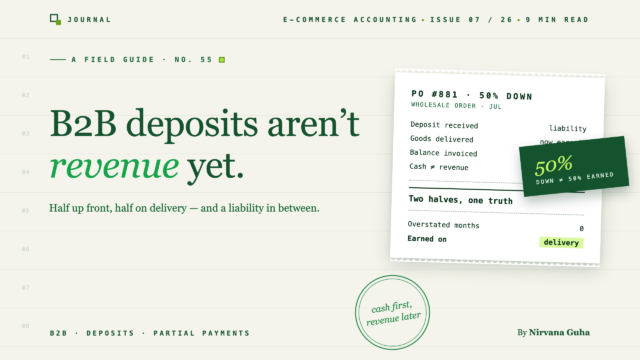
QuickBooksでの顧客預金会計は、1つの勘定科目と1つのルールに集約されます。まだ稼いでいないお金は、あなたが負っているお金です。
月曜日に電信送金がありました:4,000ドル、「PO-2211預金」という参照。12店舗のブティックチェーンがカスタムラベル付きで500ユニットを注文しました — 合計10,000ドル、生産開始のために前金40%、配達後に30日後払い残高。出荷は5週間後になります。
では、その4,000ドルとは正確には何でしょうか?銀行口座にありますが、まだ何も出荷していないので、売上ではありません。ほとんどの販売者は、この曖昧さを迅速に解決します。つまり、収入として記録するか、銀行フィードで未分類のままにして、先に進みます。そして5週間後、請求書が10,000ドルで発行され、買い手が6,000ドルを支払い、QuickBooksは二重計上された収益、不明な預金、そして顧客がすでに送金したお金を請求している請求書の組み合わせを保持します。
もしあなたがQuickBooksでの掛け売り条件と卸売ARに関するガイドを読んだことがあるなら、卸売レイヤーの最初のルール、つまり売上ではなく請求書を使用することで、収益と回収の間のギャップが見えるようになることを知っているでしょう。預金は、それとは反対の方向を向いた同じ規律です — 収益化の前に到着するお金です。この記事では、QuickBooksでの顧客預金会計をエンドツーエンドでカバーします。負債構造、設定、預金から最終支払いまでの実例、分割払いとエイジング、進捗請求、返金可能と返金不可能な預金についてです。
嘘:「入金は収益」
迅速な方法の根底にある仮定は、「顧客が私に支払ったので、それは収益です。」小売業にとっては真実です — 支払いと履行は同じ瞬間です。B2Bの預金にとっては偽であり、それを収入として記録すると、3つのものが同時に壊れます。
収益を間違った月に計上します。 4,000ドルは3月の損益計算書に計上されます。注文は4月に発送されます。どちらの月の利益も意味をなしません — 3月は、売上原価なしで収益の40%を負担します。
二重計上を設定します。 出荷時に全額10,000ドルを請求する場合(売上が発生したときなので、そうすべきです)、QuickBooksは10,000ドルの注文に対して14,000ドルの収益を表示します。通常の「修正」は、6,000ドルの残高のみを請求することですが、これは売上を過小評価し、売上税の基準を壊し、注文の履歴を読めなくします。
それは義務を隠蔽します。納品するまで、あなたはバイヤーに500個のカスタムラベル付きユニット、または返金を約束しています。収益として計上されても、その義務はどこにも現れません。4つの生産注文を同時に予約しても、そのほとんどが予約済みであることなど微塵も示さずに、帳簿上は健全な現金状況を示します。
銀行残高が実際に増加したため、この虚偽は理解できます。しかし、受け取ったがまだ収益化されていないお金には特定の会計上のアイデンティティがあり、それは収益ではありません。
預金は負債である —繰延収益と同じ論理
履行前に受け取ったお金は「収益未実現」であり、収益未実現は「負債」です。それは、ローンや未払い請求書と同様に扱われるため、貸借対照表に記載されます。それは、あなたが負っているもの、つまりドルではなく商品での負債だからです。
サブスクリプションを販売している場合、この構造には以前に出会ったことがあるはずです。年間前払いは、1回の請求で12か月分の入金であり、「繰延収益ガイド」では、その負債が月ごとにどのように解消されるかが説明されています。B2Bの入金は同じメカニズムですが、注文を履行した日に、負債全体が一度に変換されます。
これにより、入金には明確な2段階のライフサイクルが与えられます。
- 受領時:現金が増加し、負債が増加します。収益も損益計算書の動きもありません。
- 履行時:注文全体を請求書に記載し(収益は一度正しく認識されます)、その請求書に対して入金を適用します。負債が減少し、請求書の残高が減少します。残ったものが、バイヤーがまだ支払うべき正確な金額です。
この投稿の他のすべては、QuickBooksにこれらの2つのステップを実行させるためのメカニズムです。
QuickBooksでの顧客預金会計:設定
QuickBooks Onlineには、両方とも1回限りのセットアップで2つのオブジェクトが必要です。
- 負債勘定。勘定科目表 → 新規勘定 → 「その他の流動負債」、名称は「顧客預金」。これは、受領から履行までの間に未収益のお金が保管される場所です。
- 預金項目。「顧客預金」という名称のサービス項目で、その収益勘定は収益ではなく、その負債勘定を指します。この項目は、通常の販売フォーム内から負債勘定との間で現金を移動させます。
それらが設定された後のワークフロー。
- 預金を受け取ったときは、顧客預金項目を使用して預金額の売上レシートを記録します。現金が増加し、負債が増加します。収益は変更されません。項目を非課税に設定します。売上税は、前払いではなく、請求時に注文全体に課税されます。(預金の税金タイミングには州レベルの複雑な点があります。ご自身の状況については、CPAにご確認ください。)
- 注文を履行したときは、注文全体の金額(すべてのユニット、全価格、全体に対する税金)を請求書に記載し、次に顧客預金項目を預金額のマイナス行として追加します。請求書の合計は、真の残高にまで減少し、負債は同額だけ減少します。そして1つのドキュメントで全体像が表示されます。全販売、適用された預金、残高です。
推奨されるショートカットもあります。それは、負債勘定をスキップし、入金を顧客記録の未適用クレジットとして記録することです(請求書なしの入金受領)。これは機械的には機能しますが、貸借対照表には入金がそのものであるとは決して表示されず、義務はAR内でマイナスとして隠され、現金主義レポートでは「未適用現金入金収益」として表面化し、まさにあなたが避けようとしていた混乱したCPAメールを生成します。負債勘定は設定に5分かかりますが、帳簿を正直に保ちます。それを使用してください。
実例:10,000ドルの注文の40%前払い
数字は架空のもので、意図的に丸められています。冒頭のブティックチェーンの注文は、最初から最後まで次のようになります。
2月24日 — PO受領。 500ユニット、カスタムラベル、10,000ドル。生産開始のために40%の前金、残りは配達から30日後。クイックブックスにはまだ何も記録されていません。発注書は約束であり、取引ではありません。
3月3日 — 4,000ドルの前金が入金されました。顧客前金品目を使用した売上伝票:
| 勘定科目 | 借方 | 貸方 |
|---|---|---|
| 現金 | $4,000 | |
| 顧客前金(負債) | $4,000 |
3月の損益計算書は動きません。貸借対照表には、現金が4,000ドル増加し、負債が4,000ドル増加しています。現金は増え、義務は深まり、それが真実です。
4月10日 — 注文が出荷されました。全額を請求書に記載、条件はNet 30、前金はマイナス行として適用されます:
| 請求書明細 | 金額 |
|---|---|
| カスタムラベル付き製品500ユニット | $10,000 |
| 適用された顧客前金 | −4,000ドル |
| 請求残高(Net 30 → 5月10日) | $6,000 |
その書類の後ろでは、売掛金が6,000ドル増加し、収益が10,000ドル増加しています。これは4月に一度だけ記録され、あなたがそれを稼いだ月です。顧客前金負債はこの注文に対してゼロに戻ります。
5月6日 — 購入者が3,500ドルを支払いました。全額ではありません。彼らのAPは一部として処理しました。入金受領、請求書に適用:現金3,500ドル増加、売掛金3,500ドル減少、請求書は2,500ドルで未払い。
5月28日 — 最後の2,500ドルが入金されました。同じ動きです。請求書は閉じられ、その過程の各月は真実を語りました。3月は現金イベント、4月は売上、5月は回収でした。
分割払いとエイジングへの影響
その3,500ドルの支払いは、個別のセクションに値します。なぜなら、一部支払いは卸売売掛金が静かに誤読される場所だからです。
仕組みは簡単です。請求書に対して一部支払いを記録します(入金受領→適用→入金)。単独の銀行預金としては記録しません。クイックブックスが計算を処理し、請求書の未払い残高は実際に請求される金額に縮小されます。
読み取りは、正しく行う必要がある部分です。あなたの売掛金年齢報告書では、残りの2,500ドルは請求書の元の期日から年齢計算されます。一部支払いは時計をリセットしません。これは、「一部支払いと遅延」が古典的なB2B回収パターンであるため重要です。購入者は期日通りに60%を送り、残りは数ヶ月間漂流しますが、一見すると良好な状態のアカウントのように見えます。年齢報告書は騙されません。31〜60の列にある2,500ドルの残高は、最初の分割払いがどれほど迅速に到着したとしても、回収項目です。
2つの習慣が、部分入金が未収金になるのを防ぎます。請求書と一致しない支払いがあった場合は、その理由を調べてください。説明のない短額支払いは、APのタイミングであったり、公表されていない紛争であったりすることがあります。また、週次の売掛金年齢表レビューに部分残高を組み込みます。半分支払われた請求書は、完全に未払い請求書と同じように督促が必要です。
本当に大きな注文のための進捗請求
ブティックチェーンの注文サイズを超えると、単一の入金+最終請求書が収まらなくなります。40,000ドルのプライベートブランドの製造が4ヶ月にわたって3段階で納品される場合、それは4月1つの請求書であってはなりません。収益自体は段階的に発生するためです。
QuickBooks Onlineのこのためのツールは進捗請求です。全注文の見積もりを作成し、各マイルストーンで部分請求書を発行します。例えば、製造開始時に40%、初回納品時に40%、最終納品時に20%などです。各請求書は収益のその部分を認識し、独自の条件で独自の売掛金を作成し、見積もりは総額のいくらが請求されたかを追跡します。
保持すべき線:進捗請求は各請求書で収益を認識するため、各マイルストーンが実際に納品された価値を表す場合にのみ正直です。バイヤーが最終納品まで何も受け取らない注文で「製造開始時に40%」の請求書は、獲得された収益ではなく、請求書の衣装を着た預金であり、他の前払いと同様に負債勘定に属します。大まかなルール:納品された段階のお金 → 進捗請求書;納品前のいずれかのお金 → 顧客預金。大規模なカスタムオーダーでは両方が使用されることが多く、収益タイミングの判断は、eコマースを知るCPAが手数料を得るまさにそのものです。彼らの時間の1時間は推測よりも価値があります。
返金可能と返金不可能な預金
どちらの種類も最初は同じように始まります。現金が増え、負債が増えます。受け取り時に、どちらの場合もバイヤーに何かを負っているためです。違いは次に何が起こるかです。
返金可能な預金には2つの出口があります。履行時に請求書に適用されるか、注文がキャンセルされて返金されます。返金エントリは負債の解消です。顧客預金が減り、現金が減ります。収益はどちらの方向にも影響されません。これは負債構造の静かな利点です。キャンセルされた注文は、収益を主張しなかったため、P&Lに傷を残しません。
返金不可能な預金は、受け取り時に収入ではありません。これは、「返金不可能」という言葉が人々を収入として計上するように誘惑するため、二度言う価値のある点です。注文が有効な間は、商品をまだ提供する義務があります。他の預金と同様に負債です。「返金不可能」はキャンセルパスのみを変更します。バイヤーがキャンセルし、契約でそのお金を保持できる場合、預金は没収時に収入に変わります。顧客預金が減り、没収された預金収入が増加します(ほとんどの販売者はその他の収入勘定を使用します)。注文が実際に失効した日に日付が付けられます。没収された預金の税務タイミングは、会計方法と契約条件によって異なります。推測して希望する項目ではなく、CPAに確認する項目です。
いずれにせよ、資金が動く前に、返金可能かどうかをPOまたは契約書に明記してください。帳簿は起こったことを記録できますが、合意した内容についての議論を解決することはできません。
注文レイヤーをきれいに保つ
上記すべては請求書と負債のレイヤーにあり、そのほとんどは判断作業です。つまり、何が、いつ、いくら稼いだかを決定することです。同期ツールはそれをあなたのために行うべきではなく、そう主張するツールには疑いを抱くべきです。
同期ツールが行うべきことは、その下のレイヤーを信頼できる状態に保つことです。卸売注文が実際のQuickBooks請求書として計上され、支払いがそれらに属する請求書に適用され、小売注文が邪魔にならないようにすることです。これは掛売ガイドで説明されているルーティングの問題です。LedgerPort(当社の製品なので、適切に判断してください)は、請求書ベースおよびタグベースの注文同期方法でこれを処理します。そのため、wholesaleタグが付いた注文は未払いの請求書になり、小売はレシートとして流れます。デポジットレシート、マイナス行の適用、没収エントリは、あなた、またはより良いことに、あなたの会計士に残ります。これらはボリューム作業ではなく、1注文あたりのイベントであり、専門家が自分たちの価値を示すまさにその場所です。CPAまたは会計事務所があなたの帳簿を管理している場合は、このワークフローを彼らに渡してください。そして、彼らが一般的にeコマースクライアントをサポートしている場合は、会計専門家向けページで、事務所がクライアントリスト全体で同期レイヤーをどのように実行しているかを説明しています。
「下のレイヤー」が実際には何であるかを名前で示す価値があります。なぜなら、それは同期ツールではないからです。卸売タグ付きの注文は、上流の誰かがこのバイヤーがB2Bであるとすでに決定し、それに応じて価格を設定し、支払わずにチェックアウトできるようにしたためにのみ存在します。WooCommerceでは、それは卸売プラグインの仕事です — 例えば、Wholesale Suiteは、顧客を卸売ロールに承認し、価格を適用し、注文を未払い完了できるようにして、請求書を発行できるようにします。これを間違えると、同期設定をいくら調整しても救えません。卸売としてマークされなかった注文は小売レシートとして投稿され、あなたが保持している保証金には添付する請求書がありません。
月曜日の電信送金に戻りましょう。4,000ドルは曖昧ではありませんでした。それは借金であり、500個のカスタムラベル付きユニットで支払われるものでした。唯一の本当の問題は、あなたの帳簿がそれをそう言うかどうかでした。1つの負債勘定と1つの預金項目がそれを「はい」にし、どの月もそれが何であったかについて嘘をつきません。
卸売預金が注文フローの定期的な部分になっている場合は、より広い基盤(勘定科目表、手数料処理、これらすべてが基づいている発生メカニズム)がeコマース会計ガイドにあります。次のPOが届く前に顧客預金勘定を設定してください。今は5分で済みますが、後で解きほぐすことになります。
