
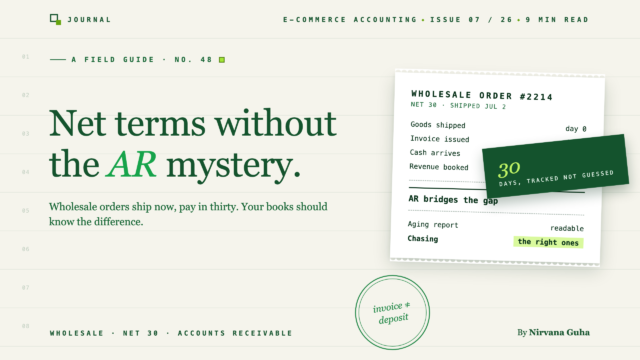
批发卖家在 QuickBooks 中进行净额结算会计

批发卖家在 QuickBooks 中进行净额结算会计

Net terms accounting in QuickBooks comes down to one substitution — the invoice replaces the sales receipt — and one report you check every week.


The purchase order came in on a Tuesday, and it was the best one you'd ever received: a four-location gym chain, 300 units at wholesale pricing, $9,600 on net-30 terms. You shipped it Thursday. QuickBooks recorded a $9,600 sale the same way it records everything else in your store, and March's P&L came out looking spectacular.

Then April happened. Rent, inventory reorder, ad spend — all real, all due now. The $9,600 was still a number on a report. Your books said March was your biggest month ever; your bank account said you were tighter on cash than you'd been all year — and nothing QuickBooks showed you could say who owed you what, or when it was supposed to arrive.

If you've added wholesale to a retail store — a B2B catalog on Shopify, a wholesale plugin on WooCommerce — this gap between "sales" and "cash" is the first accounting problem you hit. It isn't a math error; it's structural. Net-terms orders are a different kind of transaction than retail orders, and they need a different shape in your books. This post walks through that shape: net terms accounting in QuickBooks done properly, the AR aging report that becomes your real cash-flow dashboard, deposits, and the collections habits that turn promises into cash.

Why Wholesale Orders Break Retail Bookkeeping

A retail order is two events happening at the same instant: the customer buys, and the customer pays. In accounting terms, the sale and the payment are one moment — which is why the natural QuickBooks shape for a retail order is a sales receipt (or a daily summary of many of them): revenue recorded and cash received, together.

A wholesale order on net-15, net-30, or net-60 splits those two events apart — sometimes by two months. You earn the revenue when you ship; you receive the cash when your buyer's accounts-payable process gets around to it. Between those moments sits a thing retail bookkeeping never needed: accounts receivable, the running ledger of money you've earned but don't yet have.

The QuickBooks shape for that transaction is an invoice. When you invoice the order, QuickBooks debits Accounts Receivable and credits revenue (plus any sales tax liability): the sale is on your P&L, the money owed is on your balance sheet. When the buyer pays, you record a payment against that invoice — cash goes up, AR goes down. Two entries, two dates, and the gap between them is visible. That visibility is the entire point.

Take the gym chain order. Invoiced March 14 on net-30, it sits in AR with a due date of April 13. Your March revenue includes the $9,600, honestly. Your March cash doesn't — and your books say so. No surprise in April, because the books never claimed the money had arrived.

Store owners meet this problem in one of three postures: recording wholesale orders exactly like retail ones and discovering the distortion months later; keeping a side spreadsheet of "who owes me" that drifts away from QuickBooks; or setting up invoice-based AR properly and checking one report a week. The rest of this post is the route to the third group.

The Lie: "A Sale Is a Sale"

The mistake almost everyone makes at first is reasonable-sounding: "a sale is a sale — record the order when it comes in, and the money will sort itself out." So the net-30 order goes into QuickBooks like every retail order: a sales receipt, sale and payment recorded as one moment.

Here's what that actually does to your books:

It invents cash you don't have. A sales receipt tells QuickBooks the money arrived. Your bank feed disagrees, because it did not. Now your books carry phantom deposits, and bank reconciliation stops working until the check actually clears. If you've fought this fight on the retail side, where a Shopify payout never matches what the day's receipts say, the wholesale version is the same disease with a longer incubation.

It erases the debt. The moment a sales receipt posts, nobody owes you anything as far as QuickBooks is concerned. No receivable, no due date, no aging. The only record that the gym chain owes you $9,600 is your memory and an email thread. Multiply by fifteen wholesale accounts and you're running a lending operation — because that's what net terms are — with no ledger.

It misstates income if you file on a cash basis. On cash-basis reporting, invoice revenue counts when the payment lands; sales-receipt revenue counts immediately. Record net-terms orders as receipts and your cash-basis income lands in the wrong period — overstated now, with the tax consequences arriving before the cash does.

None of this happens because you're careless. Your bookkeeping was built for retail, where the "sale = payment" assumption is true, and wholesale broke the assumption without announcing it. The fix isn't working harder inside the retail structure. It's giving wholesale orders their own structure.

Net Terms Accounting in QuickBooks: Invoice, Open AR, Payment

Here's the full lifecycle of a net-terms order in QuickBooks Online, done correctly:

  1. Create the invoice when you ship (or when your agreed trigger fires). Set the payment terms on the invoice itself — Net 30, not the default Due on Receipt — so QuickBooks calculates the due date and ages the receivable correctly.
  2. Let it sit in AR, visibly. An open invoice is not a problem to hide; it's the system working. Your balance sheet now shows Accounts Receivable as an asset — money earned, collection pending.
  3. Record the payment against the invoice when it arrives: Receive Payment → apply to the specific invoice → deposit. Never record a wholesale check as a standalone deposit — an unapplied deposit leaves the invoice open and double-counts the revenue.
  4. Match the deposit in your bank feed. Because the payment was applied to an invoice, the match is clean: one deposit, one payment record, done.

A quick side-by-side, since the contrast is the lesson:

Retail order Wholesale net-terms order
QuickBooks transaction Sales receipt / daily summary 发票
已确认收入 At purchase At invoicing (accrual)
Cash recorded Same moment When payment is received
Sits in AR? Never From invoice date to payment
What can go wrong Fee/payout mismatches Aging, non-payment

Where this lives in your wider setup — chart of accounts, income accounts, sales tax — is covered in our ecommerce accounting guide; WooCommerce stores will find the account-structure specifics in the WooCommerce bookkeeping guide. The wholesale layer sits on top of that foundation, not in place of it.

AR Aging Is Your Real Cash-Flow Dashboard

Once wholesale orders live in AR, QuickBooks gives you the report wholesale operators actually run their business from: A/R Aging Summary — every customer with an open balance, bucketed by how overdue the money is (current, 1–30 days past due, 31–60, 61–90, over 90).

Read it as a cash-flow instrument, not an accounting formality:

  • The "current" column is your incoming cash forecast. Invoices inside their terms — money that should arrive in the coming weeks if buyers pay on time.
  • The 1–30 past-due column is your to-do list. A freshly late invoice usually isn't a crisis; it's an AP department that needs a nudge. But it needs the nudge now — collection odds decay with age.
  • The 61+ columns are your risk register. Money two-plus months past due needs a decision, not another polite reminder: escalate, renegotiate, stop shipping, or (with your accountant) write off.
  • Watch the ratio, not just the total. A growing AR balance is fine if it's mostly current and wholesale revenue is growing with it. A growing past-due share means you're extending credit faster than you're collecting — you've become your buyers' cheapest lender.

The habit is almost embarrassingly simple: open the aging report once a week, same day every week, and act on anything that moved a bucket. Ten minutes. That's the entire discipline — but it only exists if every net-terms order became an invoice in the first place. Sales receipts feed this report nothing.

Deposits Against Wholesale Orders

Plenty of wholesale relationships — especially new accounts and large custom orders — run on a deposit: 50% up front, balance on net terms after delivery.

The accounting instinct to resist: a deposit is not revenue. Until you deliver, that money is a liability — you owe the buyer either the goods or their money back. The clean pattern is to record pre-delivery deposits to a customer-deposit liability account (or as a credit on the customer's record), then apply that amount against the invoice when you ship, so the invoice's open balance shows only what's still owed.

Book the deposit as income instead and revenue lands in the wrong period — and the eventual invoice either double-counts the sale or has to be manually shrunk. The liability route costs one extra account in the chart and saves the untangling.

Collections Hygiene: The Boring Habits That Get You Paid

Net terms are a credit product, and the sellers who get paid on time run them like one. None of this requires software; all of it requires consistency.

  • Put terms on every invoice, in writing. Due date, accepted payment methods, any late-payment policy. Ambiguity resolves in the buyer's favor.
  • Invoice immediately. Every day between shipment and invoice is a day you added to your own terms for free.
  • Remind before the due date, not after. A short "invoice #1042 is due Friday" note a week out catches AP-department slippage while it's still cheap to fix.
  • Set credit limits per account — and an exposure cap overall. Decide the most any single buyer can owe you, and how much of your monthly revenue can sit on terms at once. New accounts start small (or with a deposit) and earn their way up.
  • Have a stop-ship rule and honor it. No new orders ship to an account with an invoice 30+ days past due. Decided in advance, it's policy; decided in the moment, it's a negotiation you'll lose.

Mixed Retail + Wholesale: The Two-Transaction-Type Problem

Everything above assumes you can tell your books "this order is wholesale." The catch is that wholesale doesn't replace retail — it lands on top of it. Same storefront, same payout stream: 400 retail orders that should post as sales receipts or a daily summary, and 12 wholesale orders that must post as invoices with open AR.

Handled manually, someone inspects every order — or the sync runs one-size-fits-all and gets one side wrong. Sync everything as receipts and your wholesale AR evaporates (the Lie, automated). Sync everything as invoices and your retail books bloat with hundreds of instantly-paid invoices that make payout reconciliation miserable.

This routing problem is exactly what order-tagging solves, and the mechanism is worth knowing whatever tool you use. In LedgerPort — our product, so judge accordingly — it's two of the five order sync methods. The Invoice method is built for terms-based sellers: it creates the QuickBooks invoice when the order is placed and records the payment against it when the order is actually paid — open receivables in between, aging report fed correctly, nothing marked paid before it is. Tag-Based routing handles the mixed store: a rules table maps order tags to QuickBooks transaction types, so an order tagged wholesale posts as an invoice, retail orders post as sales receipts or roll into a daily summary, and a do-not-sync tag keeps samples and test orders out of your books entirely. If your wholesale plugin already tags B2B orders — most, including Wholesale Suite on WooCommerce, can — the routing rides on tags you already have. Both methods are compared in Understanding Order Sync Methods, and the setup is a dropdown in the sync configuration. Fine print, stated straight: Tag-Based routing is a higher-tier feature — pricing shows what sits where.

Once it's running: the $9,600 order posts as an invoice the day it ships, the aging report shows it current until April 13, the bank feed matches the payment to the invoice when it lands, and the retail side keeps reconciling as before. The trade-off is honest work up front — terms decided, tags applied, mappings set once. After that, the Monday-morning aging review is the whole job.


That gap you couldn't see in April — biggest month on paper, tightest month at the bank — was never a profitability problem. It was $9,600 of earned money with no ledger entry watching it. Give every net-terms order an invoice and the gap doesn't close, but it becomes visible, dated, and collectible — which is everything.

If your store runs both retail checkout and wholesale terms, start with the tag: see how tag-based routing posts each side correctly → — or connect your store free and route your next wholesale order as an invoice instead of a receipt.

永远告别人工数据录入

在 15 分钟内将您的商店连接到 QuickBooks,其余的交给 LedgerPort 处理。

免费开始 查看定价 →

联系我们:

立即自动化您的电子商务会计

在 15 分钟内将您的 Shopify 或 WooCommerce 商店连接到 QuickBooks — 无需编码。

14 天退款保证 · 提供免费套餐
