

- 1I tre posti dove possono risiedere i soldi del tuo negozio
- 2Conti aziendali Fintech (Mercury, Relay, classe Novo)
- 3Banche tradizionali
- 4Conti di saldo del processore (classe Shopify Balance)
- 5L'architettura che mantiene puliti i tuoi libri contabili
- 6Il criterio che nessuno pubblicizza: qualità del feed bancario
- 7Cosa chiederà un creditore di questi stessi conti
- 8Scegliere per profilo, non per classifica
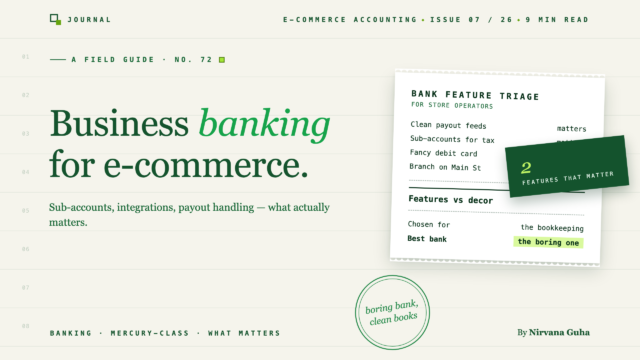
Le funzionalità che le banche pubblicizzano non sono quasi mai le funzionalità che contano per un negozio. Ecco la checklist che nessuno pubblica: architettura, qualità del feed e cosa vedrà il tuo futuro creditore.
È la seconda settimana di marzo e stai scorrendo quattordici mesi di transazioni in un unico conto corrente. Pagamenti Shopify. Pagamenti ai fornitori. Un deposito Stripe da quel canale di vendita all'ingrosso. Tre trasferimenti che hai fatto a te stesso. Un rimborso da un fornitore di imballaggi che assomiglia esattamente a un ricavo. Il tuo commercialista ha posto una semplice domanda: "quali di questi depositi sono vendite?" - e stai costruendo un foglio di calcolo per rispondere da due ore.
Quel conto non è stato scelto. Si è accumulato. Forse è il conto corrente per piccole imprese che la tua filiale locale ti ha proposto quando hai registrato la LLC. Forse è il conto di saldo che la tua piattaforma di pagamento ha attivato durante la configurazione perché era a un clic di distanza. In entrambi i casi, nessuno si è mai seduto e ha deciso *questa è la struttura bancaria per un negozio che gestisce un volume reale* - e ora ogni domanda sui tuoi soldi richiede un foglio di calcolo per rispondere.
La bugia sottostante a questo - quella che il marketing bancario incoraggia silenziosamente - è che un conto bancario aziendale è una merce: tutti contengono denaro, quindi scegli quello che ha il flusso di iscrizione più piacevole o la filiale più vicina a casa tua. È falso specificamente per un negozio. La tua configurazione bancaria non è un luogo dove il denaro sosta. È il livello di fonte di verità su cui si basa l'intero sistema di contabilità e le differenze tra le configurazioni si manifestano ogni singolo mese nel tempo necessario per la tua contabilità e nella fiducia che riponi in essa.
Innanzitutto, la dichiarazione, affermata chiaramente: non vendiamo servizi bancari e nessuna azienda in questa guida ha pagato per apparire o ci paga commissioni di riferimento. Realizziamo software di contabilità - LedgerPort sincronizza i negozi Shopify e WooCommerce con QuickBooks - quindi il nostro unico interesse nella tua scelta bancaria è a valle: qualunque cosa tu scelga diventerà infine un feed bancario che osserviamo riconciliare con i proprietari dei negozi. Ecco perché esiste questa guida. Vediamo quali configurazioni producono libri contabili puliti e quali producono pomeriggi di marzo come quello sopra. E per essere altrettanto chiari: questa è una guida alla *scelta e strutturazione* dei conti, non una consulenza finanziaria - per decisioni sull'assicurazione dei depositi, sui prestiti o su qualsiasi cosa abbia peso legale, conferma i dettagli con il tuo fornitore e il tuo commercialista.
I tre posti dove possono risiedere i soldi del tuo negozio
Ogni configurazione bancaria per l'e-commerce si basa su tre blocchi fondamentali, e la maggior parte delle configurazioni errate deriva dall'utilizzo di uno solo di essi, o di quello sbagliato per il tuo profilo.
Conti aziendali Fintech (Mercury, Relay, classe Novo)
La generazione più recente di prodotti di business banking è stata creata prima con il software, e per le attività online questo si vede. I conti si aprono online in pochi giorni, non con visite in filiale. Le interfacce presuppongono che collegherai altri strumenti. E le funzionalità che contano di più per l'architettura che descriveremo di seguito — conti secondari multipli che puoi aprire con un paio di clic, bonifici e ACH a basso costo o gratuiti, accessi per team con permessi — sono il prodotto principale, non add-on premium.
Ognuno ha un centro di gravità. Mercury ha costruito la sua reputazione con startup e aziende online, e il prodotto lo riflette: gestione pulita dei conti secondari e un approccio orientato all'API, in modo che i tuoi dati bancari si integrino bene con il resto del tuo stack. Relay si è concentrato molto sul flusso di lavoro multi-conto: è il nome che emerge più spesso tra i proprietari che gestiscono sistemi a buste come Profit First, perché l'apertura e la gestione di molti conti correnti sono il fulcro del design. Novo si rivolge a operazioni più piccole e punta sulla semplicità e sulle integrazioni con gli strumenti che un piccolo negozio utilizza già. Tutti e tre sono esempi di una categoria, non un elenco esaustivo, e le funzionalità cambiano, quindi verifica i termini attuali direttamente prima di impegnarti.
Considerazioni, dette onestamente. La maggior parte dei prodotti bancari fintech non sono banche. Sono società tecnologiche che depositano i tuoi fondi presso una o più banche partner dietro le quinte. Questa struttura è comune e funzionale, ma significa che dovresti capire come il tuo fornitore specifico gestisce l'assicurazione sui depositi, quali istituzioni detengono effettivamente il denaro e quale sia la copertura tra di esse. Poni la domanda direttamente; un buon fornitore la risponde per iscritto. Oltre a ciò: non c'è una filiale, quindi i depositi in contanti vanno da scomodi a impossibili, e non c'è un banchiere di filiale che conosca il tuo nome quando desideri un prestito. Se la tua attività commerciale ha a che fare con la vendita al dettaglio fisica — mercati, pop-up, un cassetto contanti ovunque — un conto fintech da solo non ti basterà.
Banche tradizionali
I punti di forza di una banca commerciale tradizionale sono esattamente le lacune delle fintech. Puoi depositare contanti. Puoi entrare in una filiale con un problema. E — quello che conta più di quanto i proprietari realizzino presto — puoi costruire una relazione di prestito: un banchiere che ha osservato i tuoi depositi per tre anni offre una conversazione diversa rispetto a una candidatura a freddo, specialmente per le linee di credito e i prestiti garantiti dalla SBA dove la relazione e la storia contano davvero.
Considerazioni. Il software è generalmente in ritardo di un decennio, le commissioni mensili e i requisiti di saldo minimo esistono ancora, i bonifici di solito costano denaro reale e l'architettura multi-conto sottostante spesso significa aprire formalmente diversi conti — a volte ognuno con i propri minimi — piuttosto che fare clic su "nuovo sotto-conto". Nessuna di queste cose è un elemento di squalifica. Significa solo che una banca tradizionale è qualcosa che si sceglie *per* ragioni specifiche (contanti, prestiti, necessità di una filiale), non per impostazione predefinita.
Conti di saldo del processore (classe Shopify Balance)
La terza opzione è a malapena una decisione, che è esattamente il problema. Le piattaforme di pagamento offrono sempre più conti di saldo integrati — Shopify Balance ne è l'esempio lampante — dove i tuoi incassi atterrano semplicemente in un conto all'interno della piattaforma, spesso con una carta collegata e un accesso più rapido ai fondi. La comodità è reale: niente attese per i trasferimenti, niente configurazione di conti di terze parti e il denaro è disponibile rapidamente.
Considerazioni. Un conto di saldo ti tenta a usarlo come la tua banca *intera* — e poi le tue spese operative, i tuoi incassi e la tua attività sulla piattaforma vivono tutti in un unico posto, controllato dalla stessa azienda che gestisce il tuo negozio ed elabora i tuoi pagamenti. Questa è una decisione di concentrazione che vale la pena prendere consapevolmente piuttosto che per impostazione predefinita. Specificamente per la contabilità, spendere direttamente dal conto in cui atterrano le tue entrate ricrea lo scenario di marzo dall'inizio di questo post: depositi e spese mescolati in un unico feed, ogni mese un esercizio di smistamento. Usato deliberatamente — come zona di atterraggio degli incassi che viene trasferita a un vero conto operativo — un saldo del processore può essere una componente valida. Usato come conto tuttofare, è così che i libri contabili vanno alla deriva.
L'architettura che mantiene puliti i tuoi libri contabili
Ecco la parte che nessuna pagina di marketing di una banca ti dirà, perché non riguarda una singola banca: il numero e la disposizione dei tuoi conti contano più del logo che li contraddistingue.
La configurazione che produce costantemente libri contabili puliti su scala di negozio è la seguente:
- Un conto di ricezione incassi. Un conto il cui unico compito è ricevere gli incassi dai processori — Shopify, PayPal, Stripe, qualunque tu utilizzi. Non viene speso nulla da esso. Il denaro arriva e, secondo una pianificazione, lo trasferisci altrove. Poiché qui arrivano solo gli incassi, ogni riga nella cronologia di questo conto risponde alla domanda "cosa ha depositato effettivamente la piattaforma?" senza alcun smistamento.
- Un conto operativo. Dove atterra il denaro trasferito e da dove l'attività spende — fornitori, pubblicità, stipendi, software. Ogni transazione qui è una spesa o un trasferimento, mai un evento di ricavo mascherato.
- Un conto di riserva fiscale. Una percentuale fissa di ogni trasferimento viene spostata qui e trattata come spesa. L'imposta sulle vendite che tieni in deposito fiduciario e l'accantonamento per le imposte sul reddito non sono i tuoi soldi; un confine di conto è la disciplina più economica disponibile per ricordarlo. (Quale percentuale e come gestire specificamente l'imposta sulle vendite è una conversazione da fare con il tuo commercialista — l'architettura è il punto qui.)
Aggiungi altro solo quando esiste un vero confine: un secondo negozio, un canale all'ingrosso, una riserva di inventario. È qui che la funzionalità del sotto-conto fintech smette di essere un "nice-to-have": su un prodotto di classe Relay o Mercury, l'intera struttura richiede pochi minuti per essere configurata e non costa nulla, motivo per cui l'abbiamo elencata come punto di forza della classe.
Una regola fa funzionare tutto in QuickBooks: un feed bancario per ogni conto reale e ogni conto nella struttura collegato. Ogni conto sopra diventa il proprio feed, i trasferimenti tra di essi vengono abbinati come trasferimenti (non conteggiati due volte come entrate e spese) e la riconciliazione dei pagamenti – abbinando ciò che Shopify dice di aver inviato a ciò che la banca dice di aver ricevuto – avviene contro un feed contenente *solo* i pagamenti. Se questo passaggio di abbinamento è attualmente la parte più dolorosa del tuo mese, il metodo completo è nella nostra guida alla riconciliazione dei pagamenti Shopify in QuickBooks; il conto che riceve i pagamenti è ciò che trasforma quel processo da archeologia a una checklist.
[IMMAGINE: Semplice diagramma di flusso – pagamenti del processore → conto ricevente i pagamenti → trasferimento programmato che si divide nel conto operativo e nella riserva fiscale, con un'icona del feed bancario di QuickBooks collegata a ciascuno dei tre conti]
Il criterio che nessuno pubblicizza: qualità del feed bancario
C'è un secondo criterio di contabilità, ed è invisibile finché non hai vissuto con una versione errata di esso: come appaiono le tue transazioni quando arrivano in QuickBooks.
Ogni banca visualizza le descrizioni delle transazioni in modo diverso tramite il feed. La versione buona è una riga di pagamento che dice qualcosa di riconoscibile: il nome del processore, una data, un identificatore che puoi rintracciare in un report di pagamento. La versione cattiva è una stringa troncata di codici di riferimento che potrebbero essere qualsiasi cosa, su un feed che raggruppa in modo strano o ritarda di giorni. Stessi soldi, stesso saldo bancario – ma uno di questi viene abbinato in secondi e l'altro genera un'email "cos'è questo?" dal tuo contabile ogni mese, per sempre.
Non puoi trovarlo in una pagina delle funzionalità, ma puoi testarlo prima di impegnarti: collega un conto candidato a QuickBooks durante un periodo di prova, esegui alcuni pagamenti reali e guarda cosa mostra il feed. Chiedi ad altri proprietari di negozi del tuo volume come appare il loro feed. È un passaggio di valutazione poco entusiasmante che ti farà risparmiare più ore di quanto valga qualsiasi bonus di iscrizione – perché la qualità del feed è una tassa che paghi (o non paghi) su ogni transazione, ogni mese, per tutta la durata del conto.
Cosa chiederà un creditore di questi stessi conti
L'ultima cosa che la tua configurazione bancaria sta facendo silenziosamente è costruire – o non riuscire a costruire – il file che consegnerai a un finanziatore un giorno.
Quando alla fine desideri capitale — una linea di credito per l'inventario, un prestito a termine, finanziamenti basati sui ricavi — l'underwriting si riduce a far sì che i tuoi estratti conto bancari e i tuoi libri contabili concordino. Una struttura pulita lo rende automatico: il conto di versamento *è* la verifica dei tuoi ricavi, il conto operativo *è* la storia delle tue spese e QuickBooks si collega a entrambi perché ogni flusso viene riconciliato. Il conto unico commisto produce l'opposto: depositi che un finanziatore non può distinguere dai trasferimenti e una domanda che si blocca in "non siamo stati in grado di verificare". I dettagli di ciò che ogni fonte di capitale controlla — e la corsia di pulizia se i tuoi registri non sono ancora pronti — sono nella nostra guida ai libri contabili pronti per i finanziamenti per l'e-commerce. La versione breve: i finanziatori leggono lo scarico della tua architettura bancaria, mesi o anni dopo averla scelta.
Questo è anche il motivo onesto per mantenere una banca tradizionale nell'immagine, anche se una fintech gestisce le tue operazioni quotidiane: se il tuo piano di crescita prevede prestiti SBA o una relazione bancaria locale, una certa storia di depositi presso tale istituto è un patrimonio che costruisci lentamente e non puoi comprare rapidamente.
Scegliere per profilo, non per classifica
Non esiste una banca migliore per l'e-commerce, ma ci sono impostazioni predefinite sensate per forma:
- Solo online, niente contanti, a proprio agio con il software: un conto fintech come nucleo, utilizzando i suoi sotto-conti per costruire l'architettura a tre conti. Conferma la struttura dell'assicurazione sui depositi per iscritto; controlla i termini attuali.
- Qualsiasi componente in contanti, o prestiti all'orizzonte: una banca tradizionale mantiene la relazione e la gestione del contante; uno strato fintech sopra è opzionale per l'architettura.
- Saldo del processore: va bene come zona di atterraggio per i versamenti con un trasferimento programmato. Resisti a lasciarlo diventare il conto "tuttofare".
Qualunque cosa tu scelga, l'impostazione richiede lo stesso pomeriggio di lavoro: apri i tre conti, programma il trasferimento, collega un flusso per conto e controlla i descrittori del flusso finché puoi ancora cambiare idea. Il compito della banca è rendere leggibili i tuoi soldi. Tutto ciò che segue — la chiusura mensile, la stagione delle tasse, la domanda di prestito — eredita la leggibilità che imposti qui.
Il banking è uno strato di quel sistema. Per come il resto si incastra — versamenti, commissioni, COGS, imposta sulle vendite e la chiusura stessa — inizia con la nostra guida completa alla contabilità per l'e-commerce.
