
Multi-Currency
Foreign transactions post cleanly — exchange rate differences and all.
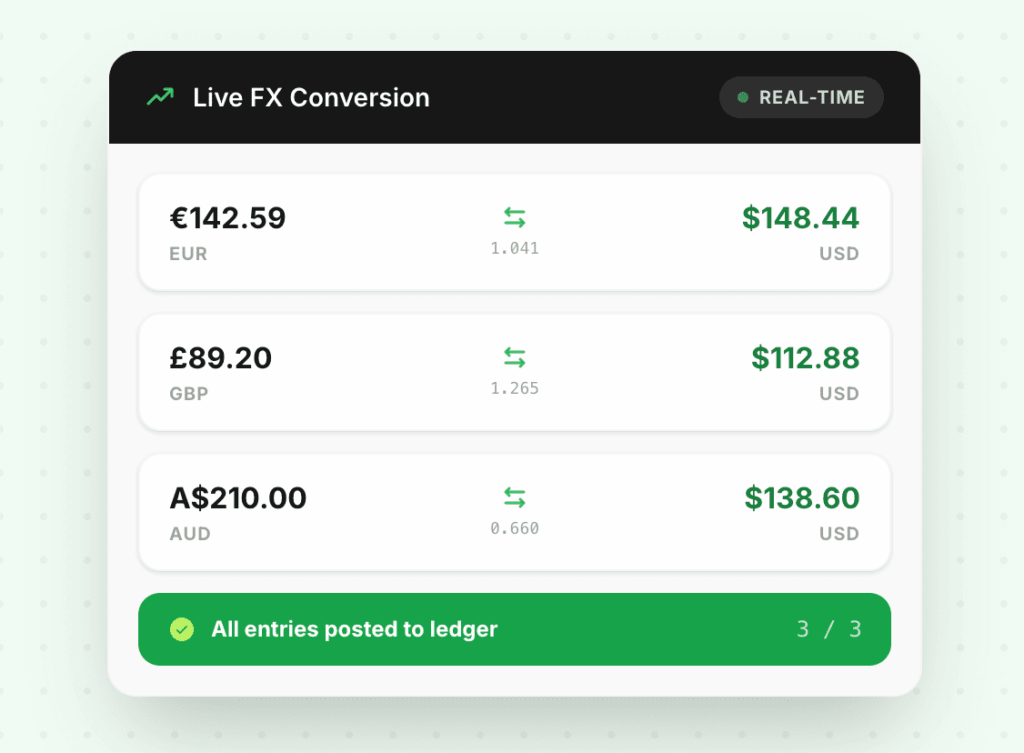
LedgerPort converts each transaction at the rate from the actual transaction date.
Automatic FX conversion at the transaction date rate, or sync raw foreign currency values and let QuickBooks handle the conversion. Exchange rate variances go to a dedicated FX gain/loss account, not into revenue.
150+
Currencies Supported
Live
FX Rate Feeds
0
Manual Rate Lookups
The problem
Sound familiar?
You’re converting FX at month-end rates, not transaction-date rates
GAAP requires using the exchange rate on the date a transaction occurs — not end-of-month averages. Using the wrong rate creates systematic discrepancies that compound over time.
FX variance ends up in your revenue line
The difference between the transaction rate and the settlement rate doesn’t belong in revenue. Leaving it there inflates or deflates your income figure and makes reconciliation harder.
Your bookkeeper manually looks up exchange rates for every foreign transaction
At high order volumes, looking up rates on XE.com and entering them by hand is hours of work per month — and prone to copy-paste errors that create reconciliation headaches.
See the difference
Before vs. after LedgerPort
Why it matters
Built for the way E-commerce actually works
Transaction-date conversion
Exchange rates are captured at the exact moment a transaction occurs — not end-of-day, not end-of-month. This matches GAAP and IFRS requirements for foreign currency transactions.
Raw foreign currency sync available
For businesses that run QBO in multi-currency mode, LedgerPort can sync the original EUR, GBP, or AUD amount and let QuickBooks handle the conversion using its built-in rates.
Exchange rate differences handled cleanly
The variance between the conversion rate at transaction time and the rate at settlement doesn't belong in revenue. LedgerPort routes FX gains and losses to a dedicated account automatically.
Live rates, no manual lookups
LedgerPort fetches current exchange rates automatically. No spreadsheets, no manual rate entry, no “approximately” correct conversions that create reconciliation headaches later.
How it works
Get started in minutes — no engineering team required.
Enable multi-currency in LedgerPort
Select which currencies your stores transact in. LedgerPort connects to live FX rate feeds and configures your FX gain/loss account in QuickBooks.
Choose conversion mode
Auto-convert to your base currency at transaction date, or sync raw foreign currency amounts for QBO to handle. The setting applies per store.
Variances post automatically
When the settlement rate differs from the transaction rate, LedgerPort calculates the difference and posts it to your FX gain/loss account. Nothing slips into revenue.
Supported Integrations


Common questions
Frequently asked questions
Do you support multi-currency mode in QuickBooks Online?
Yes. LedgerPort works in both modes: auto-convert to your base currency before syncing, or sync raw foreign currency amounts and let QBO handle conversion in its native multi-currency mode.
Which exchange rate source do you use?
We use mid-market rates from a leading financial data provider, updated every hour. The same rate is used consistently for all transactions within a given hour.
What about realized vs. unrealized FX gains and losses?
LedgerPort records the exchange rate difference at settlement (realized gain/loss). Unrealized gains and losses on open receivables are calculated separately during month-end processing.
We only occasionally receive foreign currency payments. Is it worth setting up?
Yes. Even occasional foreign transactions handled incorrectly can trigger issues during an audit or tax filing. Setup takes 5 minutes and can be enabled selectively per store.
Explore more features
Handle every currency automatically.
Join our mission to help e-commerce brands close their books in minutes, not days. Free plan available — no credit card required.