

- 1Cosa misura effettivamente ciascun numero
- 2Il 1099-K: la visione del processore, lordo e non rettificato
- 3Report di Shopify: vendite per data ordine, con l'ambito da te scelto
- 4QuickBooks: qualunque cosa abbia registrato il tuo metodo di registrazione
- 5Il ponte di riconciliazione: spiegare il divario fino all'ultimo centesimo
- 6Il metodo di registrazione che rende il prossimo gennaio banale
- 7Per le aziende: il piano di lavoro ripetibile di gennaio
- 8Tre numeri, una spiegazione
I tre numeri non concordano perché è previsto che sia così. La riconciliazione non consiste nel farli corrispondere a una cifra unica, ma nello spiegare esattamente perché non lo fanno.
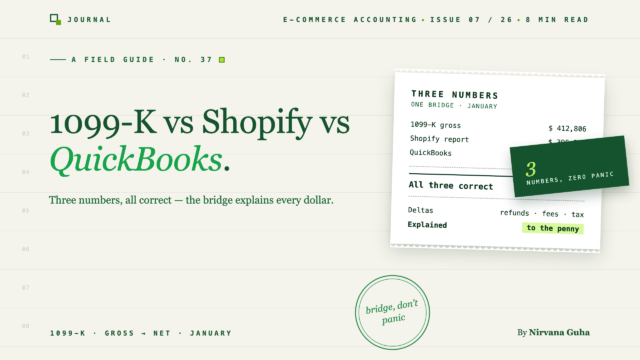
È la seconda settimana di gennaio. Il 1099-K di Shopify Payments indica $412.847,16. Il report delle vendite di Shopify per l'anno indica $438.204,90. Il conto economico in QuickBooks Online indica $411.790,19.
Tre numeri. Stesso negozio. Stessi dodici mesi. E qualunque sia la sedia su cui sei seduto — il proprietario che ha appena aperto il modulo, o il commercialista che ha appena aperto il fascicolo del cliente — arriva lo stesso pensiero gelido: qualcosa è stato sottostimato, e ora ci sono documenti che lo provano.
Quindi inizi a controllare. Riesegui il report di Shopify con impostazioni di data diverse. Ricalcoli i conti di reddito di QBO. I numeri si spostano un po', ma non convergono mai. Alla terza passata, la convinzione si rafforza: se i tre numeri non corrispondono, i libri contabili sono sbagliati.
Quella convinzione è la menzogna — ed è l'assunzione singola più costosa che chiunque fa a gennaio. Ecco la verità: il tuo 1099-K non corrisponde a Shopify, e nessuno dei due corrisponde a QuickBooks, perché i tre numeri misurano cose diverse per progettazione. Non sarebbero mai stati uguali. Riconciliarli non significa forzarli a una singola cifra. Significa spiegare le differenze — ognuna di esse, nominata e quantificata — finché il divario non avrà più misteri.
Abbiamo introdotto questo problema dei tre numeri nel nostro elenco di controllo per la preparazione delle tasse per i negozi Shopify. Questo post è il metodo completo.
Cosa misura effettivamente ciascun numero
Prima di poter colmare il divario, devi sapere cosa legge ciascuno strumento. Non sono tre misurazioni di "entrate". Sono tre misurazioni di tre cose diverse.
Il 1099-K: la visione del processore, lordo e non rettificato
Un 1099-K viene emesso da un processore di pagamenti — in questo caso Shopify Payments — e riporta una cosa: il valore lordo, non rettificato in dollari, delle transazioni elaborate da quel processore, come riportato dal processore, per anno solare.
Lordo e non rettificato significa esattamente questo. Nessuna deduzione per commissioni di elaborazione. Nessuna deduzione per rimborsi o chargeback — un ordine da $200 completamente rimborsato a marzo è ancora nel totale per $200. E anche l'imposta sulle vendite che i tuoi clienti hanno pagato al momento del checkout è inclusa, perché il processore ha spostato quei soldi anche se non sono mai stati tuoi.
Altre due propriet à della propriet à contano. Il modulo copre solo le transazioni gestite dal processore — gli ordini pagati tramite PayPal, un provider di acquisto ora, pagamento dopo, o qualsiasi altro gateway non sono sul modulo di Shopify Payments; tali processori emettono i propri. E viene datato da quando il processore ha eseguito la transazione, non da quando l'ordine è stato effettuato — il che crea piccoli vantaggi al confine dell'anno.
Nessuna di queste cose è un difetto. Il modulo sta facendo il suo lavoro: segnalare il volume lordo elaborato. Non è mai stato un rendiconto finanziario, ed è trattarlo come tale che d à inizio al panico. (Per qualsiasi cosa riguardi come il modulo interagisce con il rendiconto effettivo — cosa viene segnalato dove, e quale documentazione conservare — confermare con il commercialista del cliente. Quella è la sua competenza, e questo post ne resta fuori.)
Report di Shopify: vendite per data ordine, con l'ambito da te scelto
Le analisi di Shopify rispondono a una domanda diversa: cosa ha venduto il negozio e quando sono stati effettuati quegli ordini?
Ci ò introduce due gradi di libert à che il 1099-K non ha. Primo, data dell'ordine vs. data di elaborazione — Shopify registra un ordine del 31 dicembre a dicembre, anche se il processore ha catturato il pagamento il 2 gennaio. Secondo, ambito — a seconda del report che hai eseguito e dei filtri che hai accettato, potresti guardare a tutti i canali di vendita o solo al negozio online, tutti i gateway di pagamento o solo a Shopify Payments, totali che includono o escludono tasse e spedizioni, cifre al netto dei rimborsi o al lordo di essi.
Due persone possono esportare "il numero Shopify" per lo stesso negozio e anno e ottenere cifre legittimamente diverse, entrambe corrette per ci ò che hanno chiesto. Se non hai mai definito quale domanda la tua esportazione risponde, la discrepanza tra le vendite lorde di Shopify 1099-K non è una discrepanza — sono due domande diverse con la stessa etichetta.
QuickBooks: qualunque cosa abbia registrato il tuo metodo di registrazione
QuickBooks non ha opinioni proprie. Il reddito sul tuo P&L è esattamente ci ò che il tuo metodo di registrazione ci ha messo — niente di pi ù .
Se il feed bancario ha guidato i libri contabili, il reddito sono depositi netti: vendite lorde meno commissioni, meno rimborsi, meno imposte sulle vendite, raggruppate per versamento. Se gli ordini sono stati sincronizzati come fatture lorde individuali, il reddito è pi ù vicino alle vendite lorde — con le tasse gestite correttamente o meno, a seconda della configurazione. Se un contabile ha registrato riepiloghi mensili, il reddito è qualunque cosa abbiano detto quei riepiloghi.
Questo è il motivo per cui la cifra QBO è la variabile pi ù selvaggia delle tre. Il 1099-K e i report di Shopify sono almeno strumenti coerenti — misurano qualcosa di specifico, nello stesso modo ogni anno. QBO riflette un metodo, e la maggior parte dei negozi non ha mai scelto consapevolmente il proprio. Abbiamo scritto del sintomo pi ù comune di questo — il versamento che non corrisponde mai a ci ò che QuickBooks mostra — ed è la stessa causa principale che emerge a gennaio su scala annuale.
Il ponte di riconciliazione: spiegare il divario fino all'ultimo centesimo
Ecco il lavoro effettivo di riconciliazione del 1099-K in QuickBooks — ed è un ponte, non una caccia. Parti dal lordo del 1099-K, applichi le delta nominate una alla volta, e arrivi alla cifra del tuo reddito QBO. Quando il ponte arriva, hai finito: il divario è spiegato, documentato e noioso.
I delta provengono da un elenco breve e noto:
- Imposta sulle vendite riscossa — all'interno del lordo del 1099-K, mai all'interno del reddito. È una passività che tu (o Shopify) trasferite alle autorità fiscali.
- Rimborsi e storni — il 1099-K li ignora; i tuoi libri no. Consulta la nostra guida completa alla contabilità di rimborsi e resi per il trattamento corretto per periodo.
- Commissioni di elaborazione — *non* un delta se i tuoi libri registrano le vendite lorde con le commissioni come spesa. Se hai bisogno di un aggiustamento delle commissioni per far quadrare il bilancio, questo indica che i tuoi libri hanno registrato depositi netti — ne parliamo più avanti.
- Altri gateway — PayPal e simili sono nei tuoi libri e nei report di tutti i gateway di Shopify, ma non su questo 1099-K.
- Tempistiche di fine anno — gli ordini effettuati negli ultimi giorni di dicembre e acquisiti dal processore a gennaio si trovano in anni diversi sul modulo rispetto ai libri, in entrambe le direzioni.
Ecco il bilancio per un negozio fittizio — chiamiamolo Cedar & Pine Candle Co. — con libri registrati in modo netto e lordo:
| Passaggio | Aggiustamento | Totale progressivo |
|---|---|---|
| Lordo 1099-K (Shopify Payments) | — | $412,847.16 |
| Meno: imposta sulle vendite riscossa all'interno di tali transazioni | −$27.306,90 | $385,540.26 |
| Meno: rimborsi e storni su ordini Shopify Payments | −$11.458,22 | $374,082.04 |
| Più: ordini pagati tramite PayPal (processore separato, non su questo modulo) | +$38,914.55 | $412,996.59 |
| Meno: tempistiche nette di fine anno (ordini sul modulo vs. ordini nei libri) | −$1.206,40 | $411,790.19 |
| Ricavi lordi spiegati | $411,790.19 |
Reddito totale P&L di QBO: $411.790,19. Il bilancio corrisponde al centesimo. I $12.036,16 di commissioni di elaborazione non compaiono in questa tabella — si trovano dove dovrebbero, come riga di spesa sul P&L, non come mistero all'interno del numero dei ricavi.
Nota cosa è appena successo: tre numeri che "non corrispondevano" si sono rivelati completamente concordi, una volta che ogni delta è stato nominato. Nulla è stato sottovalutato. Nulla era sbagliato. La domanda di gennaio del negozio è cambiata da "perché questi non corrispondono?" a "ecco perché non corrispondono, riga per riga" — e questa seconda frase è l'intero risultato, sia che venga inserito nella tua cartella fiscale o in un documento di lavoro del cliente. Se una specifica voce di bilancio modifica ciò che va nella dichiarazione è una domanda per il commercialista; il compito del bilancio è rendere la sua risposta rapida.
Il metodo di registrazione che rende il prossimo gennaio banale
Il bilancio sopra ha richiesto cinque righe perché i libri di Cedar & Pine erano registrati in un modo specifico: vendite lorde registrate come ricavi, commissioni separate nei loro conti di spesa, imposta sulle vendite registrata su una passività, rimborsi registrati come ricavi negativi.
Se i libri registrano invece depositi netti dal feed bancario, ogni componente è fuso in un unico numero, e il bilancio di gennaio diventa archeologia — stai ricostruendo commissioni, tasse e rimborsi da dodici mesi di pagamenti misti prima ancora di poter iniziare la tabella sopra.
La soluzione è strutturale, non stagionale, e si basa su due decisioni. Primo, registra al lordo: le entrate riflettono ciò che i clienti hanno effettivamente pagato, passando attraverso un conto di compensazione collegato a ogni pagamento. L'architettura completa è nella nostra guida principale per la riconciliazione dei pagamenti Shopify in QuickBooks. Secondo, separa le commissioni: i tipi di commissione di Shopify hanno significati diversi e valore diagnostico diverso, e separarli correttamente in QuickBooks è ciò che rende la riga delle commissioni sul tuo conto economico riconciliabile con gli estratti conto del processore.
Fai queste due cose tutto l'anno e il ponte di gennaio si assembla da solo: il conto delle passività fiscali ti fornisce la riga due, il conto dei rimborsi ti fornisce la riga tre, i conti di compensazione a livello di gateway ti forniscono la riga quattro. Questo è anche precisamente lo schema di registrazione che LedgerPort automatizza: ogni pagamento registra vendite lorde, commissioni, rimborsi e tasse riscosse nei propri conti man mano che accadono, quindi le differenze di fine anno si trovano già in conti nominati invece di dover essere scavate.
Per le aziende: il piano di lavoro ripetibile di gennaio
Se gestisci uno studio di contabilità, la tabella del ponte sopra vale la pena di essere standardizzata come documento di lavoro di gennaio per cliente: 1099-K lordo in alto, le cinque differenze nominate come righe fisse, reddito QBO in basso, con ogni riga collegata a un conto QBO o a un'esportazione Shopify. Una volta fissato il formato, il cliente marginale ti costa minuti, non ore — e il documento di lavoro funge anche da documentazione che tieni in archivio se il divario tra il modulo e la dichiarazione viene mai messo in discussione. Si inserisce direttamente nel flusso di lavoro di gennaio che delineiamo nella nostra guida alla preparazione della stagione fiscale per i clienti e-commerce, e i clienti i cui libri contabili sono stati registrati al lordo tutto l'anno sono quelli in cui il documento di lavoro si compila da solo.
Tre numeri, una spiegazione
Il panico di gennaio si basa su una premessa falsa: che i numeri corrispondenti siano la prova di libri contabili puliti. La vera prova è un divario spiegato: un 1099-K lordo, un rapporto Shopify e una cifra di reddito QBO che differiscono per esattamente i motivi indicati dal tuo ponte, fino all'ultimo centesimo.
Se costruire quel ponte dai libri contabili di quest'anno suona come archeologia, questo è il segnale che il metodo di registrazione è il problema — non i numeri. Inizia gratuitamente con LedgerPort e ogni pagamento da oggi in poi registra vendite lorde, commissioni, rimborsi e tasse riscosse nei propri conti, quindi il ponte di gennaio sarà cinque righe che hai già. Le aziende che gestiscono più negozi di clienti possono impostare la stessa struttura per tutti i clienti tramite l'onboarding CPA.
