

- 1Cosa ti serve prima di iniziare
- 2Diagnostica QuickBooks per Shopify in 15 minuti
- 3Test 1: Entrate conteggiate due volte — 3 minuti
- 4Test 2: Entrate nette depositate — 2 minuti
- 5Test 3: Imposta sulle vendite registrata come entrate — 3 minuti
- 6Test 4: Rimborsi compensati o cancellati — 3 minuti
- 7Test 5: Saldo del conto di compensazione — 2 minuti
- 8Valutazione del file: Verde, Giallo, Rosso
- 9Cosa fare con ogni verdetto
- 10Eseguila su ogni potenziale cliente
Non devi essere all'interno dell'incarico per sapere quanto è grave il file. Una diagnostica QuickBooks per Shopify in 15 minuti, eseguita con accesso in sola lettura, te lo dice — prima che tu abbia preventivato anche solo un'ora.
La proposta indicava dodici ore. Avevi esaminato il conto economico, sembrava plausibile, il potenziale cliente era piacevole e avevi stabilito il prezzo come fai per la maggior parte delle pulizie: una stima ragionevole avvolta in un carattere professionale.
La seconda settimana è quando l'hai trovato. Un conto di compensazione con un saldo a cinque cifre che non era mai stato a zero, sotto mesi di entrate conteggiate due volte che il conto economico aveva educatamente assorbito. Il progetto di dodici ore era diventato un progetto di quaranta ore, e tu avevi già firmato il preventivo.
La maggior parte degli studi esce da quell'esperienza credendo la stessa cosa: non puoi sapere quanto è grave un file Shopify finché non sei all'interno dell'incarico. Il danno si rivela solo quando inizi a lavorare sulle transazioni, quindi preventivare alla cieca è solo il costo del lavoro nell'e-commerce.
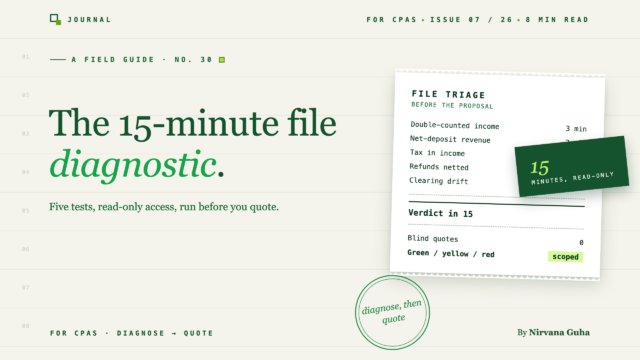
Questa è una bugia. Ecco la verità meccanica: i file dei clienti Shopify si rompono nei medesimi cinque modi, e ognuno di questi cinque difetti ha un test di rilevamento che richiede da due a tre minuti di accesso in sola lettura da commercialista. Quindici minuti, cinque test, un verdetto — una diagnostica completa del file QuickBooks per Shopify, eseguita prima di scrivere la proposta. I difetti stessi (e come risolverli, in quale ordine) sono trattati nella guida alla pulizia. Questo post è il passaggio che precede quella guida.
Cosa ti serve prima di iniziare
Due cose, entrambe ragionevoli da richiedere a qualsiasi potenziale cliente serio:
- Accesso in sola lettura da commercialista a QuickBooks Online. Ti invitano da Impostazioni » Gestisci utenti » Studi commercialisti. Nessuna lettera d'incarico richiesta — questa è diligenza, e i potenziali clienti che la rifiutano ti stanno dicendo qualcosa di utile.
- Il loro riepilogo delle vendite Shopify per lo stesso periodo. Un'esportazione dall'amministrazione di Shopify (Analisi » Report » Riepilogo finanziario), che copre i dodici mesi precedenti. Due minuti del loro tempo.
Imposta ogni report sottostante sullo stesso intervallo di date — i dodici mesi precedenti sono l'impostazione predefinita corretta — e lavora sui test in ordine. Ognuno è numerato e sufficientemente specifico da poter essere consegnato a un contabile junior. È deliberato: una volta eseguita questa diagnostica due volte da solo, diventa una checklist delegabile, non un lavoro da partner.
Diagnostica QuickBooks per Shopify in 15 minuti
Test 1: Entrate conteggiate due volte — 3 minuti
Dove cliccare: Report » Conto economico, imposta l'intervallo di date, prendi nota del Reddito totale. Mettilo accanto alle vendite lorde dal riepilogo finanziario di Shopify.
Aspetto corretto: Entrate contabili entro pochi punti percentuali dalle vendite lorde di Shopify — differenze di tempistica e ricavi non-Shopify spiegano piccole discrepanze.
L'anomalia si presenta così: Entrate contabili a circa il doppio delle vendite lorde della piattaforma. Conferma con un clic in più: apri qualsiasi conto entrate e guarda l'elenco delle transazioni. Se i depositi dal feed bancario e le ricevute di vendita da uno strumento di sincronizzazione vengono registrati uno accanto all'altro, sia il deposito che la ricevuta finiscono nei ricavi.
Segnale di gravità: Conta i mesi in cui entrambi i flussi si sovrappongono. La sovrapposizione limitata ai mesi recenti è contenuta; la sovrapposizione che attraversa un anno fiscale archiviato significa che la dichiarazione è stata preparata su ricavi raddoppiati e l'ambito è appena cambiato categoria.
Test 2: Entrate nette depositate — 2 minuti
Se le entrate non sono raddoppiate, verifica se sono sottostimate invece — questi due difetti sono immagini speculari.
Dove cliccare: Stesso Conto economico. Confronta il Reddito totale con i depositi bancari totali dal conto di pagamento Shopify per il periodo. Quindi apri Transazioni » Piano dei conti e cerca un conto di spesa per commissioni merchant o commissioni di elaborazione.
Aspetto corretto: Ricavi superiori ai depositi, con un conto di spesa per commissioni che mostra un'attività mensile costante — circa il 2-3% delle vendite per un tipico negozio Shopify Payments.
L'anomalia si presenta così: Ricavi uguali ai depositi bancari al centesimo, e un conto commissioni vuoto o inesistente. Il cliente ha registrato i pagamenti netti come vendite; i ricavi lordi e le spese per commissioni sono stati entrambi invisibili per tutta la durata del file. (Il motivo per cui i pagamenti e le vendite non corrispondono mai in primo luogo è una lezione di anatomia a sé stante.)
Segnale di gravità: Durata. Ogni mese in cui questo si è verificato, i margini erano una finzione. Se il cliente ha mostrato questi numeri a un finanziatore, prendine nota — quella conversazione appartiene alla fase di proposta, non alla seconda settimana.
Test 3: Imposta sulle vendite registrata come entrate — 3 minuti
Dove cliccare: Piano dei conti » trova il conto di passività per l'imposta sulle vendite » Esegui report (il QuickReport del conto). Dai un'occhiata anche alla scheda Tasse mentre sei lì.
Aspetto corretto: La passività si accumula man mano che le vendite vengono registrate e si riduce quando i rimborsi vengono effettuati. Il saldo traccia approssimativamente il ciclo di presentazione.
L'anomalia si presenta così: Attività scarsa o nulla nel conto passività — per un cliente che sta dimostrabilmente raccogliendo e rimborsando. Cerca nelle spese l'immagine speculare: rimborsi statali registrati in un conto "spese per imposta sulle vendite". I due si annullano approssimativamente nel Conto economico, motivo per cui nessuno all'interno dell'azienda se ne è mai accorto.
Segnale di gravità: Conta i periodi di presentazione nella finestra interessata. Ognuno è una dichiarazione che i libri contabili non possono supportare. Questo difetto comporta un'esposizione all'audit che gli altri quattro non hanno, quindi ponderalo di conseguenza nel tuo verdetto.
Test 4: Rimborsi compensati o cancellati — 3 minuti
Dove cliccare: Piano dei conti » cerca un conto di Rimborsi e abbuoni (contropartita di ricavo) ed esegui il suo QuickReport. Confronta con la riga dei rimborsi nel riepilogo finanziario di Shopify.
Aspetto pulito: Attività di contropartita di ricavo che traccia approssimativamente i totali dei rimborsi di Shopify, lasciando vendite lorde, rimborsi e vendite nette come tre righe visibili.
L'anomalia si presenta così: Shopify mostra rimborsi significativi; i libri contabili non mostrano nulla. I rimborsi sono stati o compensati silenziosamente nei depositi o eliminati perché "non corrispondevano a nulla" — il registro delle modifiche (Impostazioni » Registro delle modifiche, filtra per transazioni eliminate) stabilisce quale dei due, in circa sessanta secondi.
Segnale di gravità: Il divario tra il tasso di resi creduto dal cliente e quello reale. Un negozio che rimborsa il 6% mentre il suo proprietario crede il 2% ha preso decisioni sui prezzi e sull'inventario basate su dati errati — e le eliminazioni nel registro delle modifiche sono un segno peggiore della compensazione, perché ti dicono come il precedente contabile ha gestito qualsiasi cosa non corrispondesse.
Test 5: Saldo del conto di compensazione — 2 minuti
Dove cliccare: Piano dei conti » trova il conto di compensazione di Shopify (o ovunque vengano accreditati i pagamenti — a volte Fondi non depositati) » controlla il saldo e la data dell'ultima transazione che lo ha portato vicino allo zero.
Aspetto pulito: Un saldo vicino allo zero tra i cicli di pagamento. La compensazione che si azzera regolarmente è il checkpoint integrato del file.
L'anomalia si presenta così: Un saldo elevato e vecchio — di mesi, mai azzerato. Questo è il riscontro che dovrebbe influenzare maggiormente il tuo preventivo, perché una compensazione che non si azzera mai significa che non è mai esistito un checkpoint che avrebbe potuto rilevare gli altri quattro difetti. Qualunque cosa tu abbia trovato nei test da uno a quattro, supponi che ci sia di più sotto.
Segnale di gravità: Dimensione × età. Un saldo di quattro cifre del trimestre scorso è un pomeriggio. Un saldo di cinque cifre più vecchio dell'anno fiscale è l'impegno di quaranta ore che si annuncia in anticipo — che è precisamente l'annuncio che il preventivo cieco non riceve mai.
Valutazione del file: Verde, Giallo, Rosso
Ora hai cinque risultati. Valutali:
| Verdetto | Risultanze | Cosa significa |
|---|---|---|
| Verde | Zero difetti; compensazione azzerata al ciclo | Libri contabili strutturalmente solidi. Impegno mensile standard. |
| Giallo | Uno o due difetti, limitati all'anno fiscale corrente; saldo di compensazione spiegabile | Prima pulizia mirata, poi l'impegno mensile. |
| Rosso | Tre o più difetti, o qualsiasi difetto che attraversi un anno fiscale archiviato, o un saldo di compensazione di cinque cifre vecchio | Progetto di pulizia completo, prezzato e documentato separatamente — mai incluso nell'onboarding. |
La valutazione è il punto dei quindici minuti. Quando esamini i libri contabili di un cliente Shopify prima di fare un preventivo, non stai stimando le ore — stai classificando il file in un tipo di impegno, e il tipo di impegno stabilisce il prezzo.
Cosa fare con ogni verdetto
Verde: Salta completamente la conversazione sulla pulizia e passa all'onboarding standard — il flusso di lavoro di onboarding del cliente porta un file verde a un'attività completamente mappata e in sincronizzazione senza deviazioni. I file verdi sono anche dove proteggi il verdetto: uno strato di sincronizzazione payout-journal (questo è dove si trova uno strumento come LedgerPort, che registra ogni pagamento come una voce di diario con vendite lorde, rimborsi, commissioni e tasse ripartite sui loro conti mappati) impedisce strutturalmente che tutti e cinque i difetti si sviluppino mai. Un file verde con automazione rimane verde.
Giallo: Preventiva una pulizia con ambito definito come progetto fisso, quindi l'attività mensile in aggiunta. La tua diagnostica ha già definito l'ambito — sai quali difetti, su quale periodo. Prezzi delle attività di pulizia di QuickBooks copre come trasformare esattamente questi risultati in un numero che sopravvive al contatto con il file.
Rosso: Stessa struttura del giallo, ma presenta i risultati della diagnostica come proposta. "Il tuo reddito è conteggiato doppio da marzo, l'imposta sulle vendite è nel fatturato per quattro periodi di dichiarazione e il tuo conto di compensazione non è a zero da undici mesi" è una dichiarazione di ambito con cui nessun potenziale cliente discute — sei il primo commercialista che potrebbe dirgli cosa c'è che non va prima di essere pagato per guardare. Quindi esegui la sequenza di pulizia in ordine.
Un onesto compromesso: la diagnostica rileva; non quantifica in ore. Un file rosso potrebbe richiedere venticinque ore o sessanta, e la differenza risiede nel volume delle transazioni e fino a che punto si riafferma. Ma preventivare un'attività classificata con un elenco di difetti definito è un business diverso dal preventivare alla cieca — ed è la differenza tra clienti e-commerce come perdita iniziale e come tuo segmento più redditizio.
Eseguila su ogni potenziale cliente
Ecco l'abitudine che rende questo composto: la diagnostica viene eseguita su ogni potenziale cliente e-commerce, prima di ogni proposta, senza eccezioni. Quindici minuti di tempo del personale a fronte di accesso in sola lettura, si traducono in un modello di una pagina, con il verdetto allegato alla quotazione.
La scoperta della seconda settimana cessa di esistere — non perché i file siano diventati più puliti, ma perché hai smesso di incontrarli per la prima volta all'interno di un'attività a prezzo fisso. Ti aspettavi che la diagnostica proteggesse le tue quotazioni. Ciò che in realtà cambia è il tuo posizionamento: diventi lo studio che può valutare il QuickBooks di un cliente e-commerce nella prima conversazione, e gli studi che valutano prima di quotare prezzano l'intera linea di servizi in modo diverso.
Se c'è un potenziale cliente Shopify nella tua pipeline in questo momento, richiedi l'accesso da commercialista oggi stesso ed esegui i cinque test prima di inviare il numero. E quando il verdetto torna verde — o la pulizia porta il file lì — la guida all'onboarding per commercialisti copre la configurazione dello strato di sincronizzazione che mantiene ogni futura diagnostica noiosa.
Correlati: La Guida del Commercialista per la Pulizia del QuickBooks di un Cliente Shopify · Prezzi delle Attività di Pulizia di QuickBooks
