

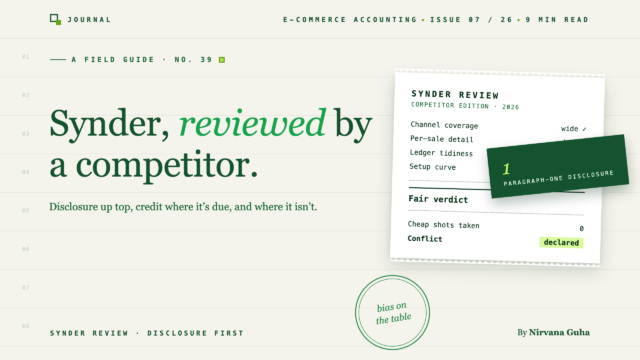
Una recensione di Synder che mette il conflitto di interessi nel secondo paragrafo invece che nel piè di pagina — perché chi viene pagato conta più del numero di stelle.
Puoi prevedere la forma di una recensione di Synder prima che la pagina finisca di caricarsi. Un punteggio tra 4,5 e 4,8. Una griglia di funzionalità dove ogni riga è un segno di spunta verde. Un pulsante "Prova Synder" che ti segue lungo la pagina. E da qualche parte sotto la piega, in caratteri più piccoli, la frase che spiega gli altri tre: potremmo guadagnare una commissione dai link in questa pagina. Hai letto quella recensione quattro volte stasera sotto quattro testate diverse, e ancora non sai se comprare.
Quindi ecco un diverso conflitto di interessi, dichiarato dove puoi vederlo: noi creiamo LedgerPort, un prodotto concorrente. Vendiamo la sincronizzazione Shopify e WooCommerce → QuickBooks. Synder e LedgerPort competono per alcuni degli stessi clienti. Dovresti tenerlo a mente per ogni frase che segue.
Ma è anche il motivo per cui questa recensione di Synder potrebbe valere il tuo tempo. Non guadagniamo una commissione se acquisti Synder — e non otteniamo i tuoi soldi per impostazione predefinita se non lo fai, perché molte persone che leggono questo dovrebbero acquistare Synder, e ti diremo esattamente quali. Il nostro pregiudizio va nella direzione ovvia, quindi abbiamo cercato di correggere eccessivamente: i punti di forza di Synder di seguito sono dichiarati chiaramente, le sue considerazioni attentamente, e siamo stati più duri con il nostro prodotto nella recensione comparativa - LedgerPort, recensito con lo stesso bisturi. Leggili fianco a fianco e giudica se il bisturi è stato affilato entrambe le volte.
Regole di base, come sempre: niente valutazioni inventate, niente lamentele "gli utenti segnalano" che non possiamo verificare, niente cifre di prezzo che saranno obsolete prima che tu finisca di leggere.
Cos'è Synder — e perché la sua ampiezza è reale
Synder è uno strato di sincronizzazione: si interpone tra i luoghi da cui provengono i tuoi soldi e il tuo libro contabile — QuickBooks Online tra questi — e traduce l'uno nell'altro. Questa descrizione si adatta a ogni strumento di questa categoria, compreso il nostro. Ciò che distingue Synder è quanti posti è disposto ad ascoltare.
La maggior parte degli strumenti di sincronizzazione è nata attorno a un problema specifico: i pagamenti di Amazon, o gli incassi di Shopify, o gli ordini di WooCommerce. Synder è nato attorno ai processori di pagamento: Stripe, PayPal, Square e la lunga coda di canali dietro di loro. La sua intuizione fondante è stata che le entrate moderne non arrivano da un unico posto. Un'azienda nel 2026 potrebbe ricevere ordini da Shopify, fatture Stripe, un flusso di PayPal da un vecchio canale e depositi da marketplace — e ognuna di queste fonti parla un dialetto diverso sulla via del libro contabile.
La risposta di Synder è collegare quasi tutti, e registrare ciò che accade a livello di singola transazione: ogni vendita, commissione, rimborso e pagamento come voce separata, non inclusa in un riepilogo. Offre opzioni di registrazione riepilogativa — l'onestà richiede di dirlo — ma il record per transazione è la sua caratteristica distintiva, ed è il motivo per cui la maggior parte delle persone sceglie Synder rispetto a uno strumento incentrato sul riepilogo. Se hai mai avuto bisogno di tracciare il rimborso di un cliente specifico nei tuoi libri contabili, capisci immediatamente il fascino.
Questa è una filosofia genuinamente diversa dalla scuola del riepiloga-tutto. Nessuna delle due filosofie è sbagliata. Sono costruite per aziende diverse — che è l'argomento effettivo di questa recensione.
Configurazione e Gestione Quotidiana
La configurazione segue la forma standard per la categoria: collega i tuoi canali e processori, collega il tuo libro mastro, quindi mappa le voci di bilancio — vendite, commissioni, rimborsi, tasse — agli account nel tuo piano dei conti. Con Synder c'è un passaggio che la maggior parte dei concorrenti non ha a questa scala: la configurazione delle regole. Poiché sincronizza transazione per transazione attraverso molte fonti, Synder ti offre un'ampia gamma di impostazioni e regole di automazione su come ogni tipo di transazione dovrebbe essere categorizzata e registrata.
Giorno per giorno, le transazioni fluiscono dalle tue fonti collegate e vengono registrate nel libro mastro secondo quella configurazione. Quando è ben impostato, il risultato è un libro mastro con più dettagli forensi di quanto uno strumento di riepilogo potrà mai darti.
Manteniamo questa sezione deliberatamente generica — narrare l'interfaccia utente di un concorrente schermata per schermata dall'esterno è il modo in cui le recensioni sbagliano i dettagli. Usa la documentazione e la prova di Synder per la visualizzazione a livello di schermata. Ciò che possiamo dire con certezza: la superficie di configurazione è ampia, è la fonte sia della potenza dello strumento che delle sue richieste, e la curva di apprendimento è reale. Tieni a mente questo; ritorna più avanti.
Dove Synder eccelle veramente
Tre punti di forza, senza esitazioni.
Copertura di canali e processori. Synder collega uno degli elenchi più lunghi di canali di vendita e processori di pagamento nella categoria — e, in modo critico, tratta i processori come Stripe, PayPal e Square come cittadini di prima classe anziché come ripensamenti. Gli strumenti focalizzati sui negozi (inclusi i nostri) semplicemente non tentano tale ampiezza. Se la tua mappa delle entrate ha cinque pin, Synder di solito può coprire tutti e cinque con uno strumento, uno schema di mappatura e una traccia di controllo. (Se uno di quei pin è un contatore con un terminale Square, la contabilità è un argomento a sé stante: la nostra guida al software di contabilità per la vendita al dettaglio copre il lato POS.) Quello è un vero fossato, e fingere il contrario sarebbe il tipo di recensione che abbiamo detto che non avremmo scritto.
Granularità per transazione. Quando hai veramente bisogno di registrazioni a livello di transazione nel libro mastro — dettagli a livello di cliente, commissioni dettagliate, la capacità di aprire QuickBooks e trovare quell'ordine specifico — gli strumenti di voci riepilogative non possono farlo, per design. Synder può. Per alcune aziende questa è una preferenza; per poche è un requisito, sia da parte di un revisore, di un creditore, o di un'esigenza di reporting interna a cui i riepiloghi non possono rispondere. Se questo sei tu, la maggior parte dei concorrenti di Synder sono squalificati prima ancora che inizi il confronto.
Flessibilità per stack insoliti. Alcune attività commerciali non rientrano nello standard: un negozio Shopify più abbonamenti fatturati da Stripe più un canale di liquidazione eBay, per esempio. Gli strumenti a forma di modello gestiscono attività commerciali a forma di modello. Le regole e le opzioni di configurazione di Synder esistono proprio per garantire che uno stack di entrate non standard possa comunque confluire in un unico registro coerente. Più il tuo setup è strano, più la tua lista di opzioni reali si accorcia — e Synder di solito è ancora presente.
Cosa considerare prima dell'acquisto
Tre considerazioni, affermate in modo fattuale. Nessuna è un ostacolo insormontabile per ogni acquirente; ognuna è un ostacolo insormontabile per qualcuno.
La superficie di configurazione è un impegno di supervisione. Ogni opzione che Synder ti offre è una decisione che puoi sbagliare, e la sincronizzazione per transazione significa che una decisione sbagliata si ripete su ogni transazione che tocca. Una regola di commissione categorizzata erroneamente non produce una sola voce errata; ne produce centinaia, silenziosamente, finché qualcuno non rivede l'output. Synder premia un'attività in cui qualcuno — tu, il tuo contabile, il tuo commercialista — gestisce la configurazione della sincronizzazione come un lavoro continuo. Punisce il "imposta e dimentica". Se stai cercando uno strumento *perché* vuoi smettere di pensare al tuo livello di sincronizzazione, nota la discrepanza ora piuttosto che al terzo mese.
Volume di voci su larga scala. La registrazione a livello di transazione con 300 ordini al mese è un dettaglio. Con 3.000 è un fiume: migliaia di voci che fluiscono in QuickBooks, un file più pesante, una revisione più lenta da parte del commercialista e controlli di fine mese che scorrono per pagine. Questo è esattamente il modo di fallimento che la scuola delle voci riassunte è stata creata per prevenire — abbiamo sostenuto questo argomento in modo approfondito altrove — ed è il motivo per cui esistono le opzioni di riepilogo di Synder. Ma se stai acquistando Synder *per* la sua granularità distintiva, modella come apparirà il tuo registro con il volume di ordini del prossimo anno, non di questo mese, prima di impegnarti nella modalità dettagliata.
I prezzi aumentano con il volume e le connessioni. I livelli di Synder aumentano con il volume degli ordini e con il numero di origini che connetti — un modello legittimo per un prodotto ampio, ma in cui il preventivo che ricevi oggi non è la fattura che pagherai dopo un anno positivo. Per gli studi di contabilità si applica la stessa logica a livello di elenco: la struttura dei costi in genere aumenta con ogni incarico del cliente, quindi modellala sull'intero elenco dei clienti, non su un singolo account. E controlla direttamente la pagina dei prezzi attuale di Synder: i numeri pubblicati nelle recensioni, inclusa questa, diventano obsoleti.
Per chi è adatto Synder
Negozi: se le tue entrate si estendono veramente su più canali e processori — Shopify più marketplace più denaro da Stripe o PayPal da qualche altra parte — e desideri registrazioni a livello di transazione, Synder dovrebbe essere nella tua lista, probabilmente in cima. L'ampiezza è reale, la granularità è reale e il costo di supervisione è semplicemente il prezzo di quella combinazione. Le attività multicanale con qualcuno che gestirà la configurazione tendono a ottenere ciò per cui hanno pagato.
Aziende: se la tua base di clienti include aziende con entrate insolite da più fonti — clienti le cui configurazioni fanno fallire gli strumenti standard — Synder offre al tuo staff un unico sistema in grado di gestire casi particolari, con la tracciabilità per transazione richiesta da alcuni incarichi. Il compromesso è che il tuo team gestisce la configurazione per ogni cliente e il costo del software aumenta con il numero di clienti. Questa matematica funziona quando i clienti sono abbastanza complessi da giustificare la fatturazione per la complessità; è più difficile da giustificare per semplici negozi a canale singolo.
Se ti sei riconosciuto in uno dei due paragrafi, smetti di leggere e inizia la prova gratuita di Synder con la nostra benedizione. Il resto di questo post è per tutti gli altri.
Quando cercare altrove
Tre muri. Se ti trovi di fronte a uno di essi, nessuna delle vere forze di Synder sarà in grado di spostarlo.
Il muro del canale singolo. Se sei un negozio Shopify o WooCommerce che vende in un unico luogo, l'asset distintivo di Synder — l'ampiezza — è una copertura che non utilizzi, e la sua superficie di configurazione è un costo che paghi comunque. Ciò di cui un negozio a canale singolo ha realmente bisogno è più ristretto e noioso: far corrispondere il pagamento ricevuto in banca con QuickBooks. Questo è il lavoro per cui il nostro prodotto è stato creato, quindi ecco l'unico paragrafo su LedgerPort in questa recensione: parte dal deposito e lavora a ritroso — vendite lorde, rimborsi, commissioni e aggiustamenti separati automaticamente nei conti giusti — con un'installazione stimata in circa quindici minuti e un prezzo fisso che parte da un piano gratuito anziché scalare per connessione (la guida all'installazione di WooCommerce è pubblica se vuoi verificare l'affermazione prima di fidarti). Stessa regola di Synder: verifica tu stesso i prezzi attuali.
Il muro della supervisione. Se nessuno nella tua azienda si occuperà della configurazione della sincronizzazione — nessun contabile, nessun operatore orientato ai dettagli, nessun commercialista a contratto — la flessibilità di Synder diventa un macchinario non presidiato. Il dettaglio senza un revisore non è accuratezza; è detriti con timestamp. Gli strumenti che fanno la scelta riassuntiva e a bassa configurazione per te sono l'acquisto più sicuro, e questa è un'affermazione sulla pertinenza, non sulla qualità.
Il muro del ledger-gonfio. Se sei già a un volume significativo e il tuo commercialista sussulta di fronte a flussi di transazioni, la granularità che ti ha convinto di Synder è la cosa con cui il tuo mese di chiusura lotterà. Le voci di diario riassunte — una singola voce ordinata per pagamento — sono la forma che la maggior parte dei commercialisti preferisce su larga scala. Dove questo compromesso si colloca per il tuo negozio è la vera domanda, motivo per cui il trattamento più completo si trova in due pagine dedicate: l'analisi delle alternative a Synder per l'intero campo, e LedgerPort vs Synder per il confronto diretto testa a testa. Il confronto più ampio dei software di contabilità Shopify classifica tutti, inclusi gli strumenti che ci battono in compiti specifici.
Il verdetto: vale la pena usare Synder?
Per l'acquirente giusto, sì, senza teatralità. Se le tue entrate provengono genuinamente da molti luoghi, se hai bisogno di record a livello di transazione nella contabilità, e se qualcuno nella tua azienda sarà responsabile della configurazione, Synder è uno dei pochi strumenti che può effettivamente svolgere il tuo lavoro, e il costo di supervisione è un giusto pedaggio per una copertura che la maggior parte della categoria non tenta.
E se incontri uno dei tre ostacoli — un solo canale di vendita, nessuno che supervisioni la configurazione, o una contabilità che già geme per il volume — allora Synder non è male, è inadeguato, e dovresti leggere la pagina delle alternative prima di abbonarti a dettagli che passerai l'anno prossimo a ripulire. Nessun punteggio su dieci; i punteggi sono il modo in cui le recensioni degli affiliati evitano di dire qualcosa. La linea di fondo onesta è una domanda di classificazione: quale paragrafo sopra ha descritto la tua attività? Acquista di conseguenza, anche quando la risposta non siamo noi.
Stai valutando il confronto diretto? LedgerPort vs Synder lo copre funzionalità per funzionalità — e la nostra recensione di LedgerPort applica questo stesso standard a noi.
