

- 1Yalan: "Araç Maliyeti Yuvarlama Hatasıdır"
- 2Muhasebe Firmaları İçin Senkronizasyon Araçları Ölçekte Gerçekte Nasıl Fiyatlandırılır
- 3Model 1: Müşteri Başına Yığınlama (A2X tarzı model)
- 4Model 2: Minimumlu Firma Planları (Synder tarzı model)
- 5Model 3: Sabit Sınırsız İşletmeler (LedgerPort Kurumsal modeli)
- 6Firmaların Lisans Dışında Gerçekte İhtiyaç Duydukları
- 7Müşteri Başına Araçlar Hala Kazandığında
- 8Karar, Tek Bir Tabloda
- 9Kendi On Beş Müşteri Matematiğinizi Yapın
İki müşteriyle seçtiğiniz araç, on beş müşteriyle karşılayabileceğiniz araç değildir — ve fark özellik listesi değildir. Lisanslama modelidir.
E-tablo on dakika sürmeliydi. Firma yazılım harcamalarının yıl sonu değerlendirmesini yapıyorsunuz, bu yüzden her aboneliği listeliyorsunuz: uygulama yönetimi, vergi yazılımı, belge portalı. Sonra e-ticaret senkronizasyon araçları satırına geliyorsunuz ve istemci başına ücretleri toplamaya başlıyorsunuz.
On beş müşteri. Her biri kendi aboneliğinde, çünkü çoğu muhasebe firması senkronizasyon aracı bu şekilde faturalandırıyor — ve birkaç müşteri büyüdüğü, birkaçı artık giriş seviyesinde olmadığı için. İki yıl önce onayladığınız "40 dolarlık araç" şimdi dört haneli aylık bir satır öğesi haline geldi. Sessizce en büyük yazılım maliyetlerinizden biri haline geldi ve kimse bunu hiç karar vermedi. Sadece birer birer müşteri birikerek arttı.
Bu matematiği yaptıysanız, o batan hissi bilirsiniz. Yapmadıysanız, bu gönderi on dakikadır — çünkü bu araçlar firma yazılımı gibi fiyatlandırılmaz. Tüketici yazılımı gibi fiyatlandırılırlar, müşteri listenizle çarpılır.
Bu kadar çok firmayı yakalamasının nedeni dikkatsizlikle hiçbir ilgisi yok. Pratik bilgelik gibi görünen bir yalan.
Yalan: "Araç Maliyeti Yuvarlama Hatasıdır"
İşte çoğu firmanın üzerinde çalıştığı tavsiye: her müşterinin zaten kullandığı senkronizasyon aracını seçin. Maliyet, ücretlerinizin yanında önemsizdir, bu yüzden standartlaştırmaya değmez.
Bireysel müşteri düzeyinde bu doğrudur. 750 dolarlık bir muhasebe sözleşmesine karşı ayda 40 dolarlık bir araç gerçekten bir yuvarlama hatasıdır. Bir e-ticaret müşteriniz olsaydı, bu satır öğesini optimize etmek bir ortağın öğleden sonrasını boşa harcamak olurdu.
Ancak bir müşteriniz yok. Bir portföyünüz var — ve müşteri başına maliyetler, büyüme ile doğru orantılı olarak artan tek maliyetlerinizdir. Müşteri sayınız ikiye katlandığında, iş yönetimi paketiniz ikiye katlanmaz. Senkronizasyon yığınınız artabilir. Yalan, tek bir abonelik hakkında yanlış değildir; çarptığınızda ne olduğu hakkında yanlıştır.
Bu da, bu satır öğesinin ölçekte ayda 169 dolar mı yoksa 1.600 dolar mı olacağını belirleyen gerçek kararın — en iyi özellik tablosuna sahip aracı seçmek olmadığı anlamına gelir. Hangi lisanslama modelini standartlaştırdığınızdır. Muhasebe firmaları için en iyi e-ticaret uygulamalarının özetleri bunu neredeyse hiç bahsetmez, çünkü araçları tek tek müşteri bazında incelerler. Firmalar tek tek müşteri bazında satın almazlar.
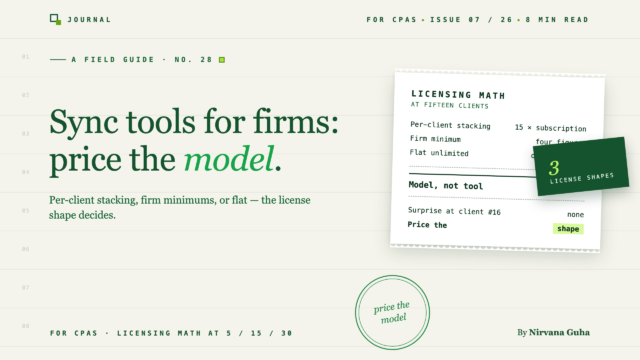
Piyasada üç model var. Beş müşteride benzer, otuz müşteride ise tamamen farklı görünüyorlar.
Muhasebe Firmaları İçin Senkronizasyon Araçları Ölçekte Gerçekte Nasıl Fiyatlandırılır
Aşağıdaki sayılara ilişkin bir not: fiyatlandırma değişir ve her satıcı sipariş hacmine göre farklı katmanlar sunar. Bu nedenle, her lisans yapısının şeklini açıkça gösteren rakamlarla modelleyeceğiz — ve karar vermeden önce her satıcının mevcut fiyatlandırmasını kontrol etmelisiniz. Buradaki tek gerçek sayı, LedgerPort'un sayısıdır, çünkü bu bizimki: Kurumsal, ayda 169 ABD Doları'ndan başlayan fiyatlarla, fiyatlandırma sayfasında canlı.
Model 1: Müşteri Başına Yığınlama (A2X tarzı model)
Her müşteri mağazası kendi aboneliğidir, ayrı ayrı faturalandırılır ve o müşterinin sipariş hacmine göre katmanlandırılır. A2X en bilinen örnektir — ve adil olmak gerekirse, muhasebeciler için A2X, gerçek bir iş ortağı programı ve mükemmel pazar yeri kapsamı ile gerçekten güçlü bir üründür. Parladığı yerleri kapsayan tam bir A2X incelemesi yazdık.
Lisanslama şekli ölçekte sorundur. Katmanlı bir giriş seviyesi için örnek olarak ayda 40 ABD Doları/müşteri alın:
- 5 müşteri: ayda 200 ABD Doları — iyi, tartışmaya değmez
- 15 müşteri: ayda 600 ABD Doları — yılda 7.200 ABD Doları, artık gerçek bir bütçe kalemi
- 30 müşteri: ayda 1.200 ABD Doları — yılda 14.400 ABD Doları, hacim katmanlarından önce
Ve bu iyimser versiyon, çünkü en iyi müşterileriniz giriş seviyelerinde kalmaz. Ayda 3.000 sipariş veren bir müşteri, 300 sipariş veren bir müşteriden daha yüksek bir katmanda faturalandırılır. Müşteri başına istifleme, maliyetlerinizin aynı anda iki eksende büyümesi anlamına gelir: müşteri sayısı ve müşteri başarısı. Firmanız ne kadar iyi performans gösterirse, matematik o kadar kötüleşir.
Model 2: Minimumlu Firma Planları (Synder tarzı model)
İkinci model, müşterileri firma düzeyinde katmanlara ayırır: bir platform ücreti karşılığında bir bağlantı veya sipariş hacmi bloğu, bir eşiği aştığınızda artışlarla. Synder'ın muhasebeci teklifi kabaca bu şekilde çalışır ve model gerçek bir çekiciliğe sahiptir — eşiklerin başlık sayısından daha önemli olması nedeniyle ayrıntılar için mevcut fiyatlandırmalarına bakın.
Buradaki şekil bir merdivendir. Bir bant içinde, maliyetler öngörülebilirdir, bu da istiflemeye göre gerçek bir iyileşmedir. Sürtünme kenarlarda yaşanır:
- 5 müşteri'de, henüz kullanmadığınız boş alan için genellikle ödeme yaparsınız
- 15 müşteri'de, bir katman sınırında takılı kalmış olabilirsiniz — on altıncı müşteri, on beşinci müşteriden çok daha pahalıya mal olur
- 30 müşteri'de, birkaç adım tırmanmışsınızdır ve her adım bir yeniden pazarlık veya yükseltme konuşmasıydı
Firma minimumları, çoğu büyüyen firma için müşteri başına istiflemeden daha iyidir. Ancak yine de yeni bir müşteri sunduğunuzda lisanslama matematiği yaparsınız ve bu matematik, hangi anlaşmalara evet dediğinizi göstermenin bir yolunu bulur.
Model 3: Sabit Sınırsız İşletmeler (LedgerPort Kurumsal modeli)
Üçüncü model, sınırsız işletme için tek bir aboneliktir. LedgerPort'un Kurumsal planında (ayda 169 ABD Doları'ndan başlayan fiyatlarla), her müşteri tek hesabınızda ayrı, tamamen izole edilmiş bir İşletme'dir — kendi Shopify veya WooCommerce mağazası, kendi QuickBooks Online şirketi, kendi eşlemeleri, kendi senkronizasyon günlükleri ile eşleştirilmiştir. Çoklu işletmeler belgesi, değiştiricinin nasıl çalıştığını gösterir: tek oturum açma ve bir müşterinin işindeki değişiklikler diğerini asla etkilemez.
Şekil yatay bir çizgidir:
- 5 müşteri: 169$/ay ≈ 34$/müşteri
- 15 müşteri: 169$/ay ≈ 11$/müşteri
- 30 müşteri: 169$/ay ≈ 6$/müşteri
Müşteri başına maliyetin firma büyüdükçe düştüğü tek model budur — çoklu müşteri QuickBooks senkronizasyon maliyeti, her bir iş başına sıfıra yaklaşır ve bir müşteriyi teklife eklemenin size araç maliyeti olmaz. İşte üçü yan yana:
| Müşteriler | Müşteri başına kademelendirme (gösterimlik 40$/müşteri) | Firma minimumları | Sabit sınırsız (LedgerPort Kurumsal) |
|---|---|---|---|
| 5 | ~200$/ay | Kademe ücreti, genellikle kullanılmayan boşluklarla | 169$/ay (~34$/müşteri) |
| 15 | ~600$/ay+ (hacim kademeleri daha yükseğe çıkarır) | Merdiven ortası; sınıra dikkat edin | 169$/ay (~11$/müşteri) |
| 30 | ~1.200$/ay+ | İçinde birkaç kademe atlaması | 169$/ay (~6$/müşteri) |
LedgerPort'un dışındaki rakamlar gösterimliktir; her satıcının güncel fiyatlandırması gerçeğin kaynağıdır. Ancak görmeniz için tam rakip dolar rakamlarına ihtiyacınız olmadığını fark edin — hangi sayıları girerseniz girin, şekiller farklılaşır. Bir çizgi sonsuza dek yukarı eğimli, biri basamaklar halinde tırmanıyor, biri düz kalıyor. Bu farklılaşma aynı zamanda araç harcamasının e-ticaret muhasebe firması karlılığı kaldıraçlarından biri olmasının nedenidir: düz bir satır öğesi, eklediğiniz her müşteri üzerinden elinizde kalan kardır ve işi nasıl fiyatlandırdığınızı da basitleştirir.
Firmaların Lisans Dışında Gerçekte İhtiyaç Duydukları
Lisanslama, yığının maliyetini belirler. Dört operasyonel yetenek, ölçeklenip ölçeklenmeyeceğini belirler — ve firma araçlarının mağaza sahibi araçlarından farklılaştığı yer burasıdır.
Yeniden kullanabileceğiniz standart bir hesap planı. Her müşteri için sıfırdan eşleme kurmak gizli bir işe alım vergisidir. LedgerPort'un iş ortağı programı, her seferinde yeniden oluşturmak yerine müşteriler arasında uyguladığınız standart bir hesap planı yapılandırması olan Ana Şablonu içerir. Bu, toptan faturalandırma ve firma için özel karşılama ile birlikte CPA İş Ortağı Programı kılavuzunda ele alınmıştır.
Bir firmanın çalışma şekline uyan roller. Kıdemliniz yapılandırmaları gözden geçirir; personel muhasebeciniz senkronizasyonları çalıştırır ve günlükleri okur ancak faturalandırma veya eşlemelere dokunmamalıdır. LedgerPort'un Yönetici ve Üye rolleri tam olarak bu çizgi boyunca bölünmüştür — kimse oturum kimlik bilgilerini paylaşmadığı için, ekip üyeleri ve rolleri belgesine göre davetler Ayarlar → Ekip'ten gönderilir.
Her müşteri için denetim izi. Bir müşteri Mart ayının neden farklı göründüğünü sorduğunda, "araç senkronize etti" bir cevap değildir. LedgerPort'taki her senkronizasyon denemesi, işe ve denetim günlüğü belgesine göre filtrelenebilir bir varlık, durum, hata nedeni, zaman damgası içeren bir günlük girişi yazar. Bu, araştırma ile tahmin arasındaki farktır ve temiz bir müşteri temizleme işinin temelini oluşturur.
Gerçek müşteri izolasyonu. Tek bir hesap, ancak her işletmenin bağlantıları, eşlemeleri ve günlükleri diğerlerinden ayrı tutulur. Bir müşterinin yanlış yapılandırması diğerinin defterlerine sızamaz — defterler on beş farklı tüzel kişiliğe ait olduğunda pazarlık edilemez.
Müşteri Başına Araçlar Hala Kazandığında
Dürüstlük bölümü, çünkü düz model her firma için doğru cevap değildir.
Müşteri listeniz Amazon ağırlıklıysa, A2X muhtemelen hala sizin aracınızdır. LedgerPort, Shopify ve WooCommerce'i QuickBooks Online ile senkronize eder — bu, derinlemesine yapılmış tüm üründür. Amazon, eBay veya Etsy'yi yapmaz. A2X'in pazar yeri kapsamı, özellikle Amazon yerleşim muhasebesi, gerçekten mükemmeldir ve lisanslama matematiği, müşterinin kanalını yönetemeyen bir araçtan daha iyisini yapamaz. A2X alternatifleri incelememiz bu sınırlama konusunda nettir.
Üç veya daha az e-ticaret müşteriniz varsa, müşteri başına fiyatlandırma mutlak dolar cinsinden daha ucuzdur. Düz model, eğimde kazanır, kesişimde değil — kabaca dört veya beş Shopify/Woo müşterisinin altında, maliyetleri bu yıl daha az istiflemek kazanır. Trend çizgisi o noktayı geçeceğinizi söylediğinde standartlaştırın, öncesinde değil.
Müşteriler kendi araçları için ödeme yapıyor ve aboneliğe sahip olmakta ısrar ediyorlarsa, müşteri başına faturalandırma bu düzenlemeye temiz bir şekilde uyar. (Ancak toptan satış ortaklık faturalandırması bunu tekrarlayabilir — maliyetler müşteri başına geçerken firma tek bir konsolu elinde tutar.)
Karar, Tek Bir Tabloda
| Durumunuz | En uygun model |
|---|---|
| 1–4 e-ticaret müşterisi, karma platformlar | Müşteri başına araçlar; standartlaştırmaya henüz değmez |
| Amazon/pazar yeri ağırlıklı müşteri listesi | Müşteri başına pazar yeri uzmanı (A2X tarzı) — /ledgerport-vs-a2x/ bölümüne bakın |
| 5–10 Shopify/Woo müşterisi, büyüyen | Firma katmanı planları işe yarar; sınırları karşılaştırın — /ledgerport-vs-synder/ bölümüne bakın |
| 10+ Shopify/WooCommerce müşterisi QBO'da | Düz sınırsız (LedgerPort Enterprise) — müşteri başına maliyet eğrisi burada tersine döner |
| Karma liste: bazı pazar yerleri, çoğunlukla Shopify/Woo | Hibrit: pazar yeri müşterileri için uzman araç, geri kalanı için düz plan |
Kendi On Beş Müşteri Matematiğinizi Yapın
O elektronik tabloya geri dönün. Gerçek müşteri sayınızı girin, ödediğiniz müşteri başına ücretle çarpın ve yıllık sayıyı 2.028 ABD Doları'nın yanına yazın — mevcut başlangıç fiyatıyla bir yıllık LedgerPort Enterprise. On Shopify veya WooCommerce müşterisini geçmiş çoğu firma için, fark her ay bir günlük faturalandırılabilir iş gücü kadardır ve kimsenin dikkat etmediği bir satır öğesinden geri kazanılır.
Matematik genellikle gösterdiği yere işaret ediyorsa, CPAlar için LedgerPort sayfası ortaklık programını (Ana Şablon, toptan satış faturalandırması, müşteri izolasyon modeli) kapsar ve CPA işe alımı ilk müşterinizin eşleştirmelerini sizinle birlikte kuracaktır, böylece otuzuncu müşteriye kadar olanlar işi yeniden kullanır.
Ortaklık programının neleri içerdiğini görün →
İlgili: E-ticaret Muhasebe Firması Karlılığı · E-ticaret Muhasebe Hizmetlerine Nasıl Fiyat Verilir · Bir Shopify Müşterisini QuickBooks'a Dahil Etme
