

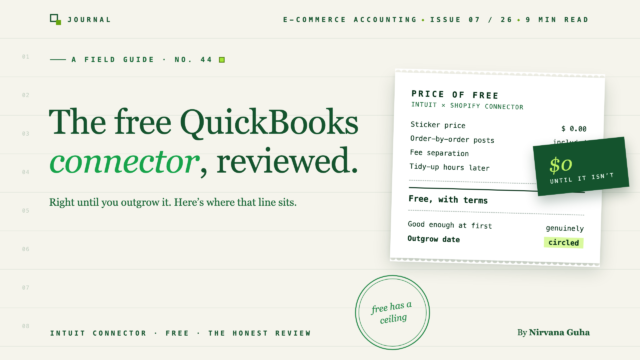
Der seltene Testbericht, bei dem der Rezensent nur dann Geld verdient, wenn Sie das Produkt ignorieren – also halten Sie das gegen jeden Satz.
Sie haben ihn im QuickBooks App Store gefunden. Intuits eigener Shopify Connector – entwickelt vom Unternehmen, das bereits Ihr Hauptbuch führt, mit wenigen Klicks installiert und kostenlos. Dann haben Sie das Vernünftige getan und nach einem QuickBooks Shopify Connector Testbericht gesucht, und jedes Ergebnis wurde von einem Unternehmen geschrieben, das eine kostenpflichtige Alternative verkauft.
Einschließlich dieses. Wir platzieren den Interessenkonflikt im zweiten Absatz statt in der Fußzeile: wir entwickeln LedgerPort, ein kostenpflichtiges Synchronisationstool für Shopify und WooCommerce → QuickBooks. Intuits kostenloser Connector ist unser Konkurrent. Jeder Dollar, den wir verdienen, stammt von jemandem, der entscheidet, dass die kostenlose Option nicht ausreicht. Sie sollten das gegen alles unten abwägen.
Sie kennen den üblichen Verlauf dieser Geschichte. Sie suchen nach "reicht der kostenlose Connector aus?" und zehn kostenpflichtige Anbieter entdecken – was für ein Zufall – dass er es nicht tut. Dieses Muster lehrt eine vernünftige Lektion, die zufällig eine Lüge ist: "Ein kostenpflichtiger Anbieter, der ein kostenloses Tool rezensiert, hat nur ein einziges mögliches Urteil, daher kann keine Kritik vertrauenswürdig sein." Die Wahrheit ist nützlicher. Die Grenzen des Connectors sind keine Frage der Anbietermeinung – sie sind in Ihrer eigenen QuickBooks-Datei sichtbar, und dieser Testbericht wird Ihnen genau zeigen, wo Sie suchen müssen, damit Sie uns niemals beim Wort nehmen müssen.
Spielregeln, wie bei jedem Testbericht, den wir schreiben: keine erfundenen Sternebewertungen, keine "Benutzer berichten"-Beschwerden, die wir nicht belegen können, keine Behauptungen über Bildschirme, die wir nicht bedienen. Und da sich kostenlose Produkte ohne Ankündigung auf der Preisseite ändern, prüfen Sie die aktuelle Dokumentation von Intuit, bevor Sie auf ein bestimmtes Verhalten reagieren – dieser Testbericht argumentiert auf der Ebene dessen, wofür der Connector gedacht ist, was sich viel langsamer ändert.
Was der QuickBooks Shopify Connector ist
Der Connector ist Intuits eigene Brücke zwischen Shopify und QuickBooks Online. Sie verbinden Ihren Shop, autorisieren die Verbindung und Ihre Shopify-Verkaufsdaten beginnen, in das Hauptbuch zu fließen – kein Drittanbieter, kein separates Abonnement, kein neues Konto zur Verwaltung. Es ist der kürzestmögliche Weg von "meine Verkäufe leben in Shopify" zu "meine Verkäufe erscheinen in QuickBooks."
Das ist auch die ehrliche Zusammenfassung seines Anspruchs. Der Connector ist ein Importeur: Seine Aufgabe ist es, Ihre Shopify-Aktivitäten in QuickBooks zu bekommen. Die schwierigeren Aufgaben in dieser Kategorie – Aufschlüsselung von Auszahlungen, Trennung jeder Gebühr, genaue Zuordnung von Einzahlungen bis zum Cent, Verwaltung mehrerer Shops – sind Aufgaben, die er meistens nicht beansprucht.
Wir halten diesen Abschnitt bewusst allgemein, aus demselben Grund, wie wir es in unserem A2X-Testbericht getan haben: Die Beschreibung der Bildschirme eines Wettbewerbers von außen führt dazu, dass Testberichte Details falsch darstellen. Der Connector ist kostenlos und in wenigen Minuten installiert, was bedeutet, dass die beste verfügbare Dokumentation Ihre eigene QuickBooks-Datei mit dem laufenden Connector ist. Nutzen Sie diese, nicht uns.
Wo der kostenlose Connector wirklich stark ist
Vier Stärken, keine Einschränkungen.
Es ist kostenlos. In einer Kategorie, in der die meisten Rechnungen mit Ihrem Bestellvolumen skaliert werden, sind 0 € ein echtes Merkmal und verdienen es, als solches behandelt zu werden. Jeder Euro, den Sie nicht für Synchronisierungstools ausgeben, ist ein Euro für Inventar, Werbung oder Marge. Ein Testbericht, der dies abtut, weil der Rezensent Software verkauft, ist kein Testbericht.
Es ist offiziell. Der Connector wird von Intuit innerhalb des eigenen Ökosystems von Intuit entwickelt und gepflegt. Es gibt keinen Drittanbieter zu prüfen, keine separate Firma, deren Finanzierung oder Roadmap Sie berücksichtigen müssen, und wenn sich QuickBooks selbst ändert, arbeiten die Leute, die Ihren Connector pflegen, im selben Gebäude. Für ein kleines Geschäft, das zwischen „kostenlos und offiziell“ und „kostenpflichtig und von Drittanbietern“ wählt, hat offiziell ein echtes Gewicht – und das sollte es auch.
Die Einrichtung ist für den grundlegenden Bestellimport nahezu null. Es gibt kein Mapping-Projekt, keine Implementierungsphase, keinen Berater. Verbinden, autorisieren, fertig. Für die Aufgabe, für die er entwickelt wurde – Verkaufsdaten in QuickBooks zu übertragen – ist der Weg von der Entscheidung bis zur funktionierenden Synchronisierung so kurz wie in dieser Kategorie möglich.
Es ist richtig dimensioniert für einfache Geschäfte. Ein einzelnes Geschäft mit moderatem Volumen und einfachen Bestellungen benötigt keine Auszahlungsjournal-Architektur, keine Multi-Entity-Struktur oder keine Accountant-Level-Mapping-Kontrolle. Es benötigt Verkäufe in der Buchhaltung, ohne für das Privileg zu bezahlen. Der Connector ist keine schlechtere Version der kostenpflichtigen Tools; für dieses Geschäft ist er das richtig dimensionierte.
Was Sie beachten sollten, bevor Sie sich darauf verlassen
Vier Überlegungen. Jede wird auf der Ebene dessen angegeben, wofür der Connector entwickelt wurde, nicht erfundene Details – und jede kommt mit einer Möglichkeit, sie selbst zu überprüfen.
Gebührenverwaltung ist grundlegend. Der Schwerpunkt des Connectors liegt auf dem Verkaufsimport, nicht auf der Gebührenstruktur. Die kostenpflichtigen Tools in dieser Kategorie existieren im Wesentlichen, weil die Gebühren von Shopify – Zahlungsabwicklung, Plattformgebühren, Anpassungen – vom Bruttoumsatz, Bestellung für Bestellung und Auszahlung für Auszahlung getrennt werden müssen, um Ihre Margen korrekt darzustellen. Diese Zerlegung ist nicht das, wofür ein kostenloser Importeur gedacht ist. Überprüfen Sie es selbst: Öffnen Sie die Gewinn- und Verlustrechnung des letzten Monats und finden Sie heraus, wo Ihre Shopify-Gebühren gelandet sind. Wenn Sie Bruttoumsätze und eine sauber getrennte Gebührenaufwandsposition sehen, ist alles in Ordnung. Wenn Sie eine Netto-Verschwimmung sehen, haben Sie die Grenze gefunden.
Auszahlungsabgleich ist begrenzt. Der Connector denkt in Bestellungen. Ihre Bank denkt in Auszahlungen – Pauschalzahlungen, die einen Stapel von Bestellungen abdecken, abzüglich Rückerstattungen, abzüglich Gebühren, abzüglich Anpassungen. Die Übersetzung zwischen diesen beiden Sprachen ist das schwierige Problem der E-Commerce-Buchhaltung und liegt weitgehend außerhalb der Aufgabenbeschreibung des kostenlosen Connectors. Bei geringem Volumen bleibt die Lücke klein genug, um sie manuell zu überbrücken. Prüfen Sie es selbst: Wählen Sie eine Bankeinzahlung von Shopify aus und versuchen Sie, sie bis auf den Cent genau durch das zu verfolgen, was der Connector gebucht hat. Stoppen Sie die Zeit.
Fehlersichtbarkeit ist gering. Wenn eine Synchronisierung etwas übersieht, besteht der Unterschied zwischen den Tools darin, wie laut sie es Ihnen mitteilen. Ein kostenloser Importeur bietet Ihnen weniger Möglichkeiten zur Diagnose dessen, was nicht übertragen wurde, als Tools, deren gesamtes Geschäft vom Vertrauen in die Synchronisierung abhängt – fehlende Bestellungen kündigen sich tendenziell nicht an. Prüfen Sie es selbst: Zählen Sie eine Woche an Bestellungen in Shopify und zählen Sie dann, was in QuickBooks angekommen ist. Wenn die Zahlen übereinstimmen, gut. Wenn nicht, achten Sie darauf, wie lange Sie brauchen, um herauszufinden, *welche* Bestellungen – diese Suchzeit ist die Produktlücke.
Es gibt keine Multi-Store- oder Firmenschicht. Der Connector geht davon aus, dass ein Geschäft eine QuickBooks-Datei speist, die der Person gehört, die sie eingerichtet hat. Es gibt keine konsolidierte Struktur für ein zweites Ladengeschäft und keine Kundenverwaltungsschicht für einen Buchhalter, der zehn Geschäfte wie Ihres betreut. Das ist kein Fehler – es ist die Form des beabsichtigten Benutzers. Es bedeutet nur, dass der Connector genau dort eine harte Grenze hat, wo Unternehmen wachsen.
Keiner dieser Punkte ist ein Grund für ein kleines, einfaches Geschäft, den Connector zu meiden. Jeder einzelne von ihnen ist ein Grund, warum ein größeres oder komplexeres Geschäft ihn schließlich verlässt.
Wer ihn einfach nutzen sollte
Dieser Abschnitt ist der Kern der Überprüfung, daher werden wir spezifisch sein.
Stores: Wenn Sie einen einzelnen Shopify-Store mit moderatem Volumen betreiben – denken Sie an niedrige Hunderte von Bestellungen pro Monat oder weniger – mit einfachen Einzelhandelsbestellungen, keinen Großhandelsbedingungen, keinen Geschenkkartenverbindlichkeiten, keinem zweiten Geschäft am Horizont und Büchern, die von Ihnen oder einem Teilzeitbuchhalter geführt werden: Installieren Sie den kostenlosen Connector noch heute, mit unserem Segen. Er kostet nichts, er stammt von dem Unternehmen, dem Sie bereits bei Ihrem Hauptbuch vertrauen, und die oben genannten Überlegungen sind Volumen- und Komplexitätsprobleme, die Sie noch nicht haben. Der Kauf von Kategorie-Software für Probleme, die Sie nicht haben, ist der Grund, warum Tool-Stacks aufgebläht werden – und das schließt den Kauf unserer Software ein.
Firmen: für den kleinsten Kunden in Ihrem Verzeichnis – den Nebenprojekt-Shop, den Kunden mit weniger als hundert Bestellungen pro Monat – ist der Connector ebenfalls eine vertretbare Standardlösung, mit einer Anpassung: Sie sollten die oben genannten Einzahlungs-Trace- und Bestellzählprüfungen für die Ergebnisse des ersten Monats durchführen, nicht der Kunde. Wenn es bestanden wird, haben Sie ihnen ein Abonnement erspart. Wo die Mathematik sich umkehrt, ist im gesamten Verzeichnis: Sobald E-Commerce-Kunden ein Segment sind, das Sie ausbauen, wird die kundenindividuelle Überprüfung eines Tools mit geringer Fehlersichtbarkeit zum teuersten Teil des Stacks, selbst bei 0 $. Unser Leitfaden für Synchronisierungstools für Buchhaltungsfirmen behandelt dieses wirtschaftliche Problem richtig.
Wenn Sie sich oben wiedererkannt haben, hören Sie auf zu lesen und verbinden Sie es. Der Rest dieses Beitrags ist für den Tag, an dem Ihr Geschäft aufhört, das Geschäft zu sein, für das der Connector entwickelt wurde.
Die vier Anzeichen, dass Sie ihn hinter sich gelassen haben
Der kostenlose Connector schlägt nicht laut fehl. Er fällt leise zurück, und die Symptome zeigen sich in Ihren Büchern, bevor sie sich in Ihrer Geduld zeigen. Achten Sie auf diese vier.
1. Gebühren beginnen sich anzuhäufen. Bei 80 Bestellungen pro Monat ist die Gebührenunschärfe eine Rundungsgeschichte. Bei 800 ist es Ihre Marge, die um ungefähr Ihren gemischten Gebührensatz falsch angegeben wird – jeden Monat, was sich in Preis- und Werbeausgabenentscheidungen niederschlägt. Wenn Sie nicht mehr sagen können, was Shopify Ihnen letzten Monat tatsächlich berechnet hat, ohne einen Export und eine Tabelle, ist das das Signal. Unsere Aufschlüsselung der Shopify-Gebühren in QuickBooks zeigt, wie eine korrekte Gebührenbuchhaltung aussieht, damit Sie Ihre eigenen Daten vergleichen können.
2. Einzahlungen stimmen nicht mehr überein. Wenn Sie am ersten Monat eine Bankeinzahlung nicht innerhalb weniger Minuten mit Ihren Büchern abgleichen können, sind Sie dem Auszahlung-Übersetzungs-Problem persönlich begegnet. Es wird mit zunehmendem Volumen nie besser – mehr Bestellungen pro Auszahlung bedeuten mehr Rückerstattungen, mehr Anpassungen und mehr Lücken. Die Mechanik, warum, finden Sie in warum Ihre Shopify-Auszahlung niemals mit QuickBooks übereinstimmt; wenn Sie bereits dort sind, wird es unangenehm wie ein Tagebuch zu lesen sein.
3. Sie eröffnen Geschäft Nummer zwei. Ein zweites Geschäft verdoppelt Ihre Feeds, bricht aber die Annahme des Connectors von einem Geschäft, einer Datei, vollständig – es gibt keine konsolidierte Ansicht, keine Isolation pro Geschäft, keine Struktur. Multi-Store ist, wo „Importer“ und „Buchhaltungsinfrastruktur“ aufhören, dieselbe Produktkategorie zu sein. Buchhaltung für Multi-Store-E-Commerce behandelt, wie die Struktur aussehen sollte, bevor Sie etwas verdrahten.
4. Ihr Buchhalter bittet um Zugriff – und es gibt nichts zu geben. Wenn ein Wirtschaftsprüfer Ihre Bücher übernimmt, möchte er die Zuordnungskontrolle, einen Audit-Trail dessen, was wann synchronisiert wurde, und eine Möglichkeit, Ihr Geschäft neben seinen anderen Kunden zu verwalten. Der Connector hat keine feste Ebene, die er übergeben kann, daher ist seine Antwort normalerweise Bereinigungsstunden, die zu Wirtschaftsprüfer-Sätzen abgerechnet werden. Was Firmen tatsächlich von der Synchronisierungsebene benötigen, wird in Synchronisierungstools für Buchhaltungsfirmen dargelegt – wenn Sie es als Shop-Besitzer lesen, erfahren Sie, was Ihr Buchhalter heimlich umgeht.
Ein Signal bedeutet, dass Sie aufpassen müssen. Zwei bedeuten, dass Sie mit der Bewertung beginnen müssen – vor der geschäftigen Saison, nicht währenddessen.
Das Urteil
Für den richtigen Laden, nutzen Sie ihn – das ist das Urteil eines bezahlten Konkurrenten, wenn das kostenlose Produkt eines verdient. Wenn Sie klein, ein einzelnes Geschäft und einfach sind, ist Intuits Connector kostenlos, offiziell und richtig dimensioniert, und die Überlegungen in dieser Überprüfung sind Probleme, die Sie nicht haben. Behalten Sie Ihr Geld.
Und wenn die Signale eintreffen, ist der richtige Schritt nicht, den Connector mit Tabellenkalkulationen und Sonntagen zu flicken – es ist zu erkennen, dass das Werkzeug nicht versagt, es ist fertig. Es hat die Aufgabe erfüllt, für die es gebaut wurde, für das Geschäft, das Sie früher waren. Keine Punktzahl von zehn; die ehrliche Quintessenz ist dieselbe Sortierfrage wie immer. Welches Geschäft sind Sie – das im Abschnitt „Einfach nutzen“ oder das, das Signale sammelt?
Wenn es das zweite ist: Beginnen Sie mit dem kostenlosen QuickBooks-Connector, der zu groß wird, der den Wechsel abdeckt, ohne Ihre Historie neu zu erstellen, und dann mit dem gesamten Feld der Shopify-Buchhaltungssoftware – einschließlich der Tools, die unsere bei bestimmten Aufgaben schlagen. Das ist die ganze Geschichte. Heute kein Testbutton; wenn der kostenlose Connector noch passt, brauchen Sie uns noch nicht, und jetzt wissen Sie genau, wann Sie uns brauchen werden.
Möchten Sie dasselbe Messer auf ein kostenpflichtiges Tool – unseres – angewendet sehen? LedgerPort, rezensiert von den Leuten, die es herstellen, verwendet den identischen Standard: Stärken klar benannt, falsche Käufer benannt.
