

- 1Gift Card Accounting in One Sentence: You Sold a Promise
- 2The Lifecycle: Sale, Redemption, Partial Redemption
- 3Store Credit: Same Liability, Two Different Sources
- 4Breakage: The Money That Never Comes Back (Handle With a CPA)
- 5How This Flows on Shopify and WooCommerce
- 6Shopify
- 7WooCommerce
- 8Where It All Lands in QuickBooks
- 9Keeping the Liability Honest at Volume
Your best gift card month is the easiest one to get wrong in your books — because none of that money is revenue yet.
It's December 23rd, and your store just wrapped its best gift card run ever: $9,000 in cards sold in three weeks. The cash is in your bank account. Your dashboard looks great. You close the month feeling like December carried the year.
Then January happens twice. First, the redemptions roll in — orders paid partly or fully with those cards, shipping real inventory out the door while the payouts stay strangely small. Second, your accountant asks a question you can't answer: "How much of December's income was gift cards, and how much of it has been redeemed?" If you counted the $9,000 as December sales and you're counting the January orders as January sales, you've now recognized the same money twice — and overstated income in a year that's already closed.
The intuition that causes this is simple, and it feels airtight: "Money hit my bank account, so it's a sale."
That's the lie at the center of gift card accounting. Cash arrived, but no product left. What you actually sold was a promise — and in your books, a promise you haven't kept yet isn't income. It's a debt.
Gift Card Accounting in One Sentence: You Sold a Promise
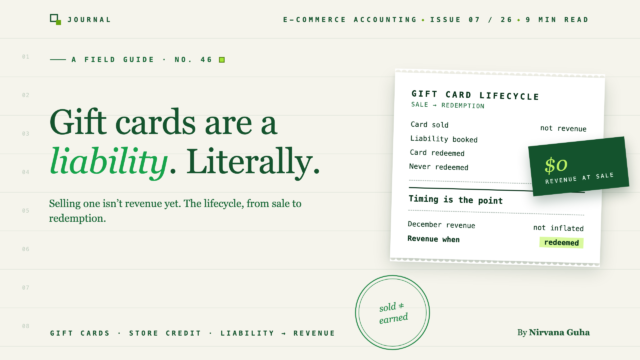
When a customer buys a $100 gift card, they haven't bought merchandise. They've prepaid for merchandise they'll choose later. Until they choose it, you owe them $100 of goods — which makes the $100 a liability on your balance sheet, not revenue on your income statement.
The entry at the moment of sale:
- Debit: Cash (or your payment processor's clearing account) — $100
- Credit: Gift Card Liability (an Other Current Liability account) — $100
No revenue account is touched. No cost of goods sold is recorded, because no goods moved. In most US states, no sales tax is collected on the card sale either — tax generally applies when the card is spent on actual products, not when the card itself is purchased. (Rules vary by state; confirm your jurisdiction with your CPA.)
This is the same logic that governs refunds and returns: your books don't record how the money felt — they record what legally happened. And what happened is that a customer handed you cash and you handed them an IOU.
The Lifecycle: Sale, Redemption, Partial Redemption
Revenue shows up at the moment you keep the promise. Here's the full arc with clearly fictional round numbers.
December 15 — the card sells. A customer buys a $100 gift card. Cash up $100, Gift Card Liability up $100. Revenue for the day: $0.
January 10 — partial redemption. The cardholder buys a $60 sweater and pays with the card. Now — and only now — you've earned something:
- Debit: Gift Card Liability — $60
- Credit: Sales Revenue — $60 (plus the sales tax leg: collect and accrue tax on the $60 sale as you would for any order)
- Record COGS for the sweater, because inventory finally moved.
Notice what didn't happen: no cash arrived. The cash arrived in December. Redemption is the accounting event where the December cash finally earns the name "revenue."
The remainder just sits there. The card still holds $40, so $40 stays in the liability account — possibly for months, possibly forever. Your gift card liability balance at any moment should equal the total unspent value on every outstanding card. That's the number your accountant wants, and it's the number most stores can't produce.
The double-count failure mode is now easy to see. If you booked $100 of revenue in December and $60 of revenue in January, you've recognized $160 on a $100 card. Multiply that by a busy Q4 and you're overstating income — and the tax on it — by thousands.
| Event | Cash | Gift card liability | Revenue |
|---|---|---|---|
| Card sold ($100) | +$100 | +$100 | $0 |
| $60 redeemed | $0 | −$60 | +$60 |
| Balance carried | — | $40 | — |
One more wrinkle worth knowing: when an order is paid partly with a gift card and partly with a credit card — a $150 order paid with the $40 card balance plus $110 on Visa — the revenue is $150, the liability drops $40, and only $110 shows up in your payout. Which is exactly why gift-card-heavy weeks make payouts look "short" against sales. They aren't short. Part of the payment was a promise you'd already been paid for.
Store Credit: Same Liability, Two Different Sources
Store credit behaves exactly like a gift card once it exists: it's customer money you're holding, it lives in a liability account, and it converts to revenue at redemption. What differs is where it comes from — and that changes the other side of the entry.
Store credit from a refund. A customer returns an $80 order and you issue credit instead of cash. You record the return the normal way — a debit to your Refunds and Returns contra-revenue account — but instead of crediting cash out the door, you credit Store Credit Liability $80. No cash left your account, but you now owe $80 of future merchandise. (The processing-fee and sales-tax legs of the return still behave the way they do in any refund — the refunds and returns guide walks through all four.)
Store credit from goodwill. A shipment arrived late and you issue a $20 "sorry" credit. There's no original sale to reverse, so this isn't contra-revenue — it's a cost of keeping the customer. Most stores debit a promotional or customer-goodwill expense account and credit Store Credit Liability $20. Your CPA may prefer a slightly different treatment, but the principle holds: goodwill credit is a marketing cost, not a sales adjustment.
Different sources, same destination. Both credits sit in the same liability class as gift cards, both convert to revenue when spent, and both need to be trackable — because "how much store credit is outstanding?" is a question a lender, a buyer, or an auditor will eventually ask.
Breakage: The Money That Never Comes Back (Handle With a CPA)
Some percentage of gift cards and credits will never be redeemed. Cards get lost, balances get forgotten, $3.17 remainders get abandoned. Accountants call this breakage, and it's the one part of gift card accounting you should not improvise.
Two things to know at the store-owner level:
- Breakage eventually becomes income — on a schedule, not on a whim. Under current US GAAP, companies that can reasonably estimate breakage recognize it proportionally as cards are redeemed; others wait until redemption becomes remote. You don't get to sweep the liability into revenue just because a card looks stale.
- Some states want the money. Unclaimed property (escheatment) laws in a number of states can require unredeemed balances to be turned over to the state after a dormancy period. Whether your cards are covered depends on your state and how the program is structured.
The practical takeaway: keep the liability balance accurate and let your CPA set the breakage policy. Bring them the data — cards issued, redeemed, and outstanding by age — and they'll handle the recognition rules. This is squarely in "confirm with your CPA" territory, and this post is not tax advice.
How This Flows on Shopify and WooCommerce
The theory is platform-agnostic. The mess is platform-specific.
Shopify
Shopify's reporting handles the split correctly, which surprises people: gift card sales are excluded from the Sales reports and tracked separately in its finance summaries, while redemptions show up as a payment method on orders. In other words, Shopify already thinks of the card sale as "not a sale" and the redemption as tender — the same model your books need.
Where it goes wrong is downstream. The cash from a card purchase lands in your payout on the sale date, but the "sale" appears in reports on the redemption date, paid partly with a tender that moves no cash. Shopify also issues store credit natively — both as a refund option and as customer balances — which adds a second liability stream to track. If whatever posts your Shopify data into QuickBooks doesn't distinguish gift-card tender from card-network tender, your income and your payouts will disagree in both directions at once.
WooCommerce
WooCommerce has no native gift card system, so the accounting depends entirely on which extension you run — PW Gift Cards, YITH, and Advanced Coupons' gift card and store credit tooling are the names you'll see most. The implementation detail that matters for your books: whether the plugin treats a redeemed card as a payment method or as a coupon.
The difference is not cosmetic. A coupon-style redemption records the $60 sweater order as a discounted sale — revenue reduced, no liability touched — which understates income and leaves the gift card liability sitting on your books forever. A payment-style redemption records full revenue with the card as tender, which is what actually happened. If your gift card plugin models redemptions as coupons, your bookkeeping needs a manual adjusting entry for every redemption, or your numbers drift a little more each month. (Advanced Coupons, notably, tracks store credit as a proper customer balance rather than a bare coupon code, which maps much more cleanly to the liability model.)
Where It All Lands in QuickBooks
In QuickBooks Online, the whole system rests on one account you probably don't have yet: an Other Current Liability account called something like "Gift Card & Store Credit Liability." Some stores split it — one account for gift cards, one for refund credits, one for goodwill credits — so the balance sheet shows the sources separately. Our chart of accounts template for e-commerce includes the liability structure if you're setting this up fresh.
Then the three flows map like this:
- Card or credit issued → sales receipt / journal line credited to the liability account. Never to an income account.
- Card redeemed → the order posts at full revenue, with a gift-card payment line that debits the liability, so the receipt still balances to the cash actually received.
- Month-end check → the liability account balance should equal outstanding card and credit balances per your platform. If it doesn't, something upstream is posting redemptions as discounts or card sales as income.
That third step is the honest test of your setup. Most stores that think they "handle gift cards" fail it the first time they run it.
Keeping the Liability Honest at Volume
At ten gift cards a year, you can journal all of this by hand. At Q4 volume — hundreds of cards, partial redemptions, split tenders, refund credits, and goodwill credits all moving at once — manual entries stop being a bookkeeping task and start being a standing source of error. This is a category of problem that sync software either models correctly or quietly breaks.
It's also, frankly, an edge that not every tool handles. LedgerPort treats gift cards and store credit as what they are — liability movements, not income — issuing to and redeeming from the liability account automatically as orders sync from Shopify or WooCommerce into QuickBooks. It's an Enterprise-plan feature, because the stores that need it are the ones moving real gift card volume; if that's you, the month-end check in the section above becomes a number that simply matches.
If you're earlier than that, start with the fundamentals: create the liability account, stop booking card sales as income, and fold the outstanding-balance check into your monthly close. The broader system — payouts, fees, COGS, and where gift cards fit among them — is covered in our full guide to e-commerce accounting.
Either way, the $9,000 December is real money and a real win. It's just not December revenue. It's January's, and February's, and the promise you keep whenever your customers come back to collect.
