

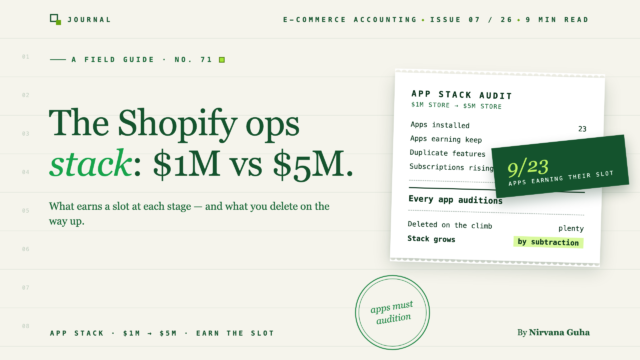
The healthiest stores at five million in revenue typically run a smaller app stack than they ran at one million. Here is why, plus what belongs at each stage.
Open your Shopify admin and count the apps. Go ahead — Settings, Apps and sales channels. If you're like most stores that have been operating for three or four years, the number is somewhere between 25 and 40, you can't explain what a third of them do, and at least two of them are quietly billing you for a feature another app also does.
Nobody plans a 34-app stack. It accumulates. A conversion problem in 2023 became a pop-up app. A shipping question became a rates app. Someone on a podcast said reviews were critical, so now there are two review apps, one of them abandoned mid-migration. Each decision was reasonable. The pile isn't.
Here's the lie underneath the pile, and it's worth stating plainly: "Every problem in the store has an app, and growing means adding them." That's the premise of every "37 must-have Shopify apps" listicle you've ever skimmed — pages written for stores doing $5,000 a month, ranked by affiliate payout, and read by operators doing a hundred times that volume. The truth runs the other way. Past roughly $1M in revenue, a healthy app stack consolidates. The count falls. The spend concentrates into fewer, deeper platforms. The skill stops being app discovery and becomes app subtraction.
One disclosure before we start, since this is a roundup and roundups have earned your suspicion: we take no affiliate fees from any vendor named below. We make accounting software — LedgerPort syncs Shopify and WooCommerce with QuickBooks — so we have a stake in exactly one of the seven categories here, and we'll flag it when we get there. Every vendor mention is positioning-level; pricing changes constantly, so verify current pricing before you commit to anything.
The App Tax: The One Number Worth Knowing
Before the categories, the number. Add up every recurring app charge — the Shopify app store subscriptions, the tools billed outside Shopify, the usage overages — and divide by monthly revenue. That's your app tax: your total stack cost as a percentage of revenue.
Most operators have never calculated it, because the charges arrive scattered — $49 here, $180 there, a $600 annual renewal nobody remembers approving. Run the math and the picture sharpens fast. As an illustrative benchmark (fictional round numbers, your store will differ): a $1M store running $700 a month in apps is paying an app tax of about 0.85% of revenue. A $5M store running $2,800 a month is at about 0.67%. Both are defensible if every line earns its keep. A $1M store paying $1,800 a month — a 2%+ app tax — almost certainly has overlap, zombie subscriptions, or tools bought for problems the store doesn't have yet.
Two forces move this number as you grow, and they push in opposite directions:
- Per-app pricing tiers start to bite. Most operational apps price on order volume or ticket volume. The helpdesk that cost $60 a month at 1,000 orders quotes you $500+ at 5,000. The same app gets 8× more expensive while doing the same job — which is exactly when consolidation math starts to work.
- Platforms absorb point solutions. The inventory platform you graduate to includes purchase orders plus forecasting, retiring two apps. The helpdesk includes live chat and an FAQ widget, retiring two more. Count falls; per-line spend rises; total spend grows slower than revenue if you're disciplined.
Track the app tax quarterly. It's the difference between a stack you run and a stack that runs you.
[IMAGE: Simple two-bar comparison — "$1M store: ~15 apps, ~0.8% app tax" vs "$5M store: ~9 platforms, ~0.6% app tax" — with arrows showing count falling and per-line spend rising]
The Stack, Category by Category
These are the categories that matter operationally — the ones that touch orders, inventory, money, and customers. Deliberately absent: the marketing layer (email, SMS, pop-ups, landing pages), which is a different essay and a different budget line. For each category: what the job looks like at $1M, and what changes at $5M.
Fulfillment and Shipping
At $1M (roughly 1,000–2,000 orders a month), most stores self-fulfill or use a single 3PL, and the app job is shipping labels and rates. A multicarrier shipping app — ShipStation and Shippo are the names you'll hear most — handles label buying, rate shopping, and batch printing. This is usually one app, modestly priced, and genuinely necessary.
At $5M, the question stops being "which label app" and becomes "who fulfills." Most stores at this volume are on a 3PL or seriously evaluating one, and the 3PL's own platform absorbs the label workflow entirely — the shipping app often gets retired, not upgraded. What replaces it as the operational concern is the fulfillment bill: receiving fees, storage, pick fees, surcharges. If you're at that decision point, we've written an honest, no-affiliate breakdown in the best 3PL for Shopify, by store profile.
Watch for: paying for a rate-shopping app and a 3PL whose platform already does it. Classic overlap.
Inventory
At $1M, Shopify's native inventory plus a disciplined spreadsheet is often genuinely enough — and the honest advice is to stay there until it breaks. It breaks in predictable ways: multiple locations, bundles that drift, purchase orders living in email, stockouts you saw coming three weeks too late.
At $5M, inventory is usually the single biggest platform decision in the stack. Cin7-, Katana-, and inFlow-class systems replace three or four point apps at once — purchase ordering, forecasting, multi-location tracking, bundle logic — which is the clearest example of the count-falls-spend-concentrates pattern. It's also the most expensive line in most ops stacks, so it deserves the most diligence. We've covered the category in depth in our guide to the best inventory management software for Shopify and WooCommerce.
Watch for: buying forecasting apps before your inventory counts are reliable. Forecasts built on drifting counts are expensive fiction.
Returns
At $1M, returns are often still handled through Shopify's native flow plus email, and that's fine below a few hundred returns a month. The first returns app earns its place when the support inbox is 40% "where's my return label."
At $5M, a returns platform — Loop Returns and AfterShip Returns are the reference names — becomes standard: self-serve portals, exchange-instead-of-refund flows, automated label generation. The pricing is typically per-return or volume-tiered, so this is one of the lines where growth quietly triples the bill; re-quote annually.
Watch for: the accounting side. Returns platforms move product and money in ways your books need to reflect — refunds, exchanges, restocking. The apps handle the customer; they don't book the transaction.
Customer Support and Helpdesk
At $1M, a shared inbox stops working somewhere around 300–500 tickets a month. The Shopify-native helpdesk category — Gorgias is the name most operators land on, Richpanel plays here too — earns its subscription by pulling order data into the ticket view, which is most of what makes e-commerce support fast.
At $5M, two things change. First, pricing: helpdesk billing is usually per-ticket, and ticket volume scales with orders, so this line grows faster than almost any other — at high volume, Zendesk-class pricing sometimes undercuts the Shopify-native tools that were cheaper at the start. Re-quote the category rather than auto-renewing. Second, consolidation: the helpdesk should absorb live chat, FAQ/self-service, and social DMs. If you're paying separately for chat, you're paying twice.
Watch for: a chatbot app, a chat widget app, and a helpdesk that includes both. We've seen it more than once.
Reviews and UGC — Briefly
This category matters, but it resists the revenue framing, so we'll be brief. At $1M, a lean reviews app — Judge.me is the reference for inexpensive-and-sufficient — does the job. At $5M, the decision is whether to consolidate reviews, loyalty, and SMS into a Yotpo- or Okendo-class platform or keep them separate. That's a marketing-stack decision more than an ops one. The only ops-side rule: one review app. Migrating reviews between platforms is painful enough that stores end up running two for a year. Don't.
The Finance Stack
Our category — flagged as promised — so we'll keep the vendor talk restrained and the structure honest. The finance stack has three jobs, and they're different jobs:
- Accounting sync — getting Shopify's sales, fees, refunds, and payouts into your accounting system correctly. This is the category LedgerPort competes in, alongside A2X– and Synder-class tools. At $1M this is arguably the highest-leverage $30–80 a month in the entire stack, because the alternative is hours of manual reconciliation that most owners simply stop doing. At $5M it's not optional — multi-channel volume makes manual books impossible, full stop. We've compared the category — including our own product's trade-offs — in the best Shopify accounting software guide.
- Sales tax — calculation and filing. Shopify Tax handles calculation natively now; TaxJar- and Avalara-class tools compete on filing automation and multi-state complexity. The right answer shifts with your nexus footprint, and we've broken it down in TaxJar vs Avalara vs Shopify Tax.
- Spend and expense — corporate cards and bill pay. At $1M this is usually just your bank. At $5M, a spend-management layer starts earning its place, mostly by killing receipt archaeology at month-end.
The finance stack is also where the whole app-tax exercise pays off: every app charge in this post lands in your books as an expense, and stores that track their stack cost as a line item are the ones that actually prune it.
Analytics and Attribution — Briefly
The trap category, so a short, opinionated take. At $1M: Shopify's native analytics plus GA4, both free, answer 90% of the questions you should be asking. At $5M: a Triple Whale- or Northbeam-class attribution platform can earn its (substantial) price if you're spending six figures a month on paid and making channel decisions weekly. If you're not, an attribution subscription is the most expensive way ever devised to feel data-driven. This is the category where "apps as procrastination" lives most comfortably — which brings us to the anti-patterns.
The Anti-Patterns: How Stacks Go Wrong
Three failure modes account for most bloated stacks. Check yours against each.
The 40-app stack. Nobody chose it; it accreted. The tell is that you can't name what every app does without opening it. The fix is a quarterly audit with one rule: every app must name the job it does and the number it moves, or it goes. Expect the first audit to cut 20–30% of your app bill in an afternoon. (Uninstall carefully — some apps leave theme code behind. Check before and after.)
Overlapping tools. Two apps doing one job: the chat widget inside the helpdesk you also pay for, the rate shopper inside the 3PL platform, the reports app duplicating what GA4 gives you free. Overlap sneaks in because apps expand their features after you buy them — the app you bought for one job now includes three others you're paying someone else for. Re-read your stack's feature lists once a year; they've changed.
Apps as procrastination. The subtlest one. Installing an inventory forecasting app feels like fixing inventory; actually counting your stock is the fix. Buying an attribution platform feels like fixing marketing efficiency; turning off the campaign you already know is bad is the fix. An app purchase is often the ritual that substitutes for the uncomfortable operational work — and it bills you monthly for the privilege. Before any new install, ask: is there a boring, free version of this fix I'm avoiding?
Subtraction Is the Skill
You came here for a list of apps, and there's a version of this post — the one written for hobby stores — that would have given you 37 of them. The operator's version ends somewhere else: at $1M, a focused ops stack is maybe 12–15 apps doing real jobs. At $5M, it's often fewer — eight or ten deeper platforms — with a total cost that grew slower than revenue because someone was pruning. The app count falling is not a sign of a store simplifying. It's a sign of one maturing.
So run the audit: count the apps, total the charges, compute the app tax, and cut what can't defend itself. And since every one of those charges — and every order the surviving apps touch — eventually lands in your books, the natural next read is our complete guide to e-commerce accounting, which covers what a clean financial picture looks like at exactly these revenue stages.
