

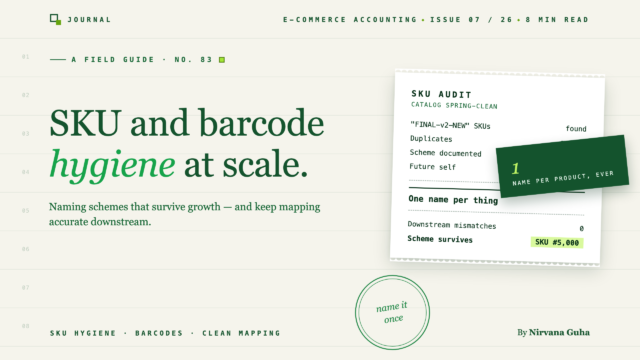
A SKU isn't a label. It's the primary key of your entire operation — and most stores design theirs by accident, one product launch at a time.
The 3PL onboarding call is going fine until they ask for your master SKU file. You export the catalog, open the CSV, and see it the way a stranger will: 8oz-amber, AMBER CANDLE 8, candle_amber_8oz_new, 00123, and Amber 8oz (2024 restock). Five naming eras, one product. You know which is which. Nobody else on earth does — including, it turns out, half the software you're about to connect.
So you search "SKU naming best practices" and get pages of the same advice: be consistent, be descriptive, keep it short. All true, none of it useful, because the real questions are the ones those posts skip. Should the SKU mean anything? What deserves its own SKU? When do you need real barcodes? And the one nobody answers: how do you fix a bad scheme when three years of sales history is attached to the old names?
Why SKU Hygiene Is Infrastructure, Not Housekeeping
The lie most stores operate under is this: "A SKU is just an internal label — any unique string works, and we can always clean them up later."
It feels true because inside one system, it is true. Shopify doesn't care if your SKU has spaces and an emoji. The problem arrives the moment a second system enters the picture — and at scale, there are always more systems. Your platform records the sale. Your warehouse or 3PL picks against it. Your inventory software counts it. Your accounting sync posts it. None of those systems share a database. The only thing joining them is the SKU string, matched character for character.
That makes the SKU your operation's primary key, and primary keys have rules that labels don't: unique forever, stable forever, storable and matchable in every system in the chain. "Clean them up later" is the expensive part — renaming a primary key breaks every join that referenced it, which is exactly the migration problem we'll get to.
SKU Naming Best Practices: Designing a Scheme That Survives
There are two honest philosophies, and the roundups usually pretend there's one.
Structured SKUs encode meaning: category, product line, attribute, size. A human reading a pick list can sight-check that CDL-AMB-08 is the 8 oz amber candle and catch a wrong grab without a scanner. The cost is fragility. Products get recategorized, lines get renamed, an attribute code runs out of letters — and every time reality drifts from the encoding, you'll feel the pull to rename. Renaming is the cardinal sin.
Sequential SKUs encode nothing: 10041, 10042, 10043. They never lie, never drift, and never need renaming, because they never claimed anything. The cost is that humans can't read them, so accuracy depends entirely on scanning. Warehouse-grade operations run sequential happily; a founder packing orders at a kitchen table will mis-pick.
The practical rule: encode only what will never change about the item, and look up everything else. Category and an identity attribute or two are usually safe. Supplier, warehouse location, price tier, season, year — never. Those are volatile facts that belong in product fields keyed to the SKU, not baked into it. A SKU that encodes the supplier becomes a lie the day you switch suppliers, and then you're choosing between a misleading code and a catastrophic rename.
Whichever philosophy you pick, the formatting rules are non-negotiable, because they're about what survives every CSV import, API call, and barcode scan:
- Uppercase letters, digits, hyphens. Nothing else. Spaces get trimmed inconsistently; slashes, ampersands, and quotes break URLs and CSV parsing somewhere, eventually.
- Never rely on case to distinguish two SKUs. Some systems are case-sensitive, some aren't —
abc-1andABC-1are two products in one tool and a collision in the next. - No leading zeros. Spreadsheets strip them silently, and half your SKU pipeline runs through a spreadsheet at some point.
- Ban the letter O (and consider banning I). Someone will hand-type a SKU eventually, and O/0 confusion creates phantom products.
- Keep it under 20 characters. Field limits vary by system, and a truncated SKU is a silent rename.
- Never reuse a retired SKU for a different product. Historical reports join on that string forever.
Here's what this looks like applied. A fictional home-goods brand, Alder & Ash, before and after:
| Product | Before (five eras of guessing) | After (CATEGORY-LINE-SIZE) |
|---|---|---|
| Amber candle, 8 oz | 8oz-amber |
CDL-AMB-08 |
| Amber candle, 16 oz | AMBER CANDLE 16 |
CDL-AMB-16 |
| Cedar candle, 8 oz | candle_cedar_8oz_new |
CDL-CDR-08 |
| Matches, standard box | 00123 |
MCH-STD-01 |
| Wick trimmer | Trimmer (2024) |
TLS-TRM-01 |
Three segments, everything uppercase, nothing volatile encoded. The scheme isn't clever. That's the point — clever schemes are the ones that need renaming in eighteen months.
The Variant Explosion Problem
The first thing that stress-tests any scheme is a size/color matrix. One t-shirt style in 6 sizes and 8 colors is 48 SKUs; ten styles is 480. This is where stores either bloat their catalog or under-split it, and both hurt.
The rule that resolves it: a variant deserves its own SKU if it's separately counted, picked, purchased, or priced. A large blue tee and a small black tee are different physical units on different shelves — separate SKUs, no debate. But gift wrap, engraving text, a warranty add-on? Those are order-line options, not stock units. Giving them SKUs pollutes every count downstream.
Two corollaries. Don't mint SKUs for variants you don't actually stock — a theoretical color is matrix bloat that slows every sync and mapping job. And bundles: a kit that's pre-assembled and picked as one unit is a real SKU; a virtual bundle should decrement component SKUs instead. Whether your inventory tool handles that distinction well is one of the evaluation criteria that matter in an IMS.
Barcodes Are Not SKUs
These get conflated constantly, and the difference matters as you scale.
Your SKU is internal. You invented it, you own it, it's free, and it means something only inside your business. A barcode — a UPC or EAN, both members of the GTIN family — is a global identifier for a product, issued through the GS1 system, meaning the same thing no matter who sells the item.
When do you actually need registered ones? Three doors, roughly in order of strictness. Marketplaces: the major ones generally require a GTIN to list a product (with brand-registry and exemption paths for private-label goods), and they've moved toward validating codes against GS1's own records — which is why bargain UPC blocks from third-party resellers are a false economy that can fail validation later. Retail: if a chain buyer ever scans your product at a register, registered codes are table stakes. 3PLs: nearly all require a scannable barcode on every unit — but many will happily accept a Code 128 barcode of your own SKU if you're not selling into retail or marketplaces, which costs you nothing.
So the honest sequence: clean SKUs first, always; SKU-based barcodes when a warehouse needs to scan; registered GTINs when a marketplace or retailer forces the door. Requirements and fees change — check current GS1 requirements and each channel's listing rules before you buy anything.
Renaming SKUs Without Breaking Your History
Now the hard one. You've looked at your catalog and want to migrate to a clean scheme. The problem: every system you run joins on the old strings. Sales velocity history, reorder points, warehouse bin assignments, accounting mappings — rename in place and each of those joins silently breaks. Worse, systems disagree about what a rename even is: some let you edit the SKU field and keep the product's history; others treat a changed SKU as a brand-new item with zero history. Know which behavior each of your systems has before you touch anything.
The migration pattern that preserves continuity:
- Build a crosswalk table first — old SKU, new SKU, date, product name. This file is permanent: it's how a 2024 report and a 2027 report describe the same physical product.
- Cut over at a clean boundary — right after a physical count, at a month-end. Shelf labels and system records have to flip together, and a count is the only moment you trust both.
- Coordinate the window across every system at once: platform, inventory tool, 3PL (who will need lead time and may charge for re-labeling stock), and your accounting sync's product mappings. A half-migrated week — new SKUs selling while the warehouse picks old ones — is worse than either steady state.
- Use aliases where systems support them, so old SKUs resolve to new ones during the transition instead of erroring.
- Retire old SKUs; never delete or reuse them. They hold your history. Migrate in category waves if the catalog is large — a contained mistake beats a global one.
One SKU, Five Systems — Including the Books
Here's the test of everything above: the string CDL-AMB-08 has to mean the same physical candle in Shopify or WooCommerce, in the 3PL's warehouse system, in your inventory tool, and in your accounting file. Every integration between them matches on it, character for character. When the match fails, nothing announces it — the order still syncs, the pick still happens. It just happens wrong, and you find out at count time or month-end.
The books are where this gets financially concrete, so here's the one bridge paragraph this post owes you. Per-product accounting — knowing margin by SKU, not just revenue in a lump — only works if each SKU maps to a specific item in QuickBooks. That SKU-level product mapping is exactly how a sync tool like LedgerPort routes each product's revenue to the right place, and its Auto-Map feature matches your catalog to QuickBooks items by SKU or product name — which means a clean scheme maps in one pass, while a five-era catalog means manual matching and fallback lumping. The tool inherits your hygiene; it can't create it. What that mapping makes possible — real product-level cost and margin visibility — is covered in our guide to COGS for Shopify sellers in QuickBooks.
The Unglamorous Payoff
You came in for naming conventions and ended up designing a database schema — which is what SKU work actually is. The payoff is invisible by design: the 3PL onboarding where the master file needs no explanation, the inventory migration that takes days instead of months, the product-margin report where every row means one real thing.
Alder & Ash's before-and-after table took an afternoon to design and one coordinated month-end to migrate — and every system the brand adds from now on inherits the clean version. That's the trade: one deliberate afternoon now, against a compounding tax on every integration later.
The same primary key eventually carries dollars, not just counts, and the dollar side has its own hygiene rules. When you're ready for that half, start with our complete guide to e-commerce accounting.
