


- 1Multi-Store Accounting sa QuickBooks: Isang File o Dalawa?
- 2Ang Istruktura Bawat Tindahan sa Loob ng Isang File
- 31. Isang klase o lokasyon para sa bawat tindahan
- 42. Isang clearing account bawat tindahan, bawat gateway
- 53. Mga linya ng bayarin bawat tindahan
- 64. Isang nakasulat na tuntunin para sa mga ibinahaging gastos
- 7Ang Tatlong Patibong na Naghahalo Pabalik sa mga Libro
- 8Ang mga patibong na hindi hinahayaang mahulog sa iyo ng tooling
- 9Ano Talaga ang Binabago ng Pagiging Nakikita Bawat Tindahan
- 10Saan Babagay ang LedgerPort
- 11Ang Two-Click Meeting
Ang multi-store accounting sa QuickBooks ay napagpapasahan sa araw na ilunsad mo ang tindahan #2 — karamihan sa mga operator ay natutuklasan ito labing-apat na buwan na huli.
Ang agenda para sa pulong mo sa iyong sarili sa Huwebes ay may isang item: isara ang tindahan #2, o doblehin ang pagtuon dito.
Kaya binuksan mo ang QuickBooks para makuha ang sagot. Tumaas ang kabuuang kita. Tumaas ang mga bayarin sa merchant. Tumaas nang husto ang gastos sa ad. At wala sa mga ito ang may nakakabit na tindahan. Ang iyong "Sales" account ay parehong mga brand na ibinuhos sa isang numero. Ang iyong fee account ay isang pinaghalong numero. Hindi mo, gamit ang data sa harap mo, masasabi kung kumita ba ang pangalawang tindahan noong nakaraang quarter o tahimik na kinain ang margin ng unang tindahan.
Ito ang bahagi na hindi babalaan ng sinuman sa iyo kapag naglunsad ka ng pangalawang storefront — isang bagong brand, isang bagong rehiyon, o isang WooCommerce store sa tabi ng iyong Shopify store. Hindi dumodoble ang bookkeeping. Ito ay nagiging tatlo, dahil ngayon ay may pangatlong trabaho: paghihiwalay ng dalawang tindahan. At kung nilaktawan mo ang trabahong iyon, alam mo kung bakit, dahil sinabi mo ang parehong pangungusap na halos lahat ay nagsasabi: "Ilalagay ko lang ang parehong tindahan sa parehong mga QuickBooks account at paghihiwalayin ko ito mamaya kapag kailangan ko na."
Mamaya na ngayon. At narito ang hindi komportableng mekanikal na katotohanan tungkol sa multi store accounting sa QuickBooks: ang pinaghalong data ay hindi maaaring ibalik sa dati. Labing-apat na buwan ng mga transaksyon na walang label ng tindahan ay hindi naghihintay na maayos — ang impormasyon ay hindi kailanman nakuha. Ang desisyon na mahalaga ay ginagawa sa unang araw, sa istruktura. Ang magandang balita ay hindi kumplikado ang istruktura. Ito ay tungkol sa apat na desisyon, at ang post na ito ay naglalakad sa lahat ng mga ito.
Multi-Store Accounting sa QuickBooks: Isang File o Dalawa?
Bago ang mga clearing account, bago ang pagmamapa ng bayarin, bago ang anuman — ang tanong sa istruktura: ang tindahan #2 ba ay mabubuhay sa iyong kasalukuyang QuickBooks file o sa sarili nito?
Ang tuntunin sa desisyon ay sapat na maikli upang kabisaduhin: ang legal na entity ang hangganan ng file. Ang brand o channel ay isang klase o lokasyon sa loob ng file.
| Ang iyong setup | QuickBooks na istruktura |
|---|---|
| Dalawang tindahan, isang legal na entity (dalawang brand, o Shopify + WooCommerce) | Isang QBO file, na may klase o lokasyon bawat tindahan |
| Dalawang tindahan, dalawang legal na entity na naghahain ng hiwalay na mga return | Dalawang QBO file — walang eksepsyon |
| Holding company na may mga subsidiary na entity | Isang file bawat entity; pagsamahin sa reporting layer |
Ang pangangatwiran ay tumatakbo sa parehong direksyon. Ang isang QuickBooks file ay ang mga libro ng talaan para sa isang entity ng buwis. Paghaluin ang dalawang entity sa isang file at hindi mo maaaring makuha ang return ng alinman sa mga entity nang hindi pinaghihiwalay ang file — bawat transaksyon ay nagiging isang tanong na "kanino ito?" sa pinakamasamang posibleng oras. Paghiwalayin ang isang entity sa dalawang file at makukuha mo ang kabaligtaran na problema: walang iisang P&L, walang iisang balance sheet, at manu-manong pagsasama-sama sa tuwing hihingi ang iyong CPA o isang nagpapautang ng buong larawan.
Karamihan sa mga operator na nagbabasa nito ay ang unang hilera: isang LLC, dalawang tindahan. Kung ikaw iyon, ang sagot ay isang file na may pagsubaybay bawat tindahan — at ang natitira sa post na ito ay tungkol sa pagbuo nito.
Isang paunang kinakailangan na sulit banggitin: ang pagsubaybay sa klase at lokasyon ay nangangailangan ng QuickBooks Online Plus o Advanced. Kung ikaw ay nasa Essentials, ang pag-upgrade na iyon ay bahagi ng tunay na gastos ng tindahan #2. Maglaan ng badyet para dito sa halip na subukang iwasan ito — ang pag-iwas ay ang paghahalo.
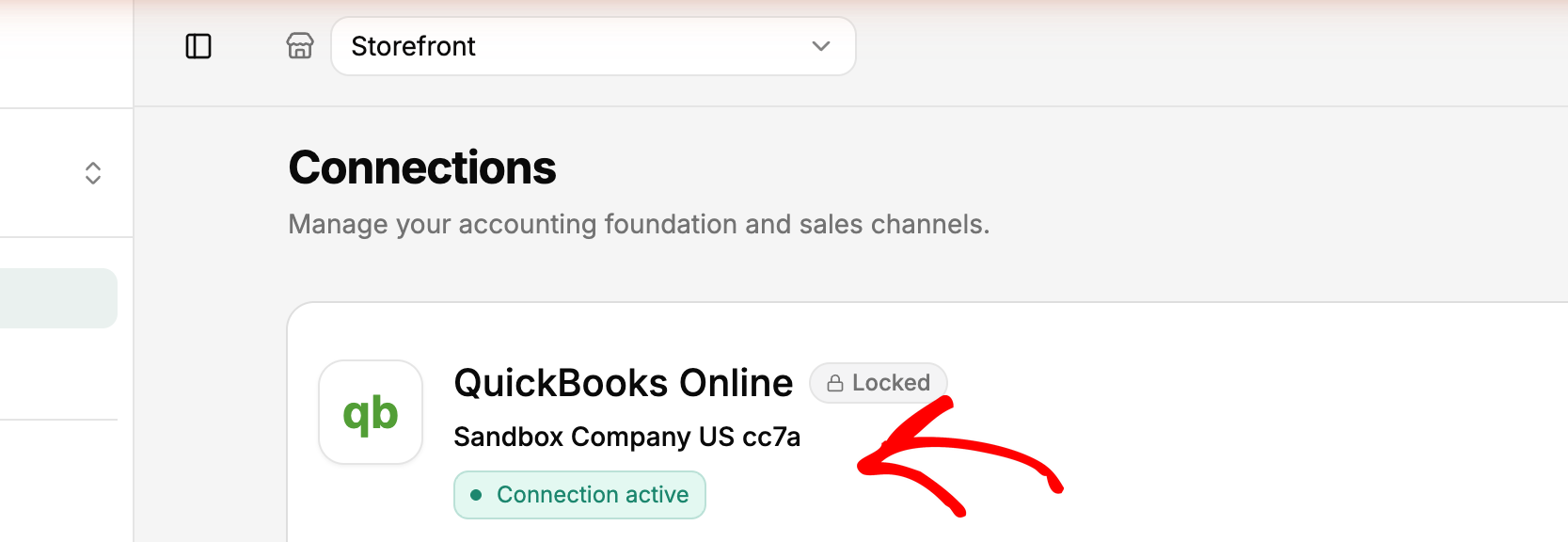
At isang deadline na sulit banggitin: sa sandaling ilagay mo ang sync tooling, ang arkitektura ay hindi na mababaligtad. Sa LedgerPort, ang isang negosyo ay nagbubuklod ng isang tindahan sa isang QuickBooks company, at kapag na-authorize na ang koneksyon na iyon, ang QBO company ay hindi na maaaring palitan ng iba sa ibang pagkakataon. Ang tanong sa file ay kailangang ayusin bago may mag-click ng Authorize — hindi na babalikan pagkatapos ng anim na buwan ng mga transaksyon na dumaloy.
Pansinin din kung ano ang ipinapalagay ng tooling: isang QuickBooks company bawat negosyo. Ang "Dalawang file, isang login" ay ang natively supported na hugis, at ang bawat negosyo ay ganap na nakahiwalay — malinaw na sinasabi ng mga dokumento: ang mga pagbabago na ginawa sa isang negosyo ay hindi nakakaapekto sa iba. Kaya kung ang iyong mga tindahan ay magkahiwalay na mga entity, ang sagot na dalawang file ay hindi isang kompromiso na iyong ipaglalaban sa iyong software; ito ang default na kung saan binuo ang software.
Ang Istruktura Bawat Tindahan sa Loob ng Isang File
Ang malinis na bookkeeping para sa maraming tindahan sa loob ng isang QBO file ay nahahati sa apat na bahagi. Wala sa mga ito ang kakaiba. Lahat ng mga ito ay kailangang umiral bago dumaloy ang mga transaksyon, hindi pagkatapos.
1. Isang klase o lokasyon para sa bawat tindahan
Nagbibigay sa iyo ang QuickBooks ng dalawang dimensyon ng pag-tag. Ang Lokasyon ay naglalapat ng isang tag bawat transaksyon — na kung saan ay eksakto kung ano ang isang tindahan, kaya ito ay karaniwang ang mas malinis na akma. Ang Klase ay maaaring hatiin ang mga indibidwal na linya sa loob ng isang transaksyon, na ginagawa itong mas mahusay para sa mga bagay tulad ng mga kategorya ng produkto. Isang makatuwirang default: gamitin ang Lokasyon para sa tindahan, at itabi ang Klase bilang reserba para sa pangalawang dimensyon na maaaring gusto mo sa hinaharap.
Anuman ang piliin mo, ang patakaran ay kabuuang saklaw. Bawat sales receipt, bawat bayarin, bawat refund ay makakakuha ng tag ng tindahan. Ang isang transaksyon na walang tag ay isang transaksyon pabalik sa blender.
2. Isang clearing account bawat tindahan, bawat gateway
Ang payment processor ng bawat tindahan ay may sariling clearing account sa iyong chart of accounts: Shopify Payments Clearing — Brand A, Shopify Payments Clearing — Brand B, Stripe Clearing — Woo Store. Ang mga benta ay dumadaloy papasok sa clearing account ng tindahan; ang mga payout ay dumadaloy palabas mula rito patungo sa bangko; ang account ay bumabalik sa zero kapag lahat ay na-reconcile.
Magbahagi ng isang clearing account sa mga tindahan at mawawala ang iyong pinakamahusay na diagnostic. Ang isang clearing account na hindi magiging zero ay nagsasabi sa iyo na may partikular na mali — ngunit kung ito ay pagmamay-ari lamang ng isang tindahan. Paghaluin ang dalawang tindahan dito at ang isang error sa Brand A ay maitatago sa loob ng balanse ng Brand B nang walang hanggan.
Kung ang iyong chart of accounts ay mas nauna pa sa tindahan #2, ito ang tamang panahon upang ayusin ito — ang aming chart of accounts template para sa e-commerce ay ang panimulang layout, at dinu-duplicate mo ang mga seksyon ng clearing at fee bawat tindahan.
3. Mga linya ng bayarin bawat tindahan
I-mapa ang mga bayarin upang makita ang mga ito bawat tindahan — alinman sa magkahiwalay na mga account (Merchant Fees — Brand A) o isang fee account na may nakakabit na tag ng tindahan nang pare-pareho.
Mas mahalaga ito kaysa sa tila. Ang epektibong processing cost ay nagkakaiba bawat tindahan: magkakaibang mga halo ng gateway, magkakaibang average order values, magkakaibang refund rates. Kung ang epektibong fee rate ng Brand B ay 3.1% habang ang Brand A ay 2.4%, iyon ay isang tunay na agwat sa margin na maaari mong aksyunan — ngunit kung ang mga bayarin ay hindi kailanman pinaghalo.
4. Isang nakasulat na tuntunin para sa mga ibinahaging gastos
Dalawang tindahan ang nagbabahagi ng mga bagay: isang ad account, isang 3PL contract, ang iyong sariling sahod. Pumili ng batayan ng alokasyon — ang revenue share ay maayos — i-book ito buwan-buwan gamit ang isang paulit-ulit na journal entry, at isulat ang tuntunin. Hindi umiiral ang perpektong alokasyon. Ang pare-parehong alokasyon ang nagpapatibay sa pagiging mapagkakatiwalaan ng P&L bawat tindahan, at ang pagiging pare-pareho ay nabubuhay lamang kung ang tuntunin ay nakadokumento sa halip na muling pagpasyahan bawat buwan.
[IMAGE: Sipi ng chart of accounts na nagpapakita ng magkatulad na mga seksyon bawat tindahan — dalawang clearing account at dalawang merchant fee account, na may label na Brand A at Brand B]
Kung ang isa sa iyong mga storefront ay WooCommerce, ang data ng order nito ay mas magulo kaysa sa Shopify — ang WooCommerce accounting guide ay sumasaklaw sa mga detalye bago mo isama ang tindahan na iyon sa istrukturang ito.
Ang Tatlong Patibong na Naghahalo Pabalik sa mga Libro
Kahit ang isang tamang setup ay bumabagsak sa mga inaasahang lugar. Tatlo sa mga ito ang bumubuo sa karamihan ng pinsala.
Inter-store inventory transfers. Ang paglipat ng stock mula sa Brand A patungo sa Brand B ay hindi isang benta — ikaw ay iisang legal na entity. Itala ito bilang isa at ipapakita ng Brand A ang kita na hindi nito kinita habang ang COGS ng Brand B ay nagiging mali. Ilipat sa halaga gamit ang isang journal entry sa pagitan ng mga inventory asset account, walang revenue line kahit saan. (Kung ang iyong mga tindahan ay magkahiwalay na entity, ang kabaligtaran ang nalalapat: ito ay isang tunay na intercompany sale, sa isang mapagtatanggol na presyo — isa pang dahilan kung bakit nauuna ang desisyon sa hangganan ng entity.)
Gastos compartidos en anuncios. Isang Meta account ang nagpopondo sa mga kampanya ng parehong tindahan, at ang singil sa card ay lumalabas bilang isang solong gastos. Hayaan itong hindi hatiin at tahimik na sasagutin ng isang tindahan ang gastos sa pagkuha ng isa pa — karaniwan ang mas lumang tindahan na sumusuporta sa bago, na nagpapaganda sa bagong tindahan kaysa sa tunay na ito. Isang beses sa isang buwan, kunin ang gastos ayon sa kampanya at hatiin ang gastos ayon sa tag ng tindahan. Ito ay dalawampung minuto, at ito ang pagkakaiba sa pagitan ng P&L bawat tindahan at kathang-isip bawat tindahan.
Isang gateway na nagsisilbi sa dalawang tindahan. Nakakaakit na patakbuhin ang checkout ng pangalawang tindahan sa pamamagitan ng payment account na mayroon ka na. Huwag. Ang bawat payout ngayon ay naglalaman ng mga order ng dalawang tindahan, at walang malinis na paraan upang hatiin ang isang deposito pagkatapos itong dumating. Isang gateway account bawat tindahan. Ang dagdag na admin ay napakaliit kumpara sa isang bank feed na hindi mo kailanman ma-attribute.
Ang mga patibong na hindi hinahayaang mahulog sa iyo ng tooling
Ang mga pinaghalong libro ay karaniwang nagmumula sa paglihis ng proseso, at ang sync tooling ay nagsasara ng ilang mga punto ng paglihis nang estruktural. Dalawang guardrails at isang natitirang panganib, lahat ay pinangalanan sa sariling mga dokumento ng LedgerPort.
Guardrail isa: hindi maaaring i-claim nang dalawang beses ang isang tindahan. Subukang ikonekta ang isang storefront na naka-link na sa ibang LedgerPort account at mabibigo ang koneksyon na may malinaw na error — "This site is already connected to another account." Pinipigilan nito ang panganib ng maraming operator kung saan dalawang sync pipeline ang tahimik na nag-aaway para sa isang storefront, bawat isa ay nagsusulat ng sarili nitong bersyon ng mga libro.
Guardrail dalawa: ang mga limitasyon ng tindahan ay nakikita, hindi natutuklasan. Ang mga bilang ng koneksyon ay batay sa plano at ipinapakita mismo sa pahina ng Koneksyon, kaya ang "ilang tindahan ang sakop nito" ay hindi kailanman isang tiket sa suporta — tatama ka sa "Maximum connections reached" sa hangganan, hindi isang tahimik na bahagyang sync.
Ang natitirang panganib na dapat malaman: Duplicate Entry in QuickBooks. Kapag ang isang manual sync at isang auto sync ay nag-overlap sa parehong order, ang parehong numero ng order ay maaaring ma-post nang dalawang beses. Lumilitaw ito bilang isang pinangalanang error na may dokumentadong solusyon — i-verify sa QBO, tanggalin ang duplicate, i-resync — sa halip na magtago sa iyong kita hanggang sa rekonsilasyon.
Ano Talaga ang Binabago ng Pagiging Nakikita Bawat Tindahan
Bumalik sa pulong ng Huwebes. Parehong tanong — isara o doblehin ang puhunan — ngunit ngayon ay pinapatakbo mo ang P&L by Location at ang sagot ay nakaupo sa dalawang column.
Sabihin nating ang Brand B ay gumawa ng $38,000 noong nakaraang buwan. Pagkatapos ng *sarili nitong* mga bayarin, *nakalaang* gastos sa ad, *shipping nito*, ito ay tumatakbo sa 4% net habang ang Brand A ay tumatakbo sa 12% — ngayon alam mo na ang pangalawang tindahan ay isang problema sa margin na may tiyak na laki, at makikita mo kung aling linya ang may kasalanan. O ang mga column ay nagbabago: ang B ang mas mahusay na negosyong may margin at ang dami ng A ay nagtago nito, sa kasong iyon ang pagsasara ng B ay magiging isang mamahaling pagkakamali na ginawa gamit ang mga numerong pinaghalong tunog na kumpyansa.
Iyan ang tunay na balik sa istrukturang ito. Hindi kaayusan — pagmamaneho. Aling tindahan ang makakakuha ng susunod na $10,000 na imbentaryo. Kung kailangang magbago ang pagpepresyo ng pagpapadala ng Brand B. Ano ang ipapakita mo sa isang nagpapautang na nagtatanong tungkol sa pagganap ng tindahan. Makakakuha ang iyong CPA ng isang malinis na file sa halip na isang kahon ng sapatos na may dalawang negosyo sa loob nito, at ang bawat isa sa mga tawag na iyon ay ginagawa batay sa ebidensya.
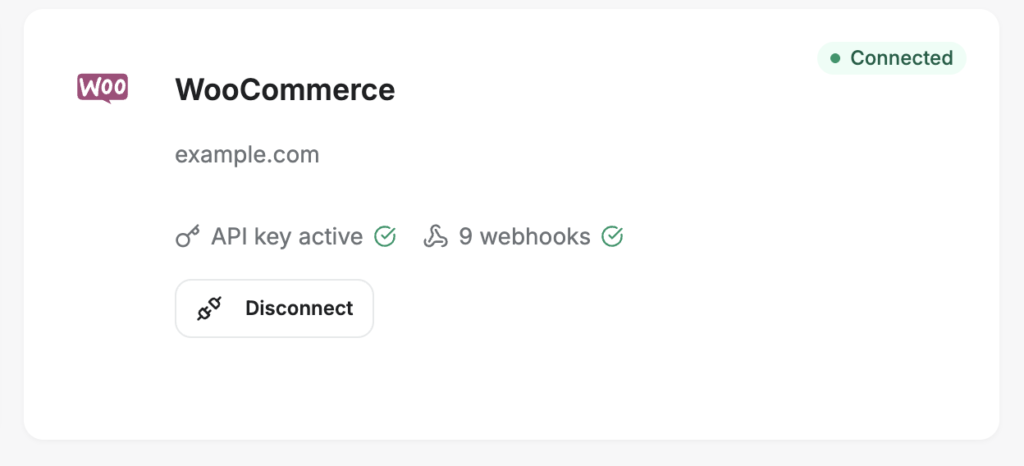
Ang pagiging nakikita bawat tindahan ay may pangalawang antas na karamihan sa mga operator ay hindi napapansin: pagiging nakikita ng sync bawat tindahan. Sa LedgerPort, ang bawat negosyo ay may sariling audit log — ang mga uri ng entity ay kinabibilangan ng Payout at Daily Summary, hindi lang mga order — kaya ang paunang pagsusuri bago ang pulong ay isang filter, hindi isang spreadsheet: itakda ang Status sa Unsynced o Error bawat tindahan, animnapung segundo bawat storefront, at alam mo na ang mga libro ng bawat tindahan ay kasalukuyan bago may magbukas ng P&L. Kung ang isang tindahan ay hindi kasalukuyan, ang pagbawi ay ang sariling recipe ng outage ng mga dokumento: filter ng saklaw ng petsa sa window ng puwang, Piliin Lahat, I-sync ang Napili — bawat tindahan, nang hindi hinahawakan ang mga tindahan na maayos. Isang tapat na tala: ang pagpapanatili ng log ay naka-tier sa plano (7, 30, o 90 araw, hanggang sa walang limitasyon), kaya ang isang kumpanya na gumagawa ng quarterly reviews ay nangangailangan ng isa sa mas mahabang mga window.
Saan Babagay ang LedgerPort
Lahat ng nasa itaas ay maaaring makamit nang manu-mano. Ito rin ay isang permanenteng disiplina: bawat order, refund, payout, at bayarin, na may tag sa tamang tindahan at nairuta sa tamang clearing account, araw-araw, sa bawat storefront. Ang mode ng pagkabigo ay hindi kamangmangan — ito ay isang abalang Q4.
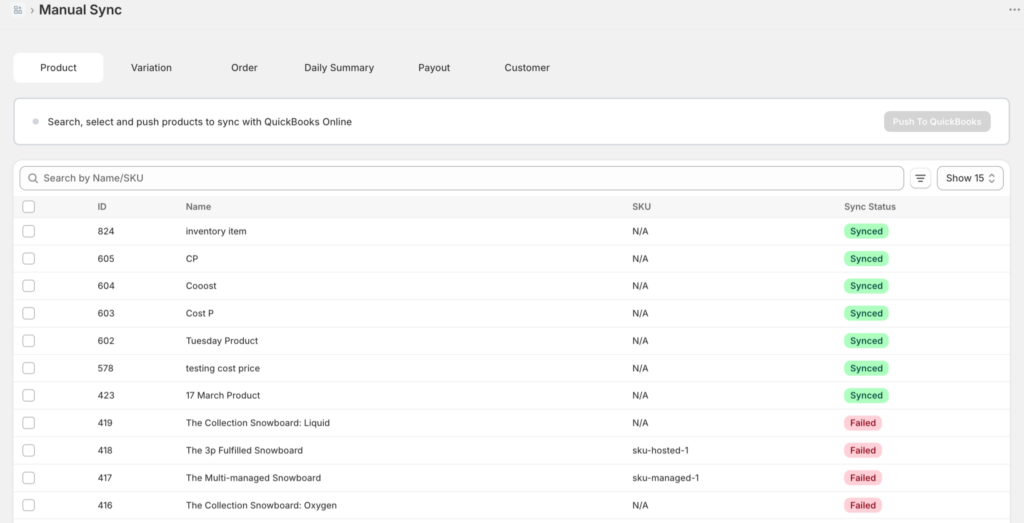
Ito ang tiyak na trabaho kung saan umiiral ang multi-store sync automation — kung pinamamahalaan mo ang accounting para sa maraming tindahan ng Shopify o isang halo ng Shopify-plus-WooCommerce. Ang multi-store sync ng LedgerPort ay nagkokonekta sa bawat Shopify o WooCommerce storefront sa parehong QuickBooks Online file, at pinapanatili ang mga hangganan para sa iyo: ang bawat tindahan ay nakakakuha ng sarili nitong clearing account, sarili nitong fee mapping, at sarili nitong class o location tag, na may mga order, refund, payout, at bayarin na awtomatikong nai-post bawat tindahan.
Sa loob ng dashboard, ang hangganan ay istruktural, hindi isang kombensyon sa pagpapangalan: ang bawat storefront ay nabubuhay bilang sarili nitong negosyo sa ilalim ng isang login. I-click ang pangalan ng negosyo sa kaliwang itaas na sulok at ang switcher ay naglilista ng bawat tindahan sa account — bawat isa ay ganap na nakahiwalay, na may sariling mga koneksyon, sync log, mapping, at setting, kaya walang mula sa Brand A ang dumadaloy sa Brand B.
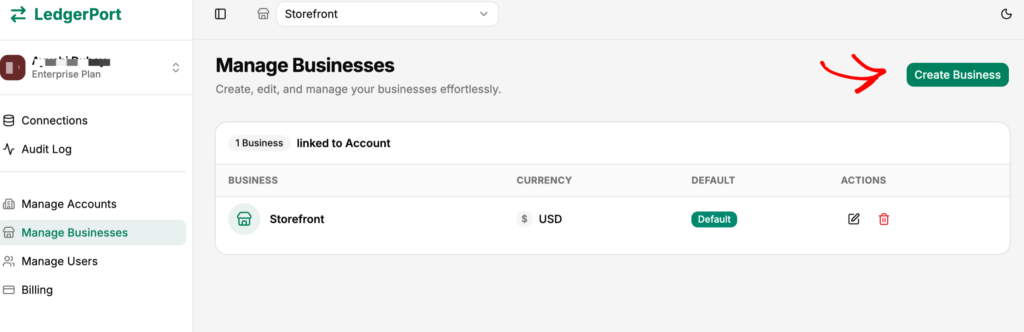
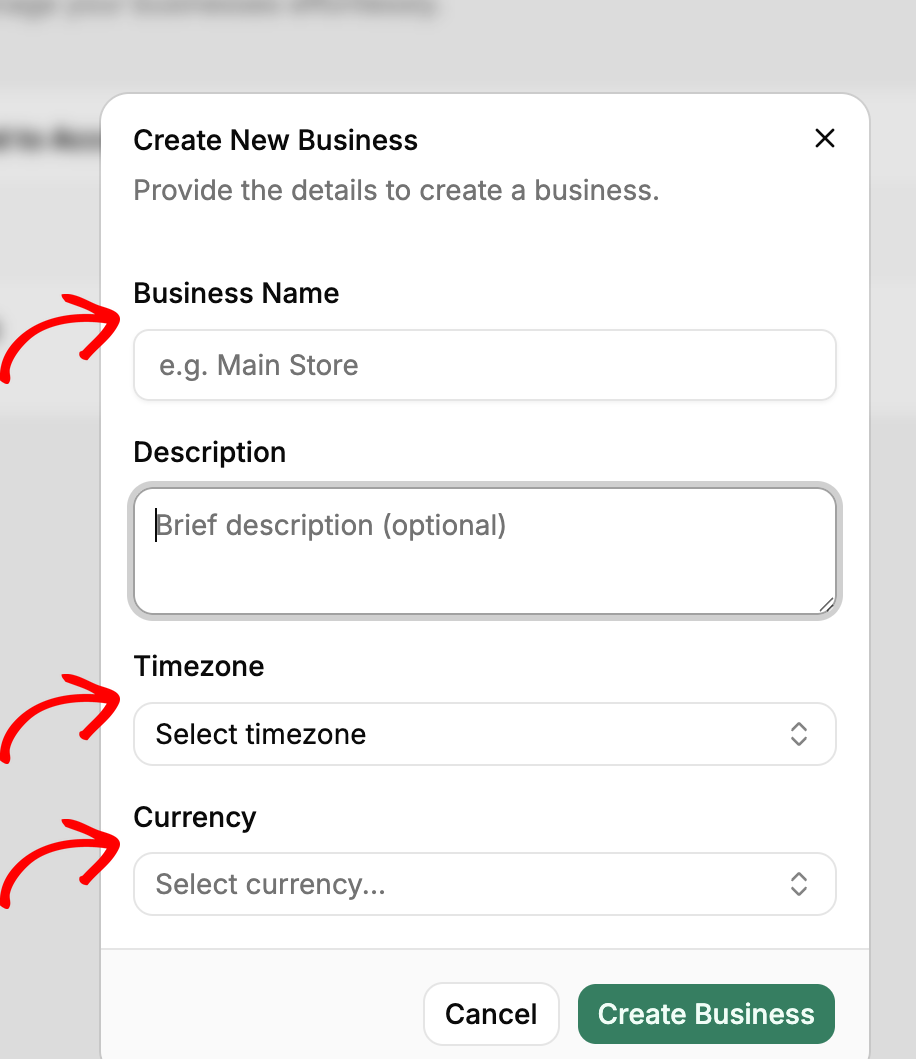
Ang pagdaragdag ng tindahan #2 — o #3 — ay nangangailangan ng pangalan, pera, at time zone. Pagkatapos ay ikinokonekta mo ang tindahan na iyon at ang QuickBooks company nito sa parehong paraan na ginawa mo ang una.
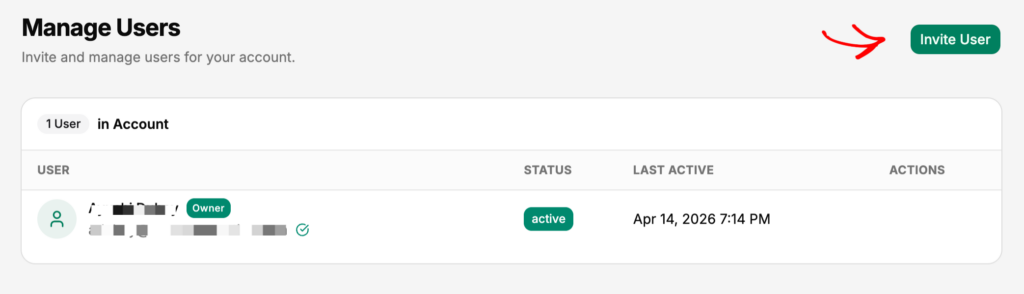
Ang pag-access ay sumusunod sa parehong mga hangganan. Ang mga tungkulin ay itinakda bawat negosyo, kaya maaari mong imbitahan ang iyong bookkeeper sa mga libro ng Store A — kung saan maaari nilang tingnan ang mga sync log at magpatakbo ng mga manual sync — nang hindi nila nakikita ang Store B o ang iyong pagsingil. Ang paghahati ng Admin/Member ay sakop sa Paano Magdagdag ng mga Miyembro ng Koponan at Pamahalaan ang mga Tungkulin.
Para sa mga kumpanyang namamahala ng mga tindahan ng kliyente: ang parehong istraktura ay lumalaki sa trabaho ng kliyente — ang bawat storefront ng kliyente ay ang sarili nitong hiwalay na negosyo sa ilalim ng pag-login ng iyong kumpanya, na may access na nakatakda sa tungkulin bawat kliyente. Tingnan ang CPA Partner Program at ang Gabay sa LedgerPort CPA Partner Program.
Nagpapatakbo ng mga tindahan sa dalawang platform? Ang kaso ng Shopify-plus-WooCommerce ay gumagana sa parehong paraan, mula sa parehong account. Ang Shopify store ay kumokonekta sa humigit-kumulang 15 minuto — Pagsisimula sa LedgerPort ang buong landas — at ang WooCommerce store ay nag-i-install bilang isang plugin at natatapos sa pamamagitan ng isang setup wizard, ayon sa Pag-install ng LedgerPort sa isang WooCommerce Store at Pagkonekta sa QuickBooks Online. Parehong storefronts ay nag-sync sa QuickBooks na may sariling mga hangganan na buo — walang pangalawang tool, walang pangalawang subscription.
Sa pagpepresyo: ang Scale plan (mula sa $67/buwan, 5,000 order/buwan) ay humahawak ng hanggang 3 storefronts na may real-time sync at per-store payout journal at paghawak ng bayarin — na sumasaklaw sa karamihan ng mga two-brand o Shopify-plus-Woo operator. Enterprise (mula sa $169/buwan) ay nag-aalis ng mga limitasyon: walang limitasyong mga tindahan at order, accounting para sa gift card at store credit, at isang dedikadong account manager. Ang taunang pagsingil ay nakakatipid ng 15%, at lahat ay may 14-araw na money-back guarantee — 100% refund, walang tanong na itatanong.
Tapat na hangganan: Hindi magpapasya ang LedgerPort sa iyong panuntunan sa paglalaan ng pinagsasaluhang gastos o mag-book ng iyong mga imbentaryo na paglilipat sa pagitan ng mga tindahan. Ang mga desisyong iyon ay mananatili sa iyo at sa iyong accountant. Ang inaalis nito ay ang pang-araw-araw na disiplina sa transaksyon — ang bahaging nauubos.
Ang Two-Click Meeting
Sa susunod na quarter, muling magaganap ang pagpupulong — sa pagkakataong ito ay tungkol sa kung ang tindahan #3 ay isang magandang ideya.
Binuksan mo ang QuickBooks. Mga Ulat. P&L ayon sa Lokasyon. Dalawang pag-click. Ang Brand B ay nasa 9% net at tumataas mula nang baguhin mo ang presyo ng shipping nito noong Abril. Ang Brand A ay matatag. Ang pagpupulong ay tumatagal ng apat na minuto, karamihan dito ay ginugugol mo sa pag-iisip kung ano ang gagawin sa natitirang oras.
Ito ang pinaka-anticlimactic na pulong sa estratehiya na mararanasan mo. Iyon ang layunin.
Ang blender ay tumatakbo lamang sa isang direksyon — ang data ng tindahan na hindi mo pinaghihiwalay ngayon ay ang P&L bawat tindahan na hindi mo mahuhugot sa susunod na taon. Kung nagse-set up ka ng tindahan #2 ngayon, o dumating ang tindahan #2 labing-apat na buwan na ang nakalipas at hindi pa nahuhuli ang mga libro, tingnan kung paano awtomatikong pinapanatiling hiwalay ng LedgerPort ang mga libro ng bawat tindahan, o magsimula nang libre at ikonekta ang iyong unang tindahan sa humigit-kumulang 15 minuto.
