

- 1QuickBooks Online Plans Compared, for an Online Store
- 2Three Questions That Pick Your Plan
- 31. Where is your stock counted?
- 42. Who needs a login?
- 53. Do you need reports by channel, location or store?
- 6A smaller fourth check: bills
- 7QuickBooks Simple Start vs Essentials for an Online Store
- 8QuickBooks Essentials vs Plus: The Inventory and Classes Question
- 9QuickBooks Plus vs Advanced: When a Store Needs Advanced
- 10Matching Your QuickBooks Plan to Your Sync Setup
- 11Upgrading Later
- 12FAQ
- 13Which QuickBooks Online plan is best for a Shopify store?
- 14Do I need QuickBooks Online Plus to track inventory?
- 15Can I use QuickBooks Free with a Shopify sync app?
- 16Pick the Plan After the Decisions
Plus has the inventory feature. That doesn't mean your store needs it.
You're on Intuit's pricing page with four plans side by side. One of them carries a "Customer favorite" badge. That's Plus, and halfway down its card is the line "Track and manage inventory."
You sell physical products, so the choice feels obvious. Most advice about QuickBooks for e-commerce lands in the same place: stores have inventory, and Plus is the plan with inventory.
Here's how that tends to go. You pick Plus and switch on inventory tracking. But Shopify is still where your stock is counted. That's where receiving happens, where adjustments get made, and where your 3PL's feed lands. Now QuickBooks is counting the same stock too. The two counts never agree, and by spring the gross margin on your P&L doesn't mean anything. Your bookkeeper's first month goes on unwinding item settings instead of doing the books. You're paying for the plan whose headline feature broke them.
Nothing was wrong with Plus. The problem was the belief behind the purchase: online stores need QuickBooks Online Plus, because Plus is the plan with inventory.
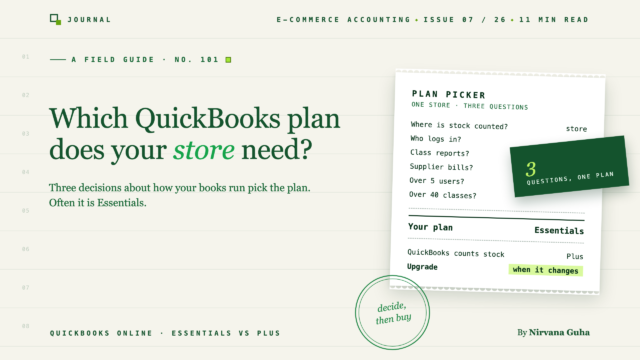
The plan should follow three decisions about how your books will run, not the feature grid. Answer them and the plan picks itself. For many single-store sellers, the answer turns out to be Essentials.
QuickBooks Online Plans Compared, for an Online Store
This guide assumes you've already settled on QuickBooks Online. If you're still comparing platforms, start with our e-commerce accounting software comparison. Here are the plans, cut down to what matters for a store.
Plan details as listed on Intuit's US pricing page on November 3, 2026. Prices are monthly list prices, before any introductory offer.
| Plan | List price per month | Users | Accountant access | What matters for a store |
|---|---|---|---|---|
| QuickBooks Free | $0 | 1 | None | No third-party integrations, so no sync app can connect |
| Simple Start | $38 | 1 | 2 accountants | Intuit positions it for businesses that only sell services. One connection to Intuit's own sales channels |
| Essentials | $85 | 3 | 2 accountants | Adds bill management and time tracking |
| Plus | $140 | 5 | 2 accountants | Adds inventory tracking (quantities and purchase orders), budgets, project profitability, and up to 40 tracked classes and locations combined |
| Advanced | $340 | 25 | 3 accountants | Unlimited classes and locations, unlimited chart of accounts, custom user permissions, workflow automation, batch invoices and expenses, automated revenue recognition |
Two notes on the table.
Budget at the list price. Intuit's introductory offer takes 50% off the monthly price for the first three months. After that you're billed at "the then-current price." The offer helps your first quarter, but it shouldn't decide your plan.
The 250-account cap rarely matters. Intuit says Simple Start, Essentials and Plus allow up to 250 accounts in the chart of accounts, while Advanced is unlimited. A well-built store chart of accounts needs far fewer. You'd only get close by creating an account for every SKU or every channel, and that's a structure problem, not a plan problem. Our e-commerce chart of accounts template shows a lean starting point.
Three Questions That Pick Your Plan
Feature lists answer "what can this plan do?" The useful question is what your books need to do. Three decisions settle most of it.
1. Where is your stock counted?
Every store counts stock somewhere: Shopify, WooCommerce, an inventory app, or your 3PL's system. If one of those is your record of what's on the shelf, QuickBooks doesn't have to count stock as well. Plenty of stores record cost of goods sold from purchases and counts instead. Our guides to COGS for Shopify sellers and periodic vs perpetual inventory cover how.
If you want QuickBooks itself to be the inventory record, holding quantities on hand and turning purchase orders into bills, you need Plus or Advanced. Intuit lists inventory tracking on those two plans only.
The mistake in the opening story wasn't choosing Plus. It was buying the inventory feature before deciding where inventory lives.
2. Who needs a login?
Count the people who'll work in QuickBooks: you, a business partner, a bookkeeper on your staff. Simple Start includes 1 user, Essentials 3, Plus 5 and Advanced 25.
Intuit lists accountant access separately from those user seats: 2 accountants on Simple Start, Essentials and Plus, and 3 on Advanced. A solo owner who works with an outside accountant can live with one user. Once a part-time bookkeeper joins your team, you're on Essentials or higher. If you're about to make that hire, here's what to look for in an e-commerce bookkeeper.
3. Do you need reports by channel, location or store?
Comparing online sales with POS, wholesale with retail, or one brand with another inside a single QuickBooks company uses tracked classes or locations. Intuit says those aren't available on Simple Start or Essentials. Plus includes up to 40 combined, and Advanced has no limit.
If you run more than one store, decide this before you pick a plan. Multi-store accounting in QuickBooks walks through the structures.
A smaller fourth check: bills
Do you pay suppliers, a 3PL or freight invoices from QuickBooks? Intuit describes bill management as what Essentials adds over Simple Start. Simple Start's card does list ACH bill pay, so it isn't helpless here, but if payables are part of your month, plan on Essentials.
Put together:
- Stock counted in your store or an app, and no channel or location reports needed: Essentials.
- QuickBooks will count stock, or you need class or location reports: Plus.
- More than 5 users, more than 40 classes and locations, or workflow automation: Advanced.
QuickBooks Simple Start vs Essentials for an Online Store
Intuit is direct about who Simple Start is for: it calls the plan "ideal for solo entrepreneurs, gig workers, freelancers, and businesses that only sell services."
That doesn't rule out a store. Simple Start can work for a solo seller at low volume who gets sales into the books through a sync app or summary entries, has no staff who need a login, and doesn't run many supplier bills through QuickBooks.
Move to Essentials when any of these becomes true:
- A second person needs a login. That might be a partner or a bookkeeper on your staff.
- Supplier, 3PL or freight bills are part of your month. Essentials adds bill management.
- You use Intuit's own sales channels for more than one store. Intuit says "QuickBooks Online Simple Start only supports a max of one connection." To connect more stores that way, you need Essentials, Plus or Advanced.
For most stores past the side-project stage, the jump from Simple Start to Essentials happens early. It's usually the first hire that triggers it.
QuickBooks Essentials vs Plus: The Inventory and Classes Question
This is the decision most store owners are really making. The price gap between the two plans buys you a set of features, but two of them matter most to a store: inventory tracking and tracked classes and locations. Plus also adds budgets and project profitability, which some stores use and many don't.
If you need neither inventory tracking nor class reporting, Essentials does the store's accounting job. Orders and payouts post, fees get recorded, bills get paid, and your accountant can log in.
Plus is worth it when:
- QuickBooks will be your inventory record. You want quantities on hand in QuickBooks and purchase orders that convert to bills when stock arrives.
- You want a P&L by channel or location inside one company. For example, online vs POS, or wholesale vs retail.
- You budget against actuals in QuickBooks. Budgets are a Plus feature.
If you choose Plus for inventory, make the decision whole. QuickBooks becomes the one place stock is counted, and your sync has to be set up to match it: how store products map to QuickBooks items, and which item types they use. Our product mapping guide covers the mapping side. Switching inventory tracking on while the store keeps counting too recreates the opening story.
Where the sync plan comes in. If you're buying Plus for these features, check which sync setup actually uses them automatically. In LedgerPort, tagging synced orders to QuickBooks classes or locations is an Enterprise feature. You can tag by Shopify sales channel, store location, customer segment or order tag. Inventory sync with location controls is on Scale and Enterprise. The pricing page has the full comparison. It's better to know that before you pay for both.
QuickBooks Plus vs Advanced: When a Store Needs Advanced
Advanced is built for larger teams and more complex books. For a store, the triggers are specific, and all of them come from Intuit's plan pages:
- More than 5 people need a login. Advanced includes up to 25 users.
- More than 40 tracked classes and locations combined. Plus caps out at 40.
- More than 250 accounts in the chart of accounts.
- Custom user permissions, so staff see only what they should.
- Workflow automation, plus batch invoices and expenses.
- Automated revenue recognition. This matters to stores selling subscriptions or prepaid products. Here's how subscription revenue should be deferred.
Most single-store sellers never hit any of these. Multi-brand operations, wholesale-heavy businesses and larger teams sometimes do. If you're not sure, you probably don't need Advanced yet.
LedgerPort works with Advanced, but it doesn't depend on it. LedgerPort's plugin listing says "None of the Advanced-only features are required."
Matching Your QuickBooks Plan to Your Sync Setup
The plan is half the decision. The other half is how orders get from your store into QuickBooks.
Intuit's own sales channels. QuickBooks Online can bring in orders and payouts from connected sales channels itself. Intuit says "the only e-commerce channels supported are: Amazon, eBay, Shopify," and Simple Start allows one connection. For a single store with simple orders, that can be enough. Our review of the free QuickBooks Shopify connector covers where it fits and where it gets thin.
A dedicated sync app. LedgerPort works with QuickBooks Online Simple Start, Essentials, Plus and Advanced. It can't connect to QuickBooks Free, because Intuit says "third-party integrations [are] not currently available with QuickBooks Free." It doesn't support QuickBooks Desktop either. If you're moving off Desktop, start with what Intuit has actually announced about Desktop.
Here's how common store situations pair up. LedgerPort plan details are on the pricing page.
| Your store | QuickBooks Online plan | LedgerPort plan |
|---|---|---|
| Testing, solo, under 30 orders a month | Simple Start or Essentials | LedgerPort Free (you push orders manually) |
| One store, stock counted in the store or an app, a bookkeeper logs in | Essentials | Growth (automatic sync, posted as Sales Receipts or Invoices) |
| You want one summary entry per day, or payout journals with fees broken out | Simple Start or higher | Scale |
| QuickBooks counts stock, with location controls | Plus | Scale |
| Orders tagged to classes or locations automatically by channel, location, segment or tag, or purchase-order sync | Plus or Advanced | Enterprise |
The same QuickBooks plan logic applies if you sell on WooCommerce. The WooCommerce sync guide covers setup. Once you've picked a plan, here's how to connect Shopify to QuickBooks Online.
Upgrading Later
Intuit's pricing page says "You can upgrade between QuickBooks Online Simple Start, Essentials, or Plus." So you don't have to buy for the store you might be in two years. Start at the plan your three answers point to, and move up when an answer changes. Typical triggers are your first hire, a second store, or deciding QuickBooks should count stock.
Going the other way is less predictable. If you ever plan to downgrade, check Intuit's help first, because features you've set up, such as class tracking or inventory, may not carry back down.
And remember the introductory discount ends after three months. Whatever plan you pick, make sure it works at the list price.
FAQ
Which QuickBooks Online plan is best for a Shopify store?
Usually Essentials, if Shopify or an inventory app counts your stock and you don't need class or location reporting. Choose Plus if QuickBooks will be your inventory record or you want P&Ls by channel or location.
Do I need QuickBooks Online Plus to track inventory?
To track inventory inside QuickBooks, yes. Intuit lists inventory tracking on Plus and Advanced only. But you only need that if QuickBooks, not your store or an inventory app, is where stock is counted.
Can I use QuickBooks Free with a Shopify sync app?
No. Intuit says third-party integrations aren't available with QuickBooks Free, so no sync app can connect to it. You'll need Simple Start or higher.
Pick the Plan After the Decisions
Back to that pricing page. The "Customer favorite" badge doesn't know where your stock is counted, who logs in, or which reports your accountant wants. You do now. The right plan is the cheapest one that matches those three decisions, and you can upgrade when one of them changes.
Whichever plan you pick, test it with real orders first. Connect your QuickBooks Online company to LedgerPort's Free plan and sync a few days of real orders. Then see how they land in your books before you pay for a bigger QuickBooks plan or a sync plan. LedgerPort's Free plan covers 1 storefront and up to 30 orders a month, and no credit card is required.
Or, first, see how orders sync from Shopify to QuickBooks Online.
